Nuzzle product introduction
Read the film description
A nursing session and bottle become saved records. The shared-care roster shows family roles. A nap ends, then Insights summarizes recorded care. A real exported PDF appears beside the report screen.
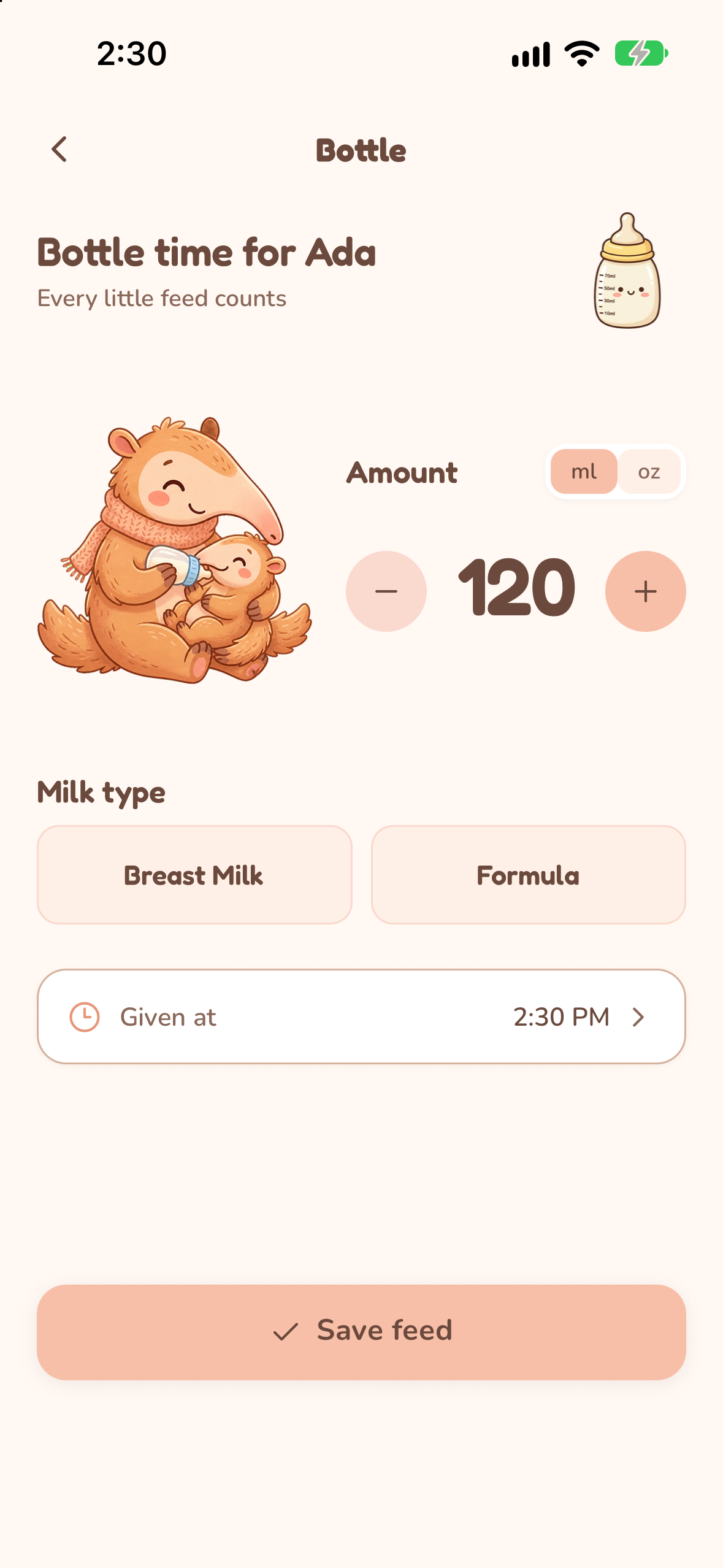
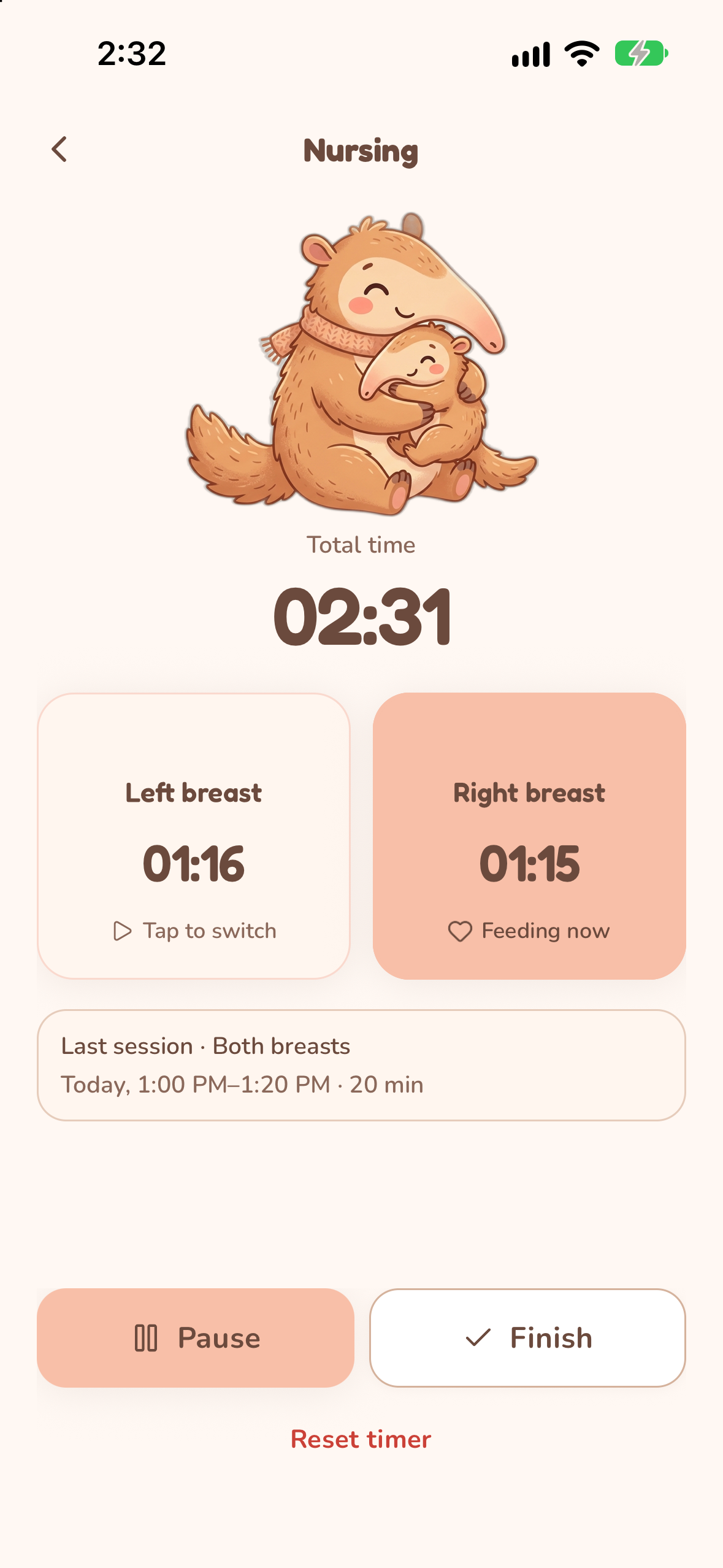
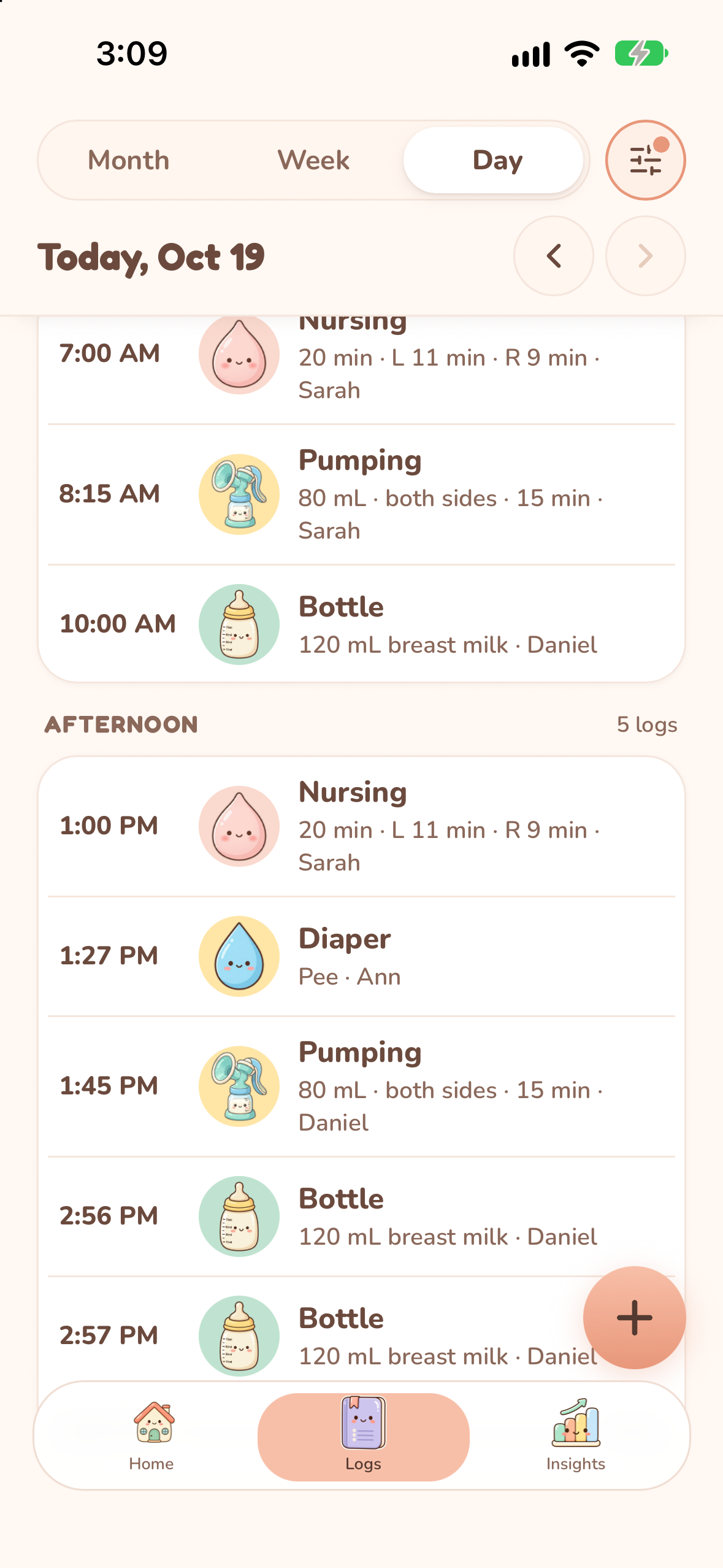
See Nuzzle in use.
Follow the real flows, see the saved records, and choose what works for your family.
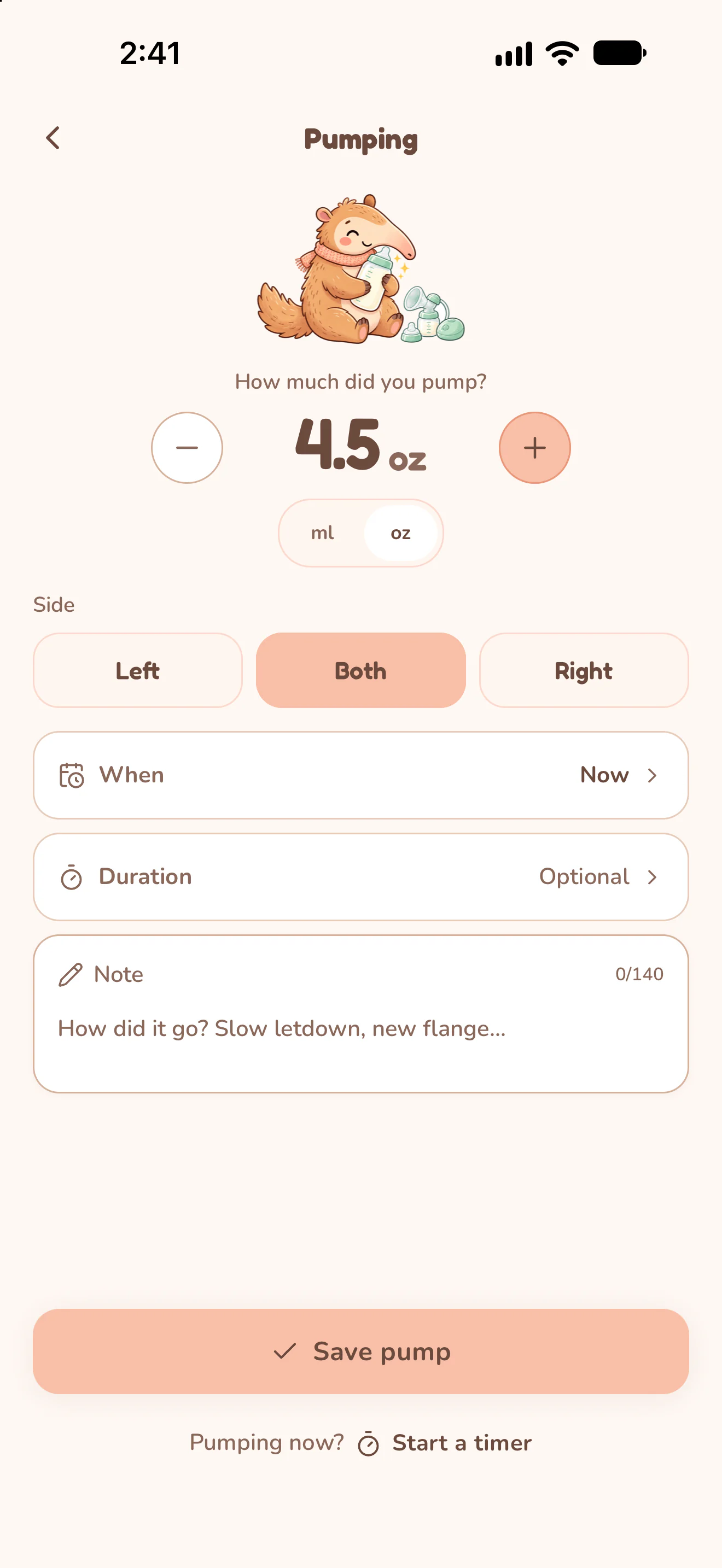
Feeding
Time each nursing side, record a bottle, or keep a pumping session in the same care history.
See how it works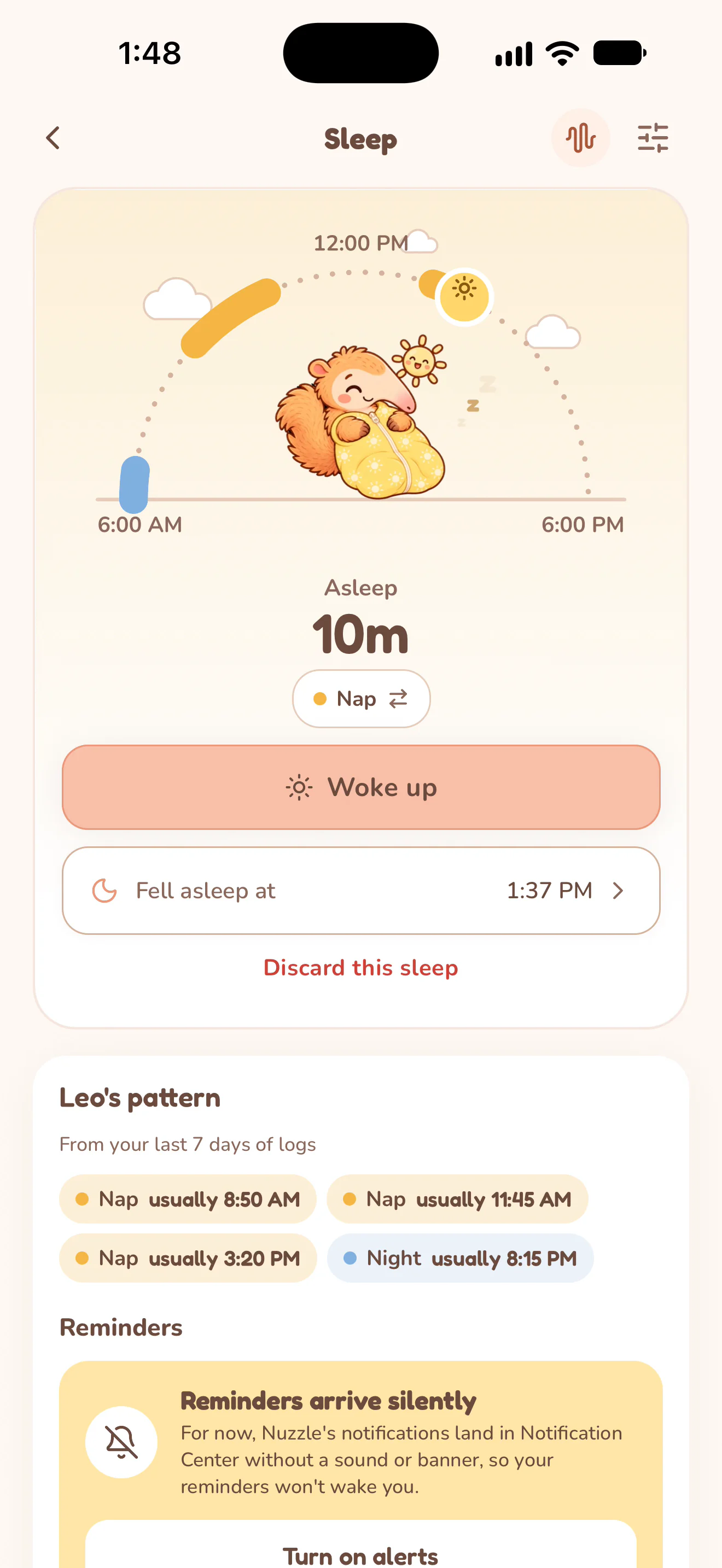
Sleep
Record when sleep starts and ends, then look back at naps and nighttime sleep without keeping the times in your head.
See how it works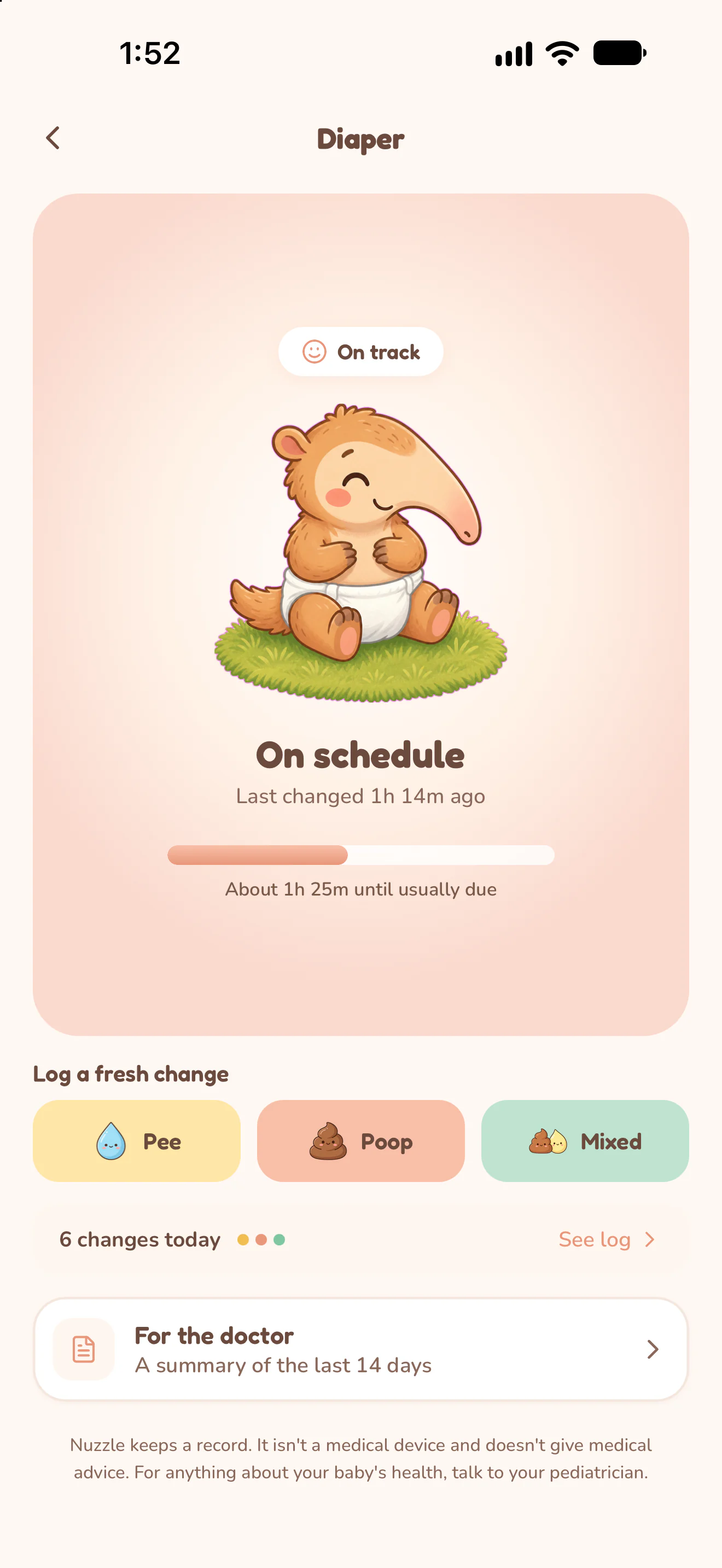
Diaper changes
Choose the change type, save the record and leave a clear history for whoever cares for the baby next.
See how it works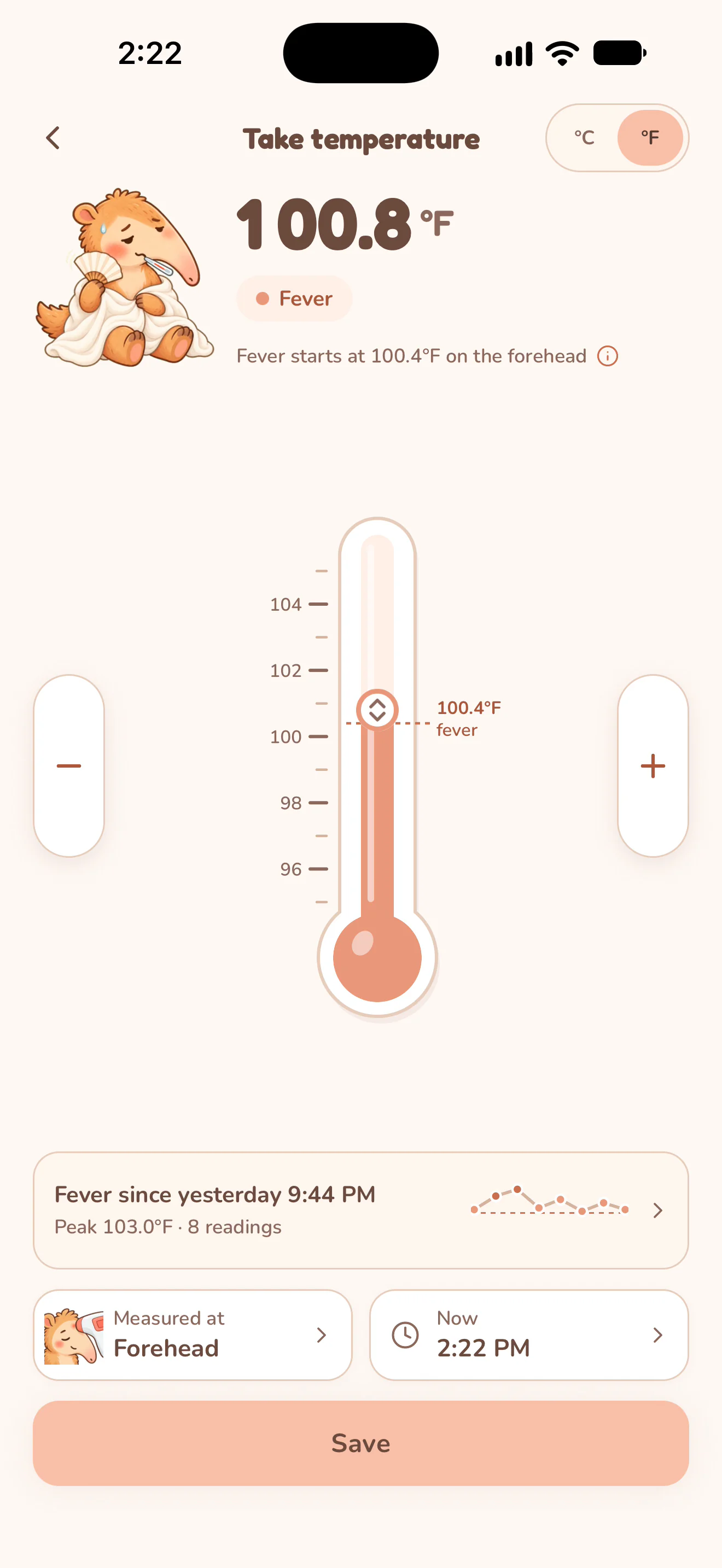
Temperature & fever
Record a temperature, where you measured it and the symptoms you noticed. Keep the readings together as the day unfolds.
See how it works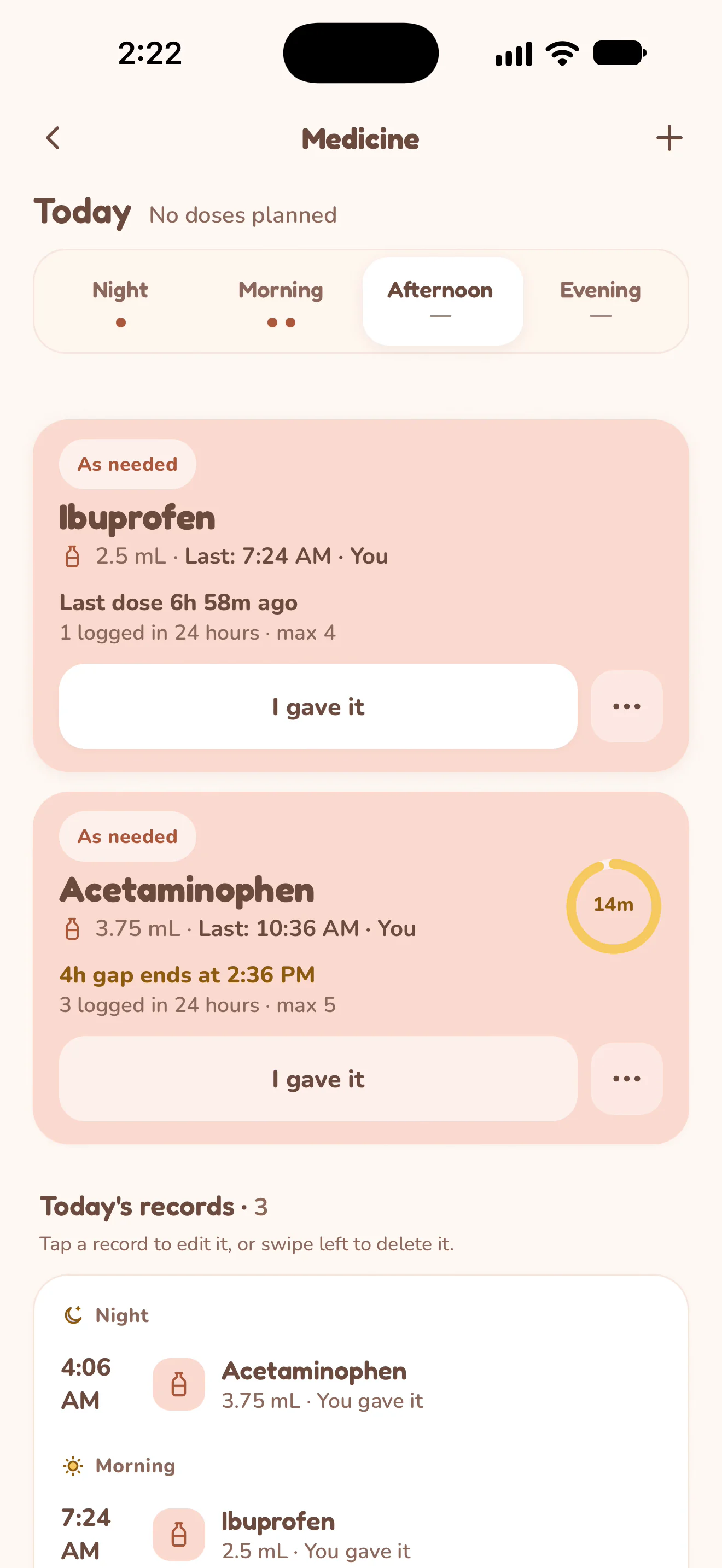
Medicine
Keep medicine details, the last recorded dose and caregiver names together. See the gap and daily limit you entered beside the record.
See how it works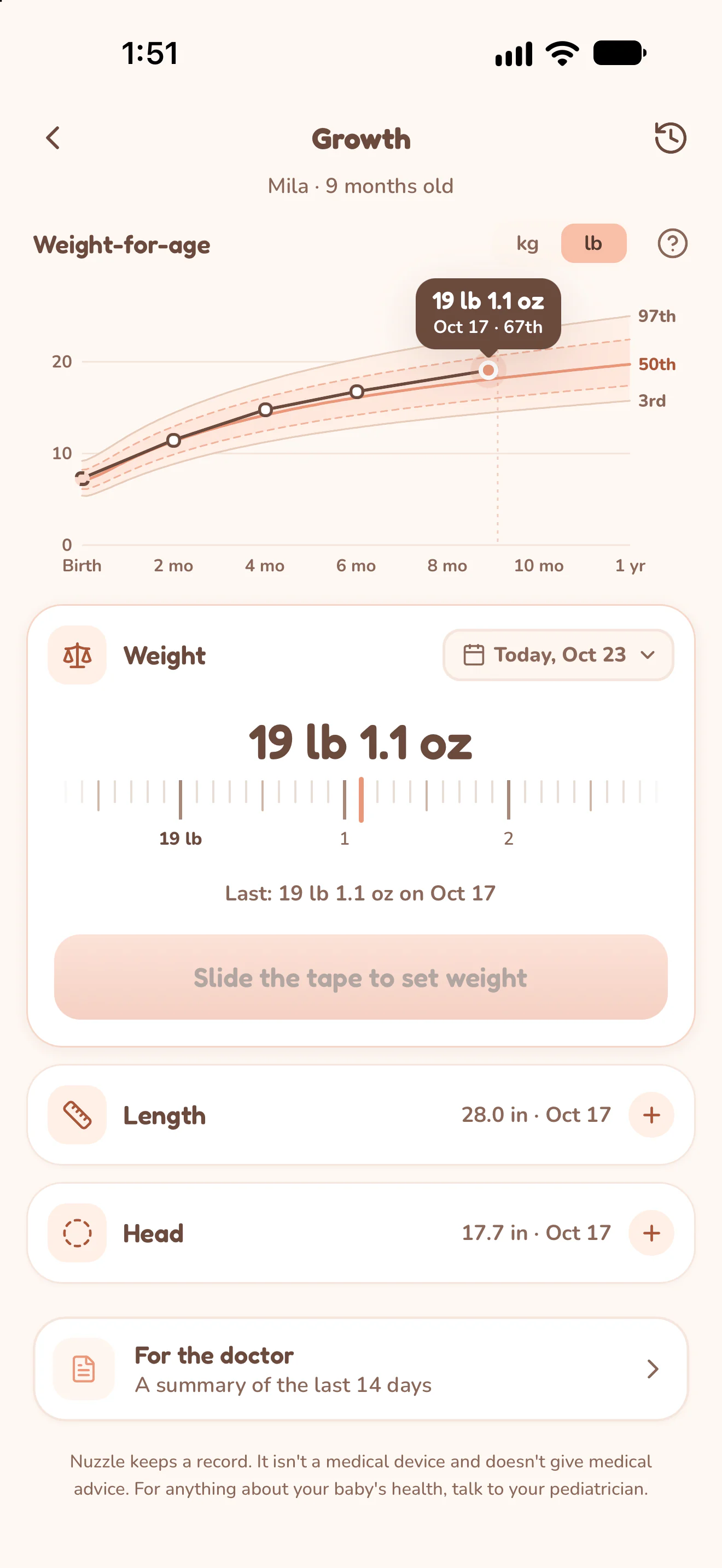
Growth & development
Keep weight, length and head measurements alongside milestone observations and tooth dates, with a separate history for each child.
See how it works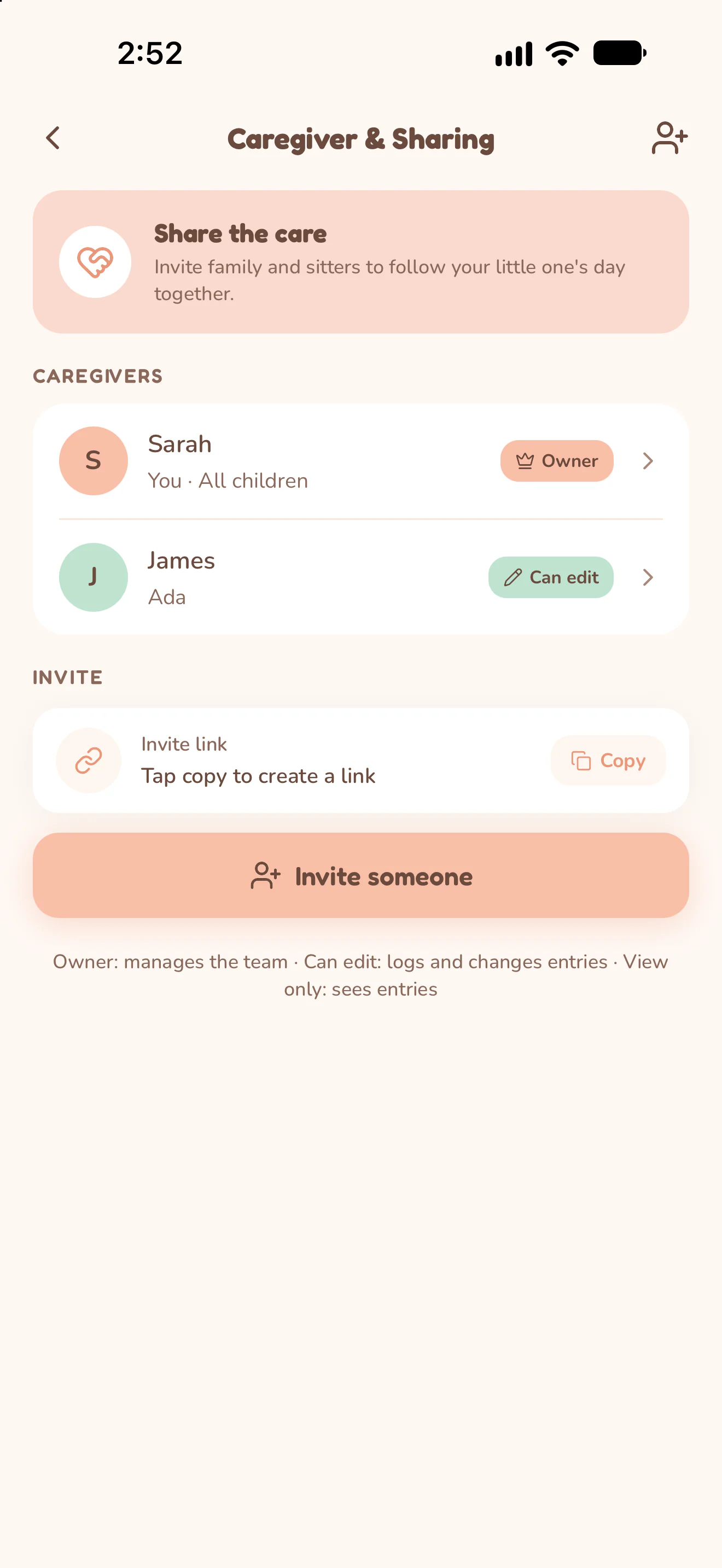
Shared care
Keep care records with the people who help, with one family role and a clear choice of which children they can access.
See how it works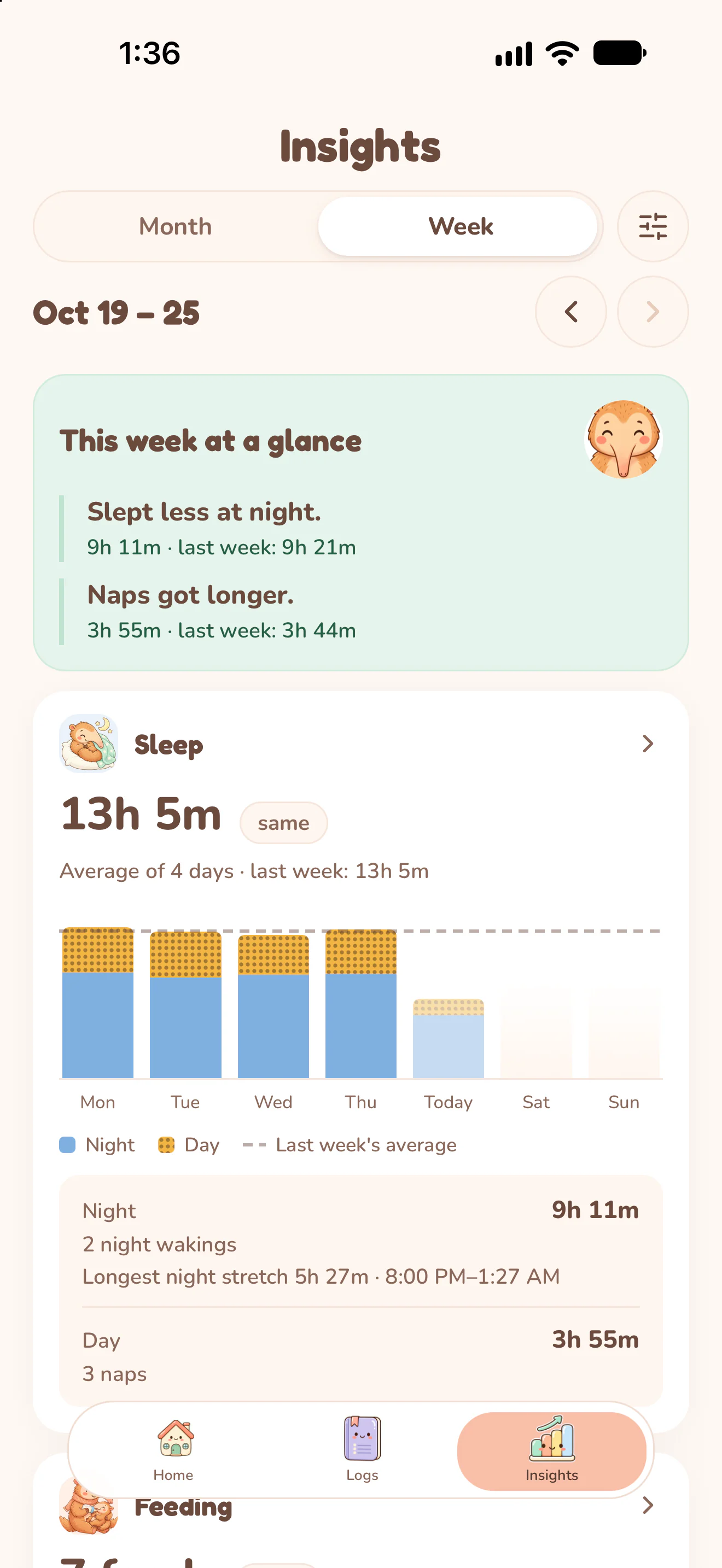
History & Insights
Find the individual record first. Then use the actual charts to put the days you logged in context.
See how it works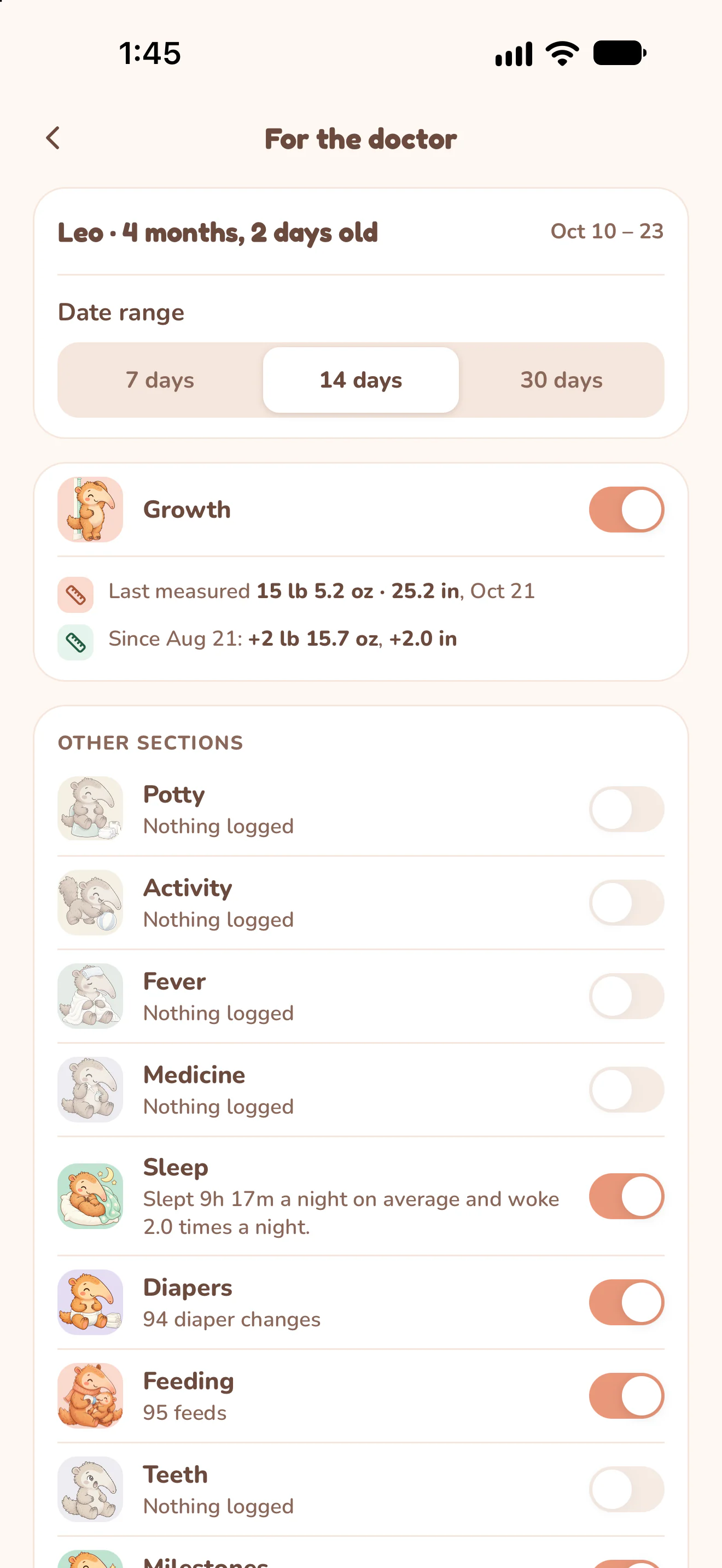
A report for the doctor
Choose the time period and care sections, then share the PDF Nuzzle creates from the records you kept.
See how it worksMore of your family's day.
Use the trackers that fit this stage of family life, and keep the records you want to look back on.
Play and everyday time together.
Keep a tummy-time session, a story or time outdoors in the day's record. Timed activities and one-tap entries share the same history, with activity names that follow your child's age.
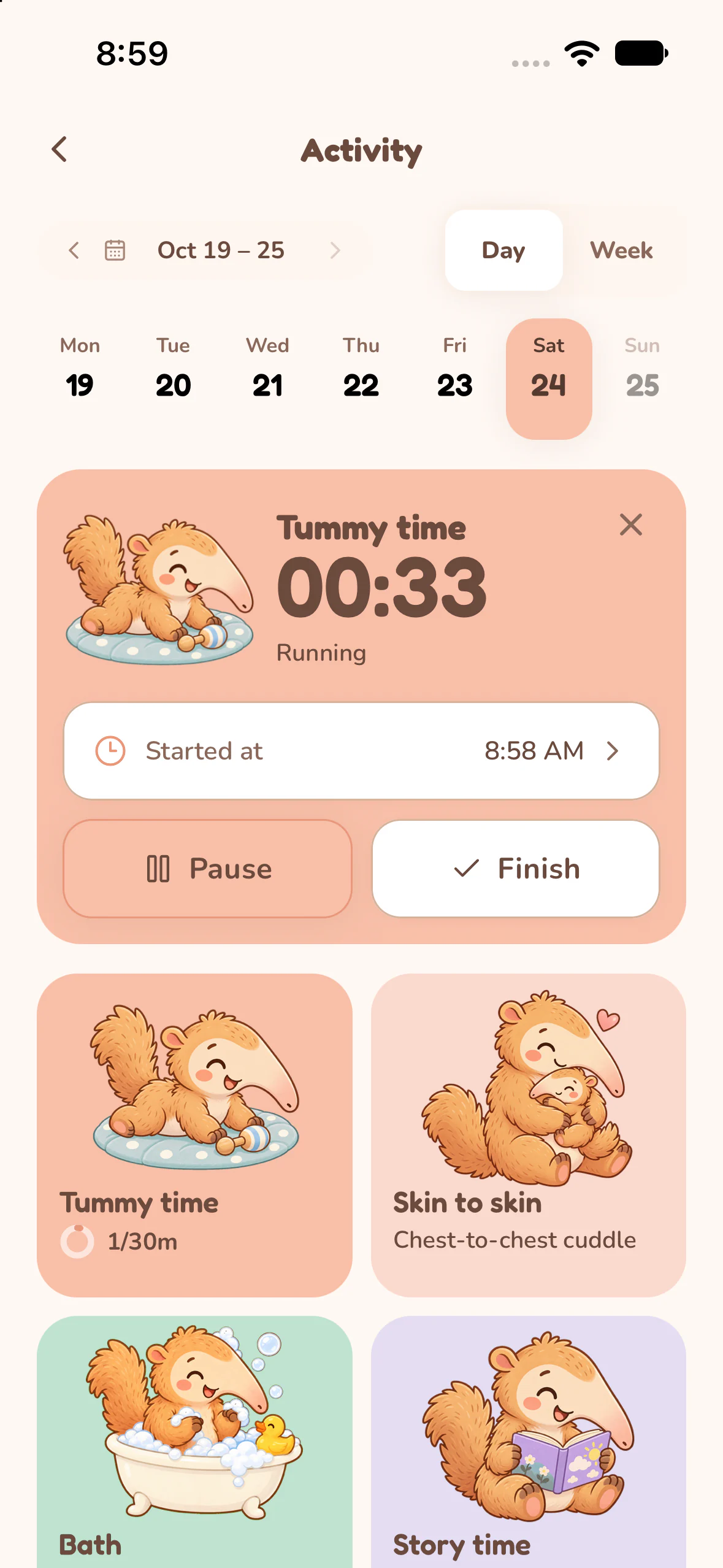
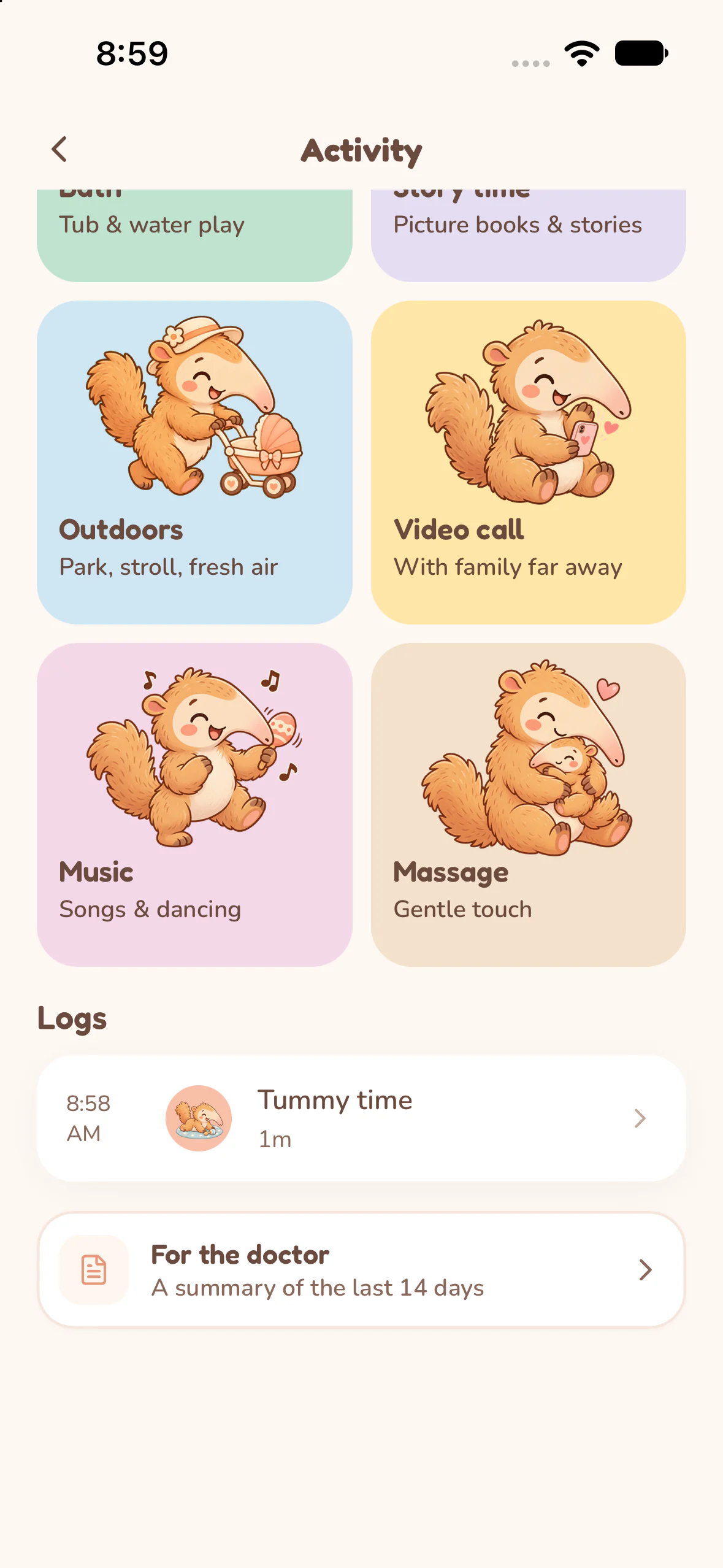
Choose the activity for this child.
Open Activity and select the activity you want to record. For Tummy time, open its card and choose Start.
Pause or finish a timed session.
Use Pause and Resume as needed, then Finish to save. Tummy time, skin to skin, outdoors and screen activities use timers; the labels can change with age.
Keep the smaller moments too.
Story time, bath, music and massage log an event with a tap. Review the day's list or switch to Week to look back over recorded activities.
A record for toilet-training days.
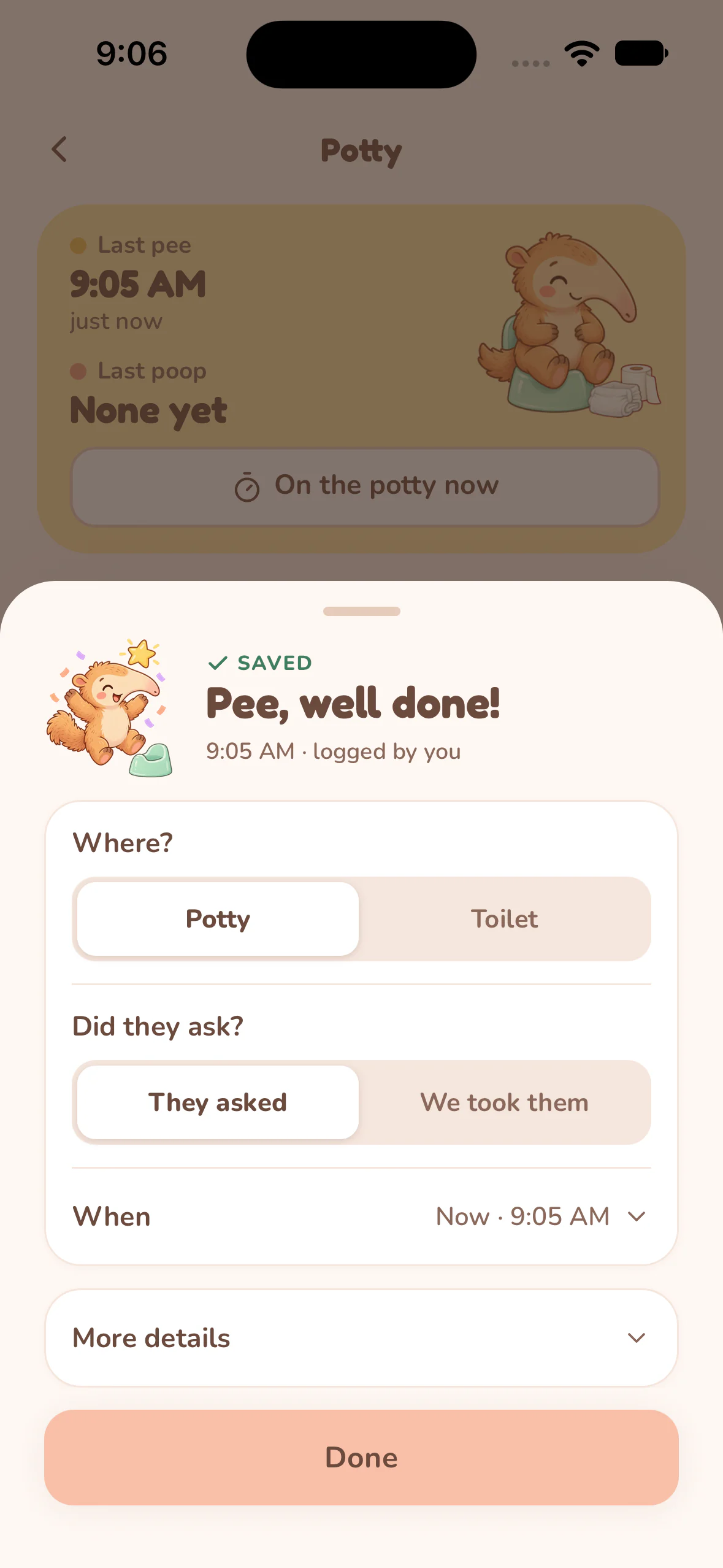
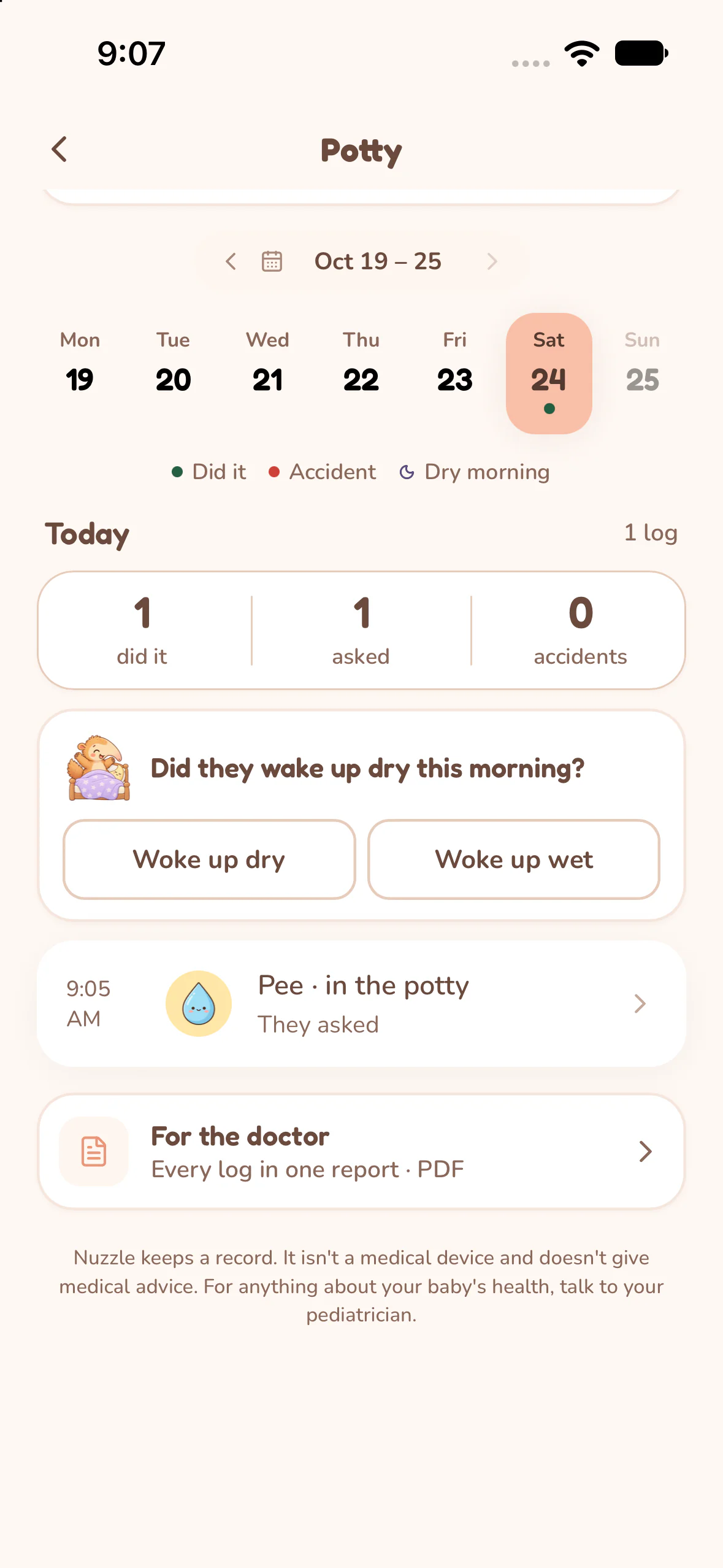
Keep potty trips, accidents and the context you want to remember. The example follows a saved pee entry for fictional Taylor, aged two.
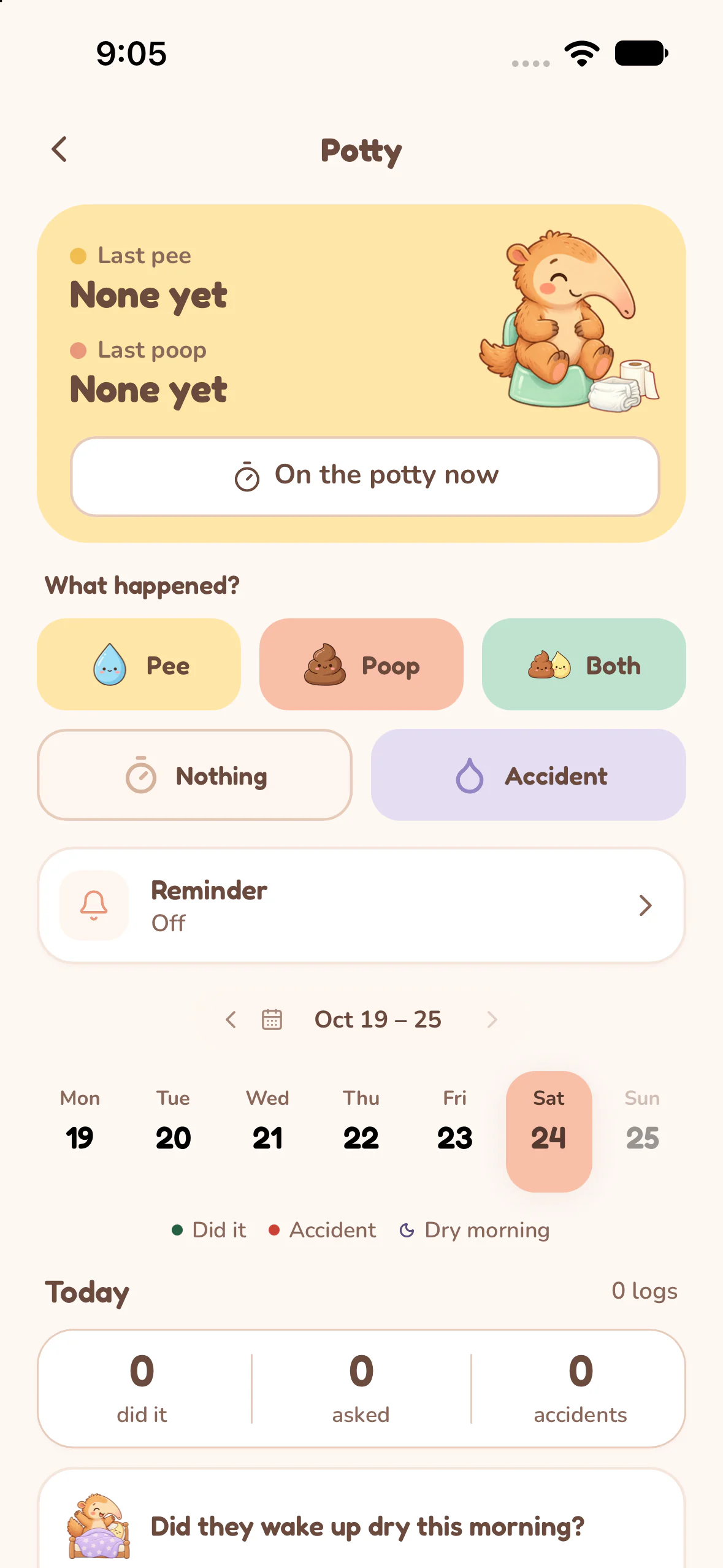
Choose what happened.
Open Potty and choose Pee, Poop, Both, Nothing or Accident. On the potty now starts a timer when you want to keep track of the visit's duration.
Add the details that fit.
For the pee entry shown here, the saved sheet offers Potty or Toilet and They asked or We took them. Check the time, add more details if useful, then choose Done.
Look back at the day.
Select a day in the week strip to read its entries and counts. The page also lets you record a dry or wet morning, and opens a report through For the doctor.
A timer for each contraction.
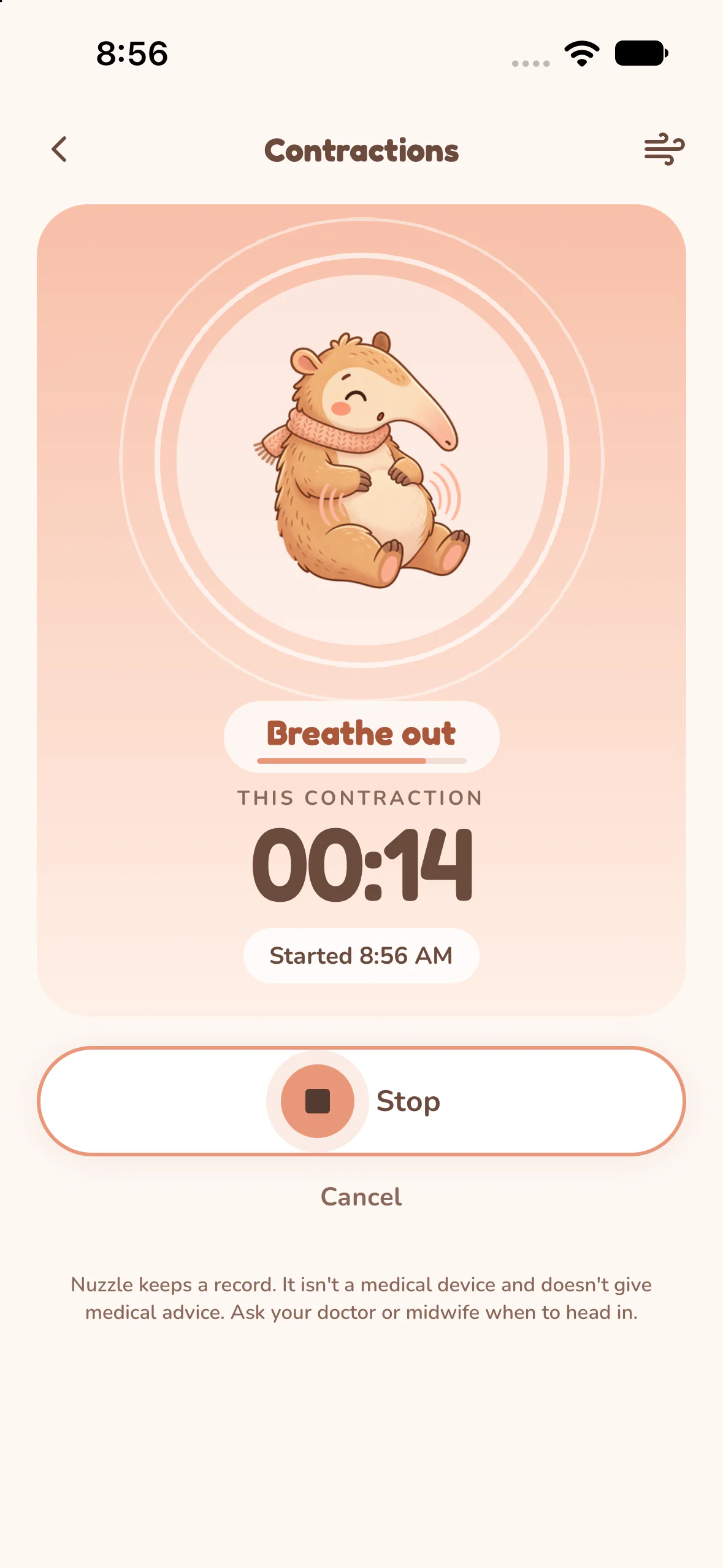
Start when a contraction begins, stop when it ends and keep a record of its duration and strength. An optional breathing guide stays with the running timer.
Start and stop the timer.
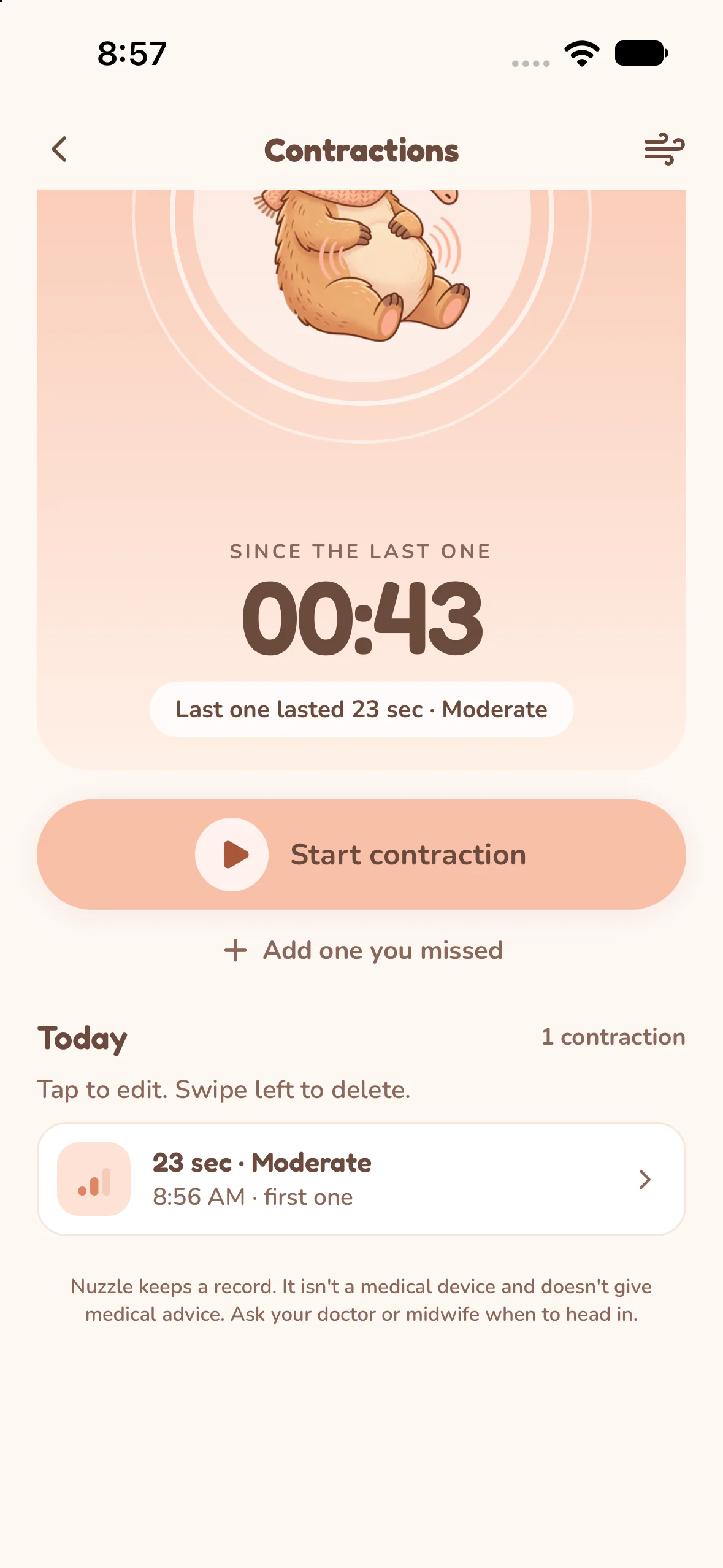
Open Contractions and tap Start contraction. Stop saves the duration and asks how strong it was; choose Mild, Moderate, Strong or Skip for now.
Review the saved contractions.
The list keeps each start time, duration and strength. With more than one contraction, spacing is measured from the previous start to the next start.
Add or correct a record.
Use Add one you missed for a past contraction. Tap a saved row to review or edit its time, duration and strength.
Devices and accessibility
On iPhone, the App Store lists iOS 16.4 or later, and Apple Watch supports nursing, sleep and diapers. On Android, Google Play shows whether your phone is supported. The release notes also describe VoiceOver across the app, larger text and Reduce Motion improvements.
Check the current store listing for device compatibility and the latest release notes:
Free download and Premium
Nuzzle is free to download. Continued use of some features requires Nuzzle Premium. An owner's Premium access covers the caregivers in that family.
- Free
- Viewing history, CSV exports, contraction tracking and caregiver invitations.
- Premium
- Care logging, Insights, Live Activities and reminders require Premium after any eligible complimentary access ends.
Complimentary access and App Store trial eligibility can vary. Check the in-app offer for your family's access and the price before purchasing.
The printable worksheets on this website are free and do not require an app subscription.
Official product details
Nuzzle is an app for iPhone and Android made by Zekby LLC. Monthly and yearly subscriptions are available. A lifetime plan is no longer offered for new purchases. Current purchase options, eligibility and local prices are shown in the app.
Nuzzle keeps a record. It isn't a medical device and doesn't give medical advice. For anything about your baby's health, talk to your pediatrician.
Start today's record.
The next feed, the next nap and every first, in one record your whole family can see.