
NursingRight · Feeding12:04
Pause from the Lock Screen.
A running nursing timer sits in the Dynamic Island and on the Lock Screen. Pause it or switch sides without unlocking. Try the button.
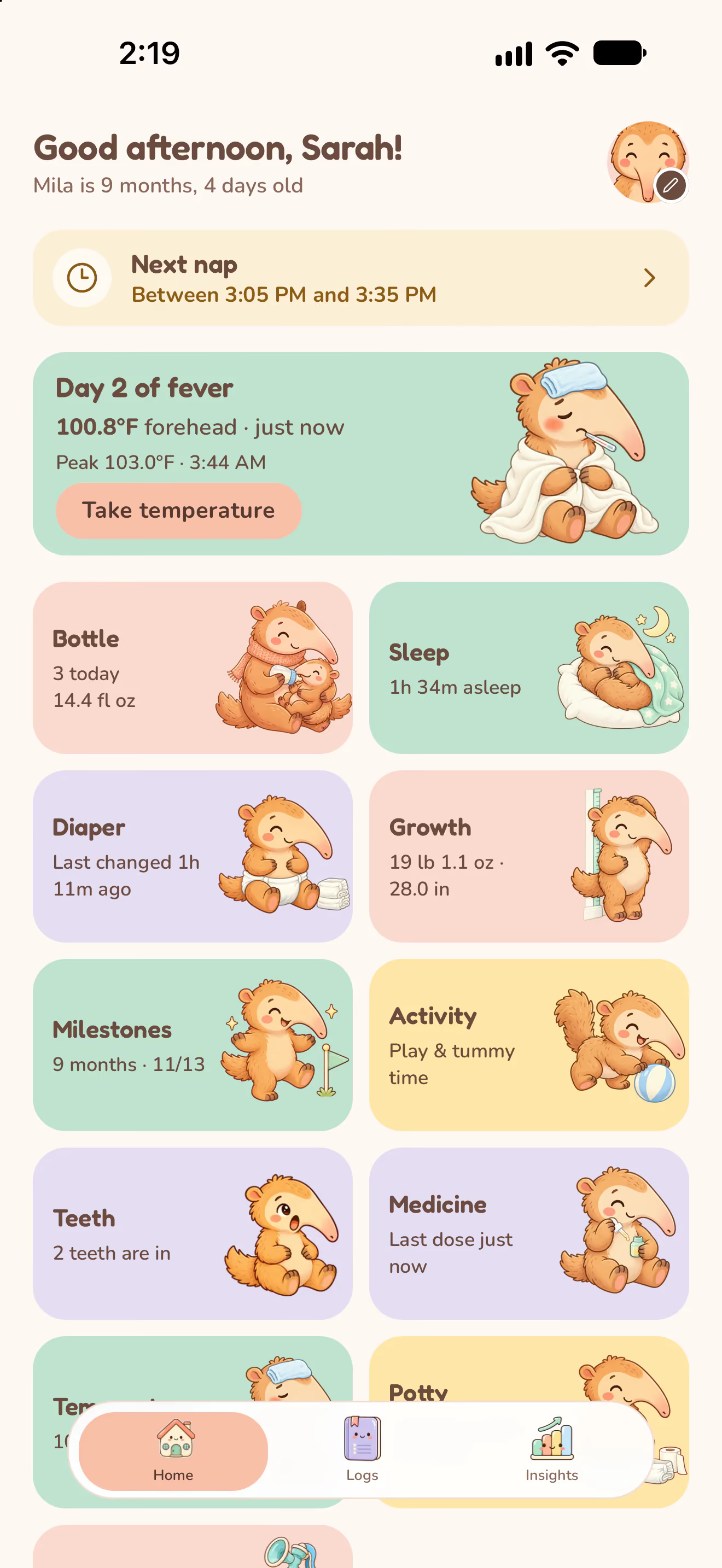
Log feeds, naps, diapers, fevers and more in a tap or two. Everyone you invite sees the same day, in order.
Free to download. No ads.
One day with Nuzzle
Feeds roll into naps and naps into changes. Follow one day from the first contraction to the afternoon handover and see where every moment lands.
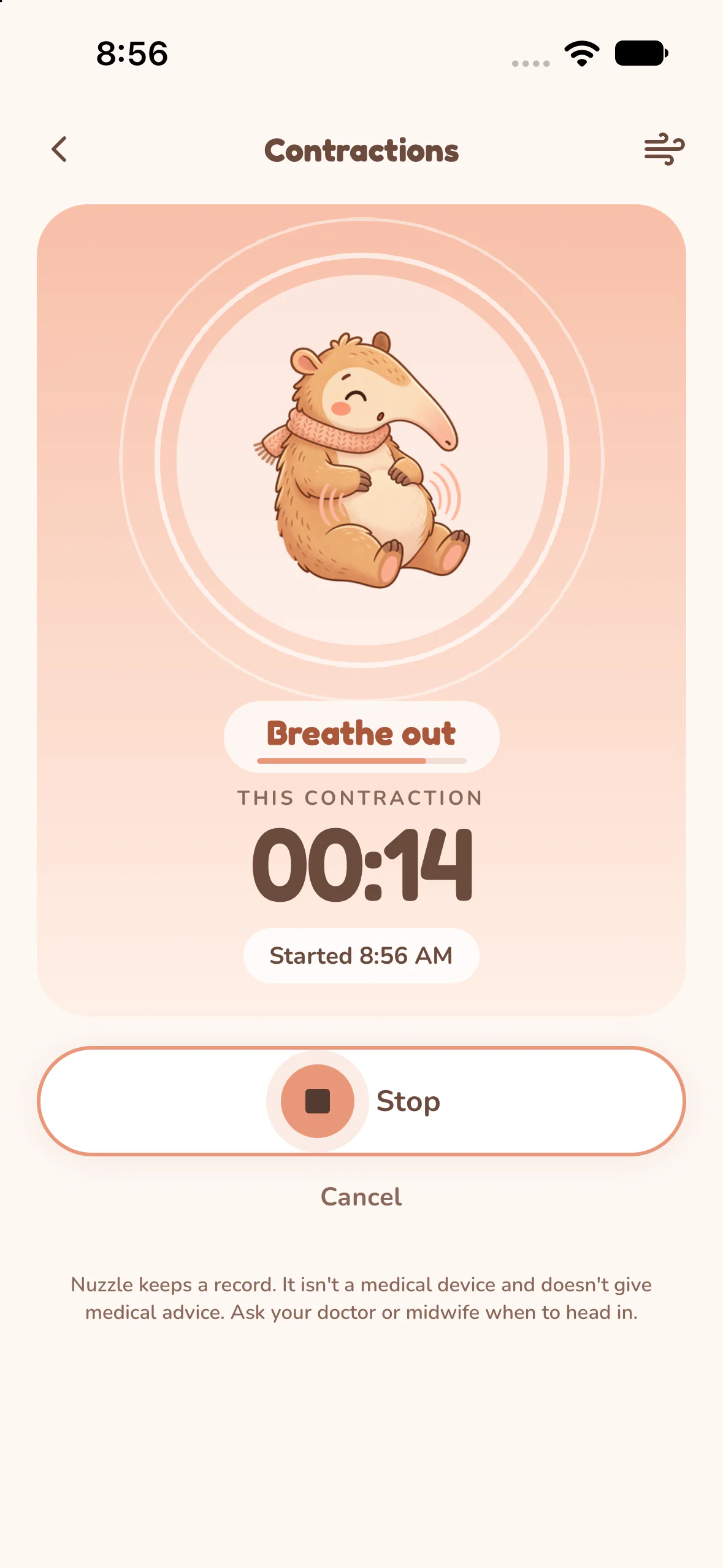
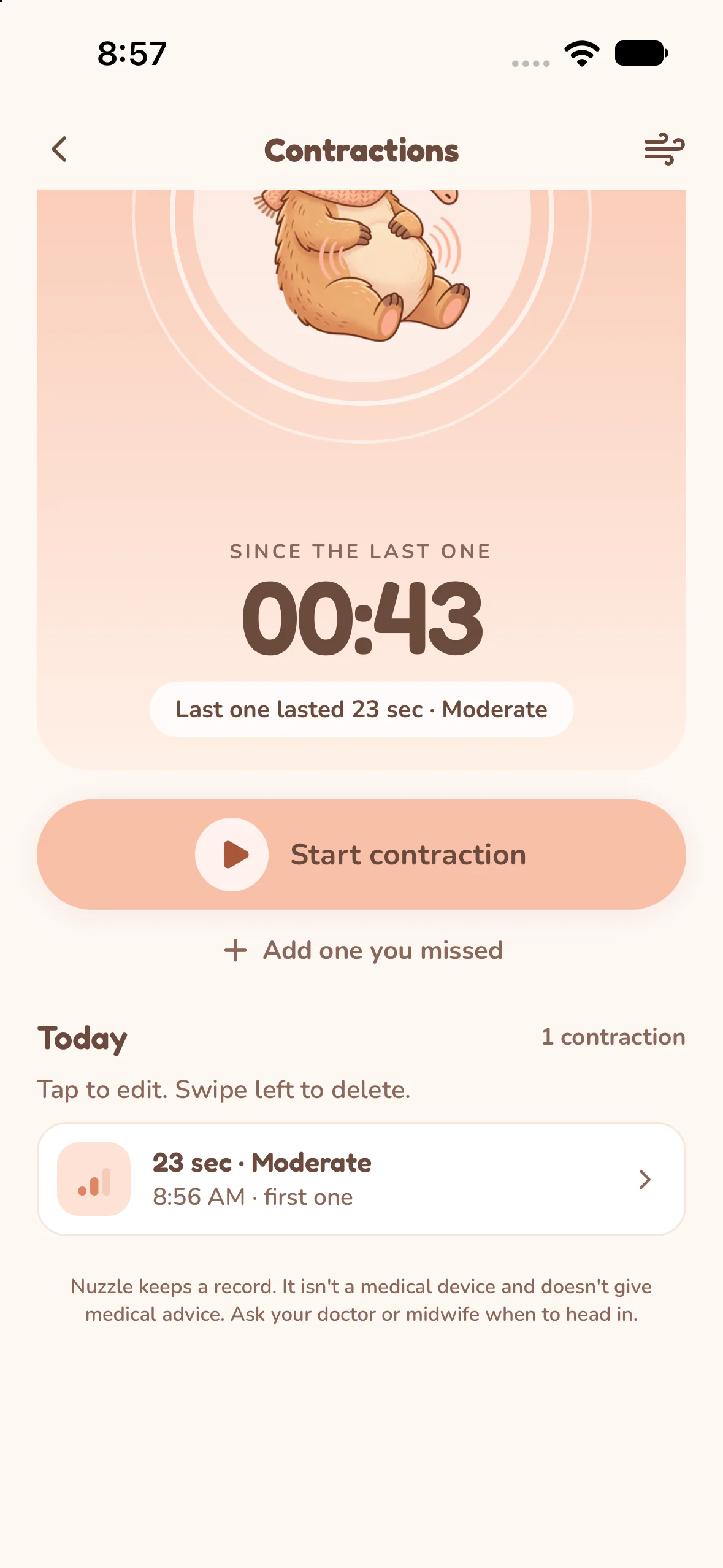
8:56 AM
Tap Start and follow the breathing guide. Nuzzle shows how long each contraction lasted, how strong it felt and how long since the last one.
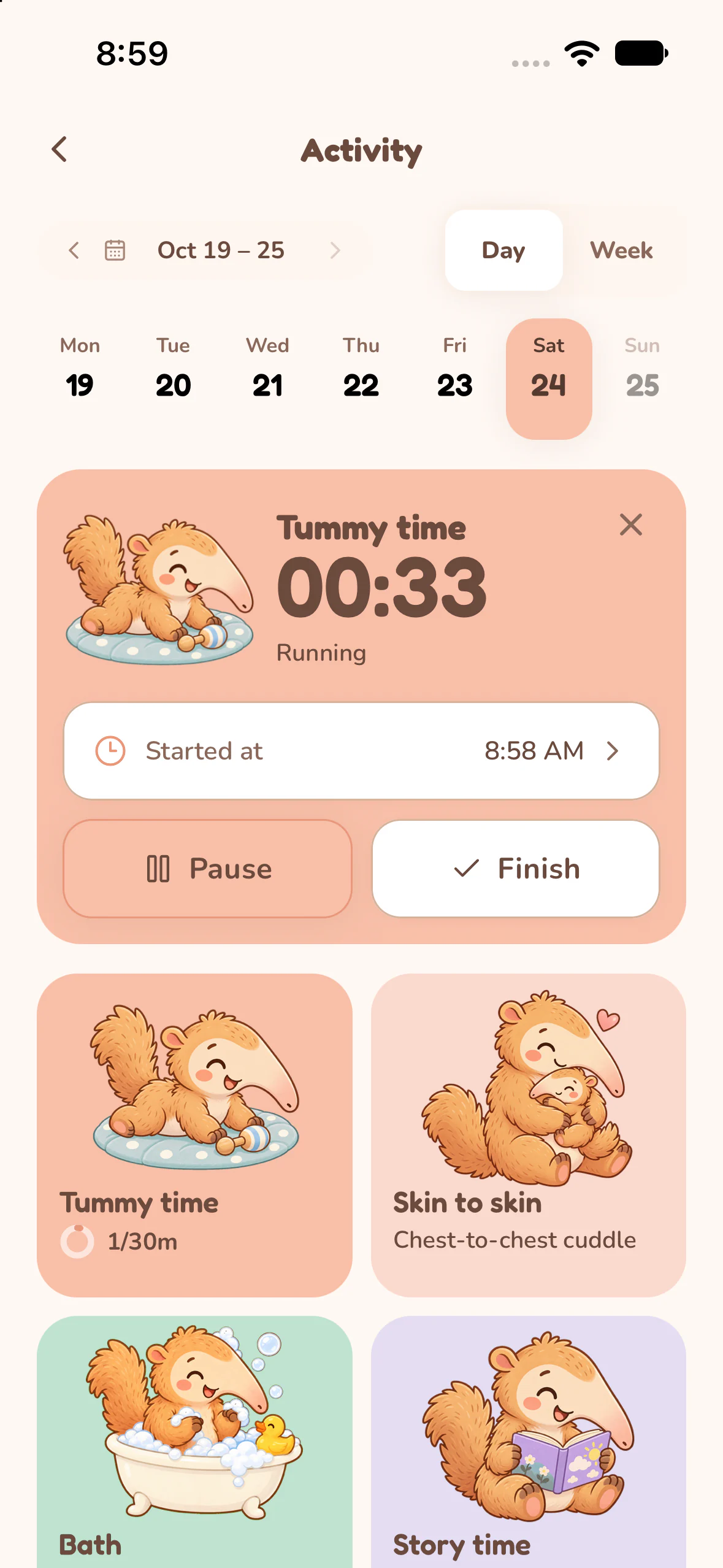
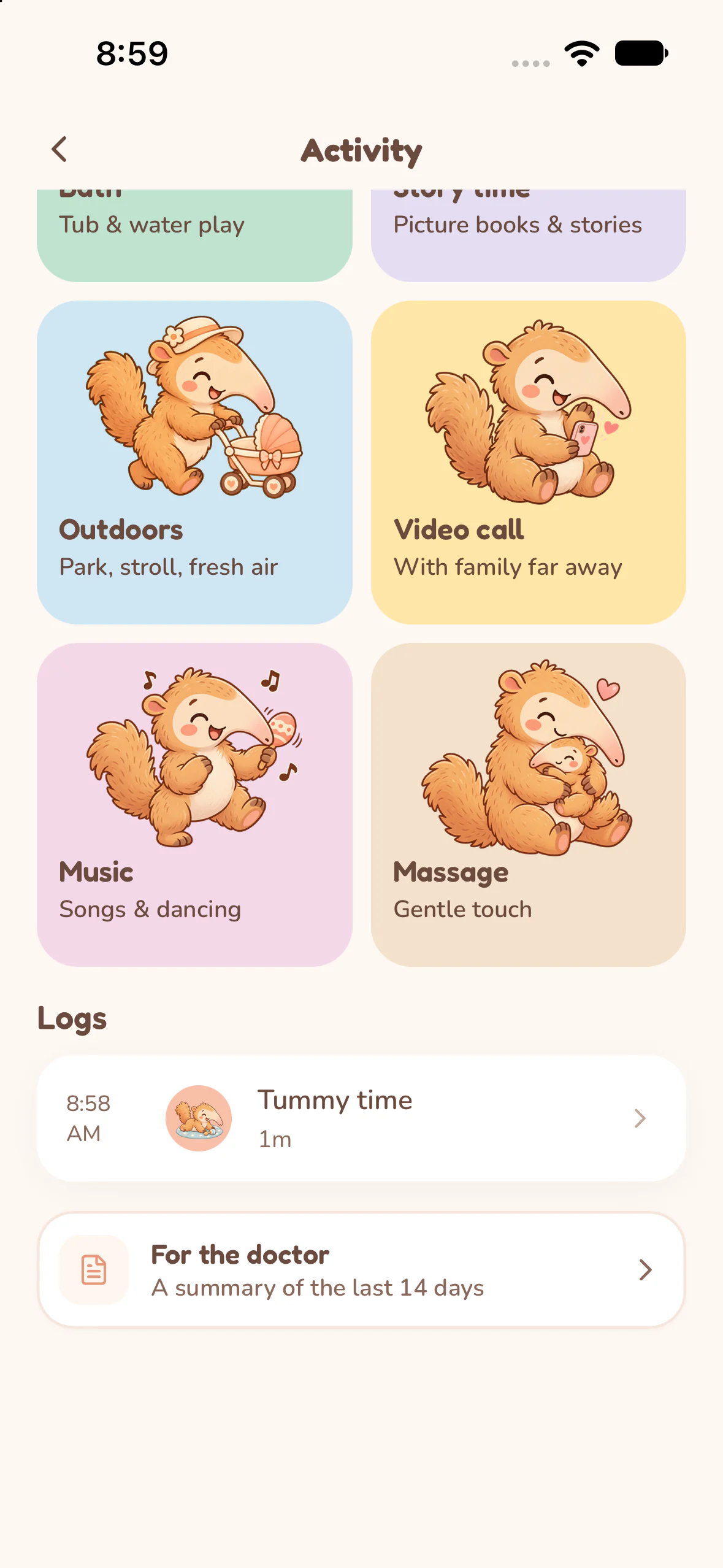
8:59 AM
Start a timer and watch the minutes add up toward the daily goal. Outdoors, music, massage and a bath are one tap away.
9:05 AM
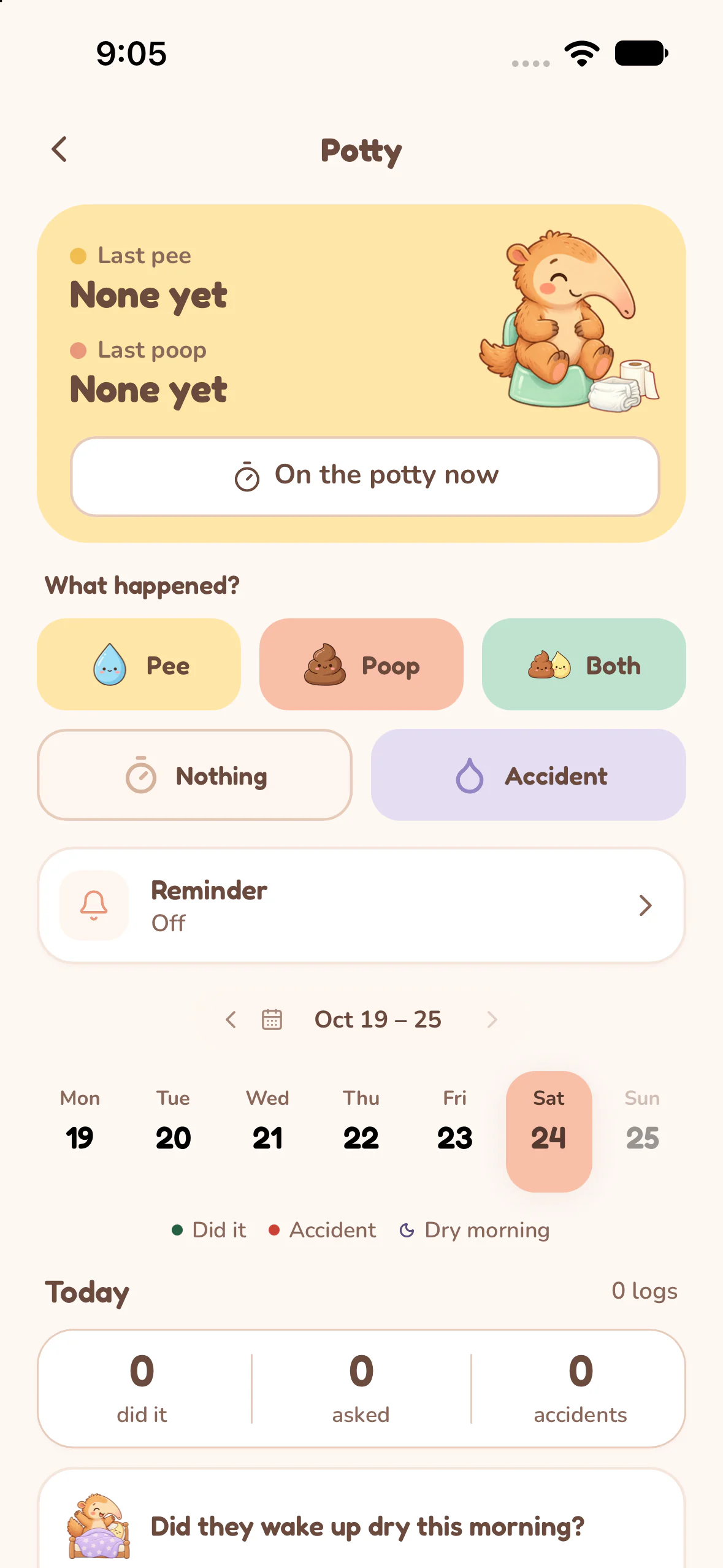
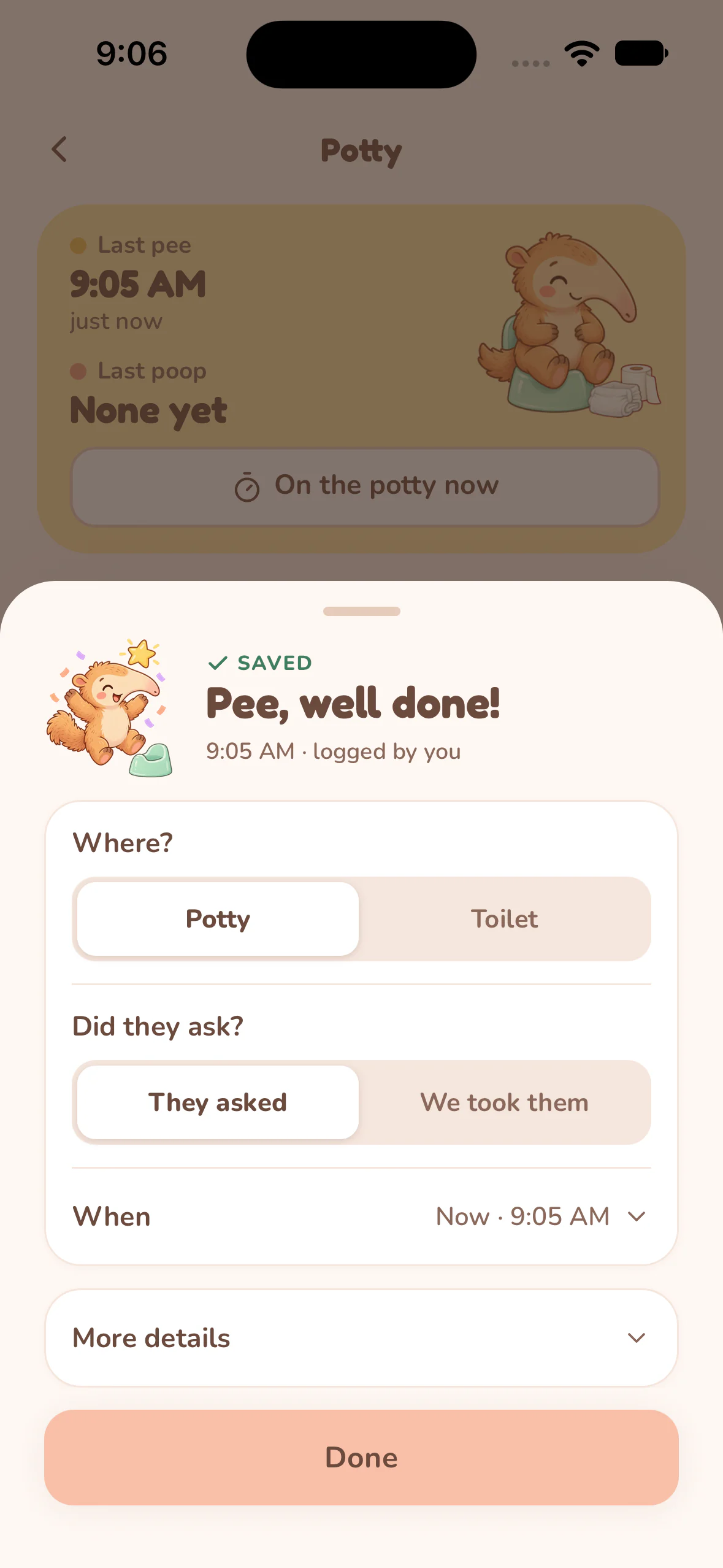
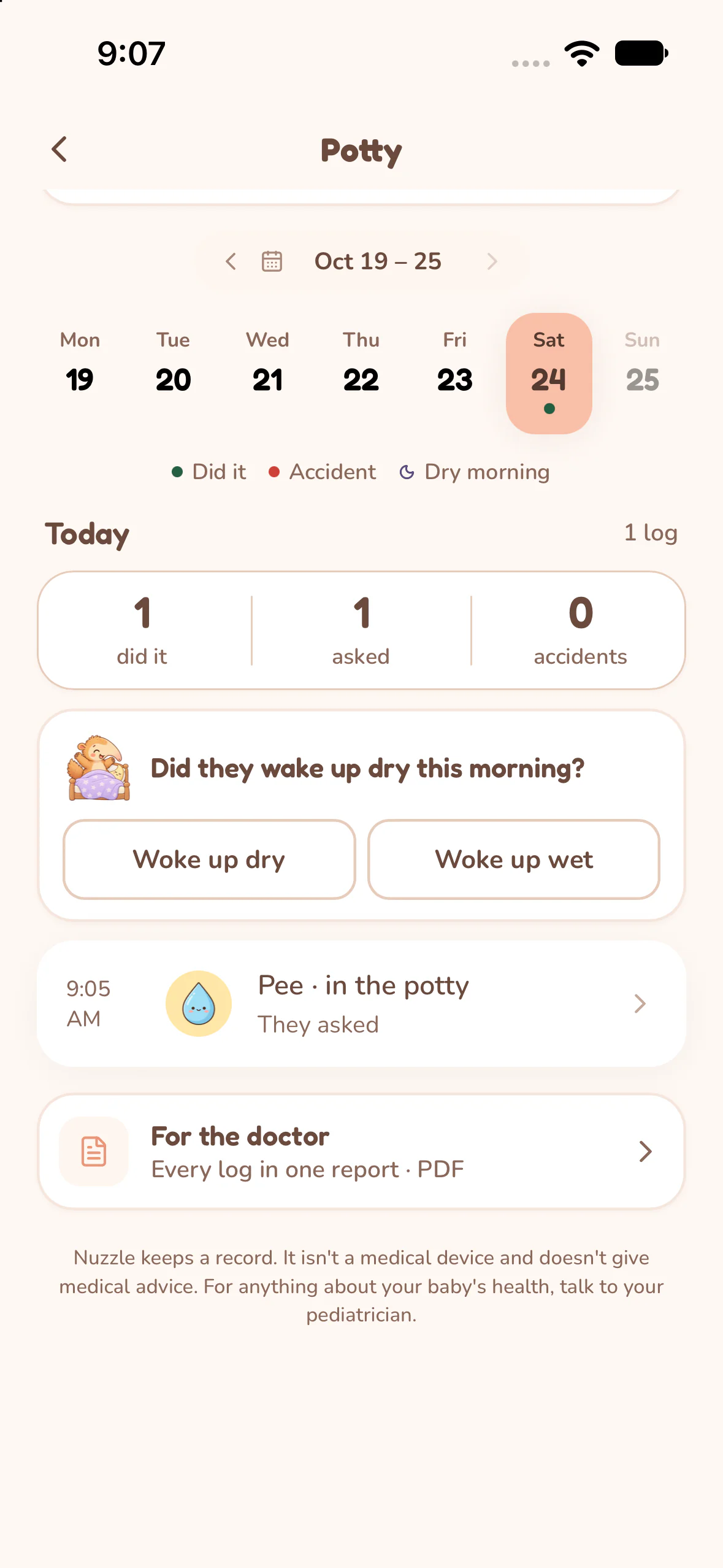
Each child keeps a record of their own. Tap what happened, where, and whether they asked, then get back to breakfast.
1:35 PM
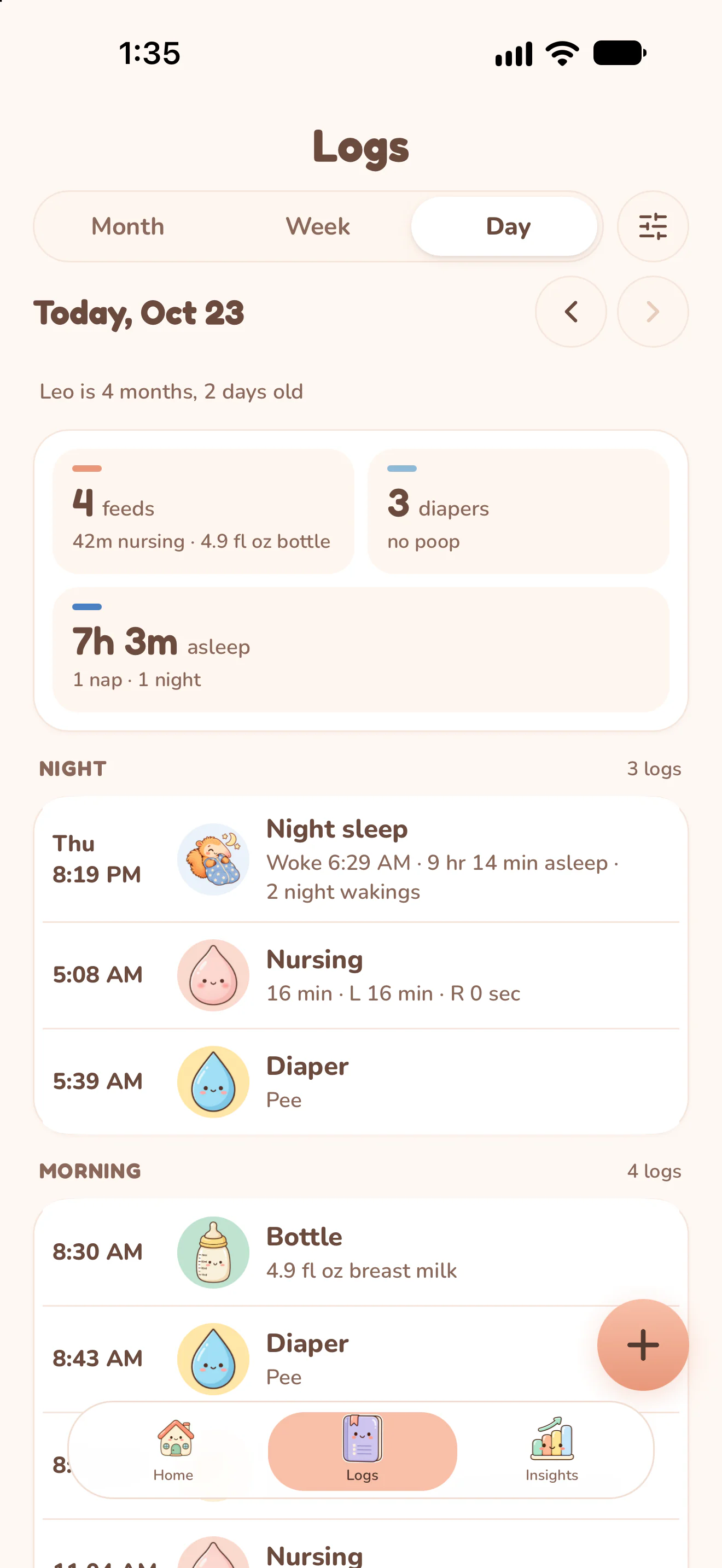
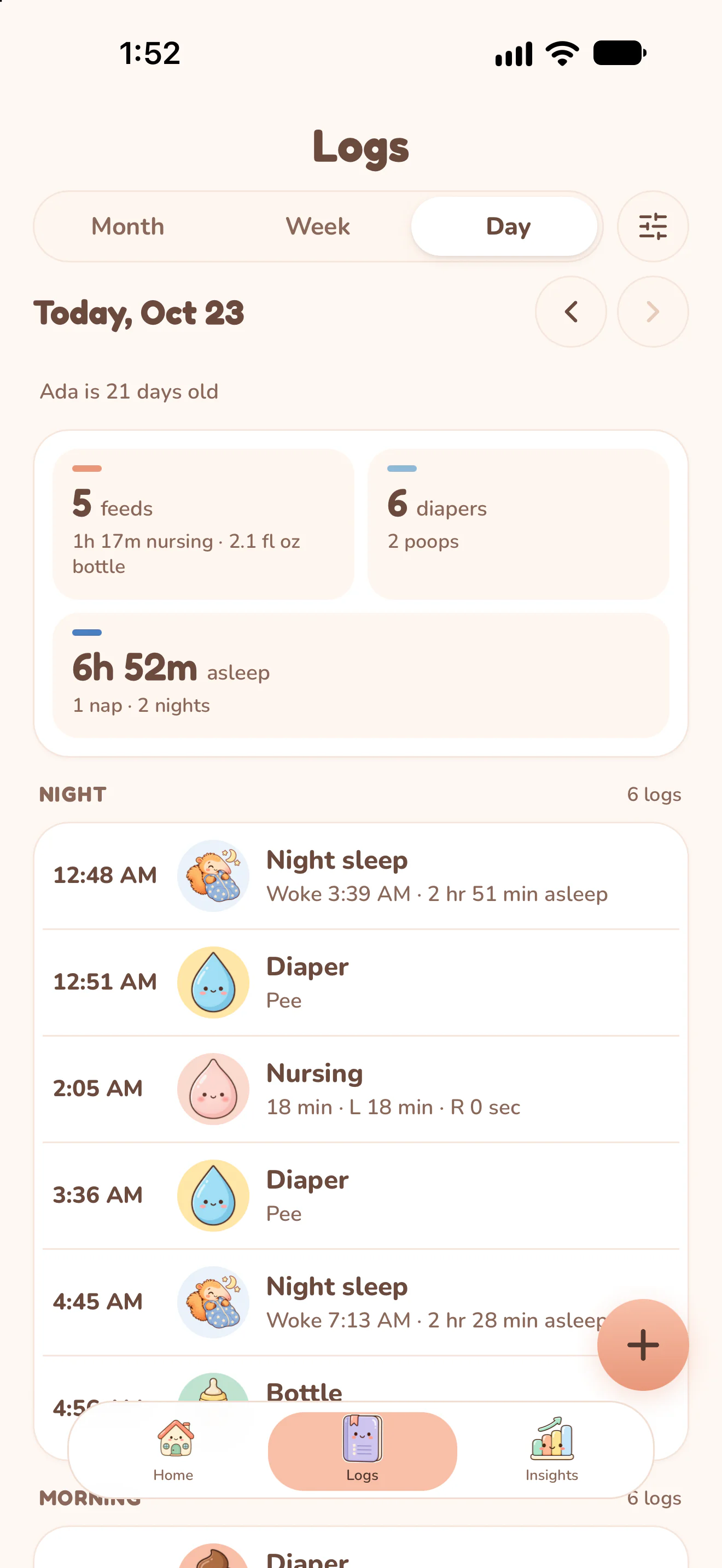
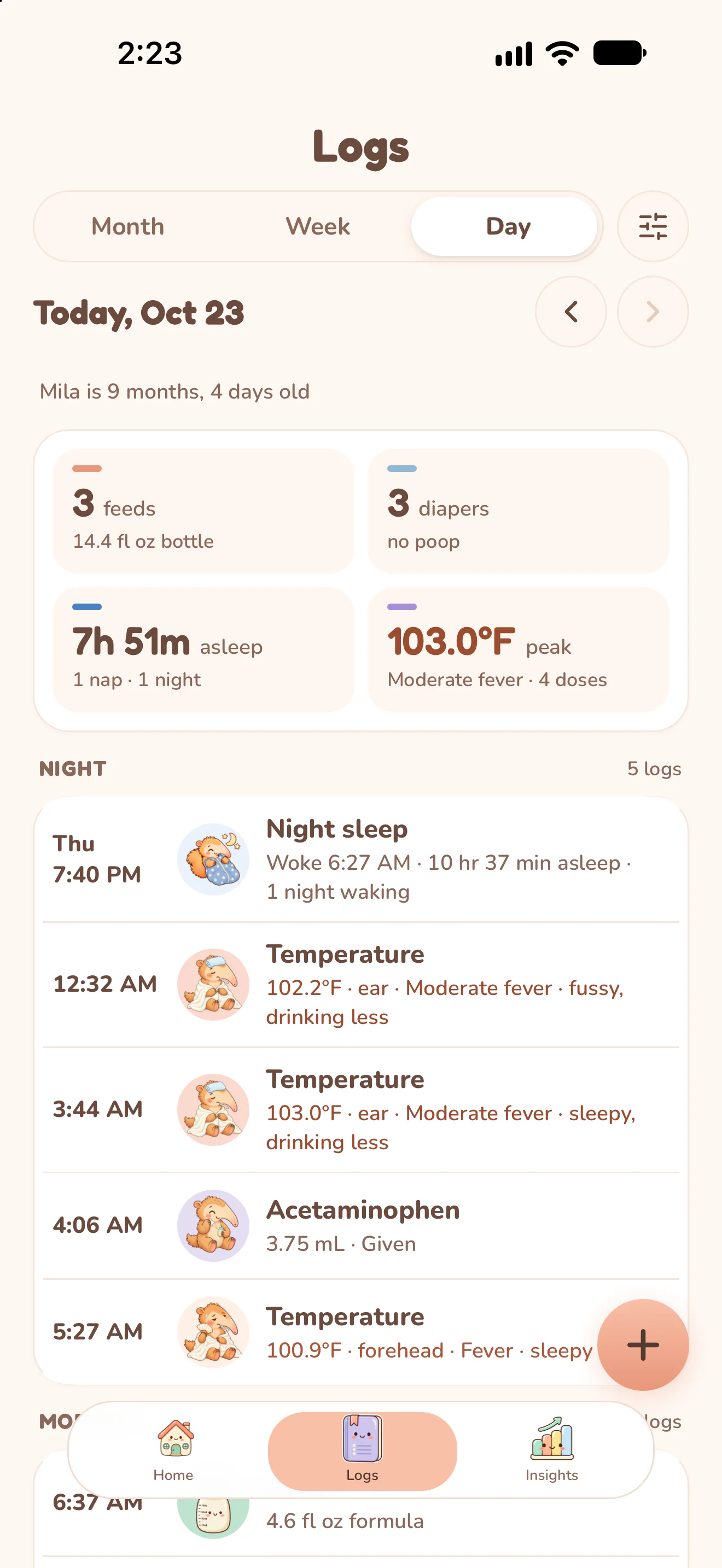
Logs lists every sleep, feed and change with its time: last night's sleep, the 5 AM feed and the morning bottle, all in one place.
1:48 PM
Tap Woke up and the nap is saved. Nuzzle shows when the next nap usually comes, from the last 7 days of logs.
1:52 PM
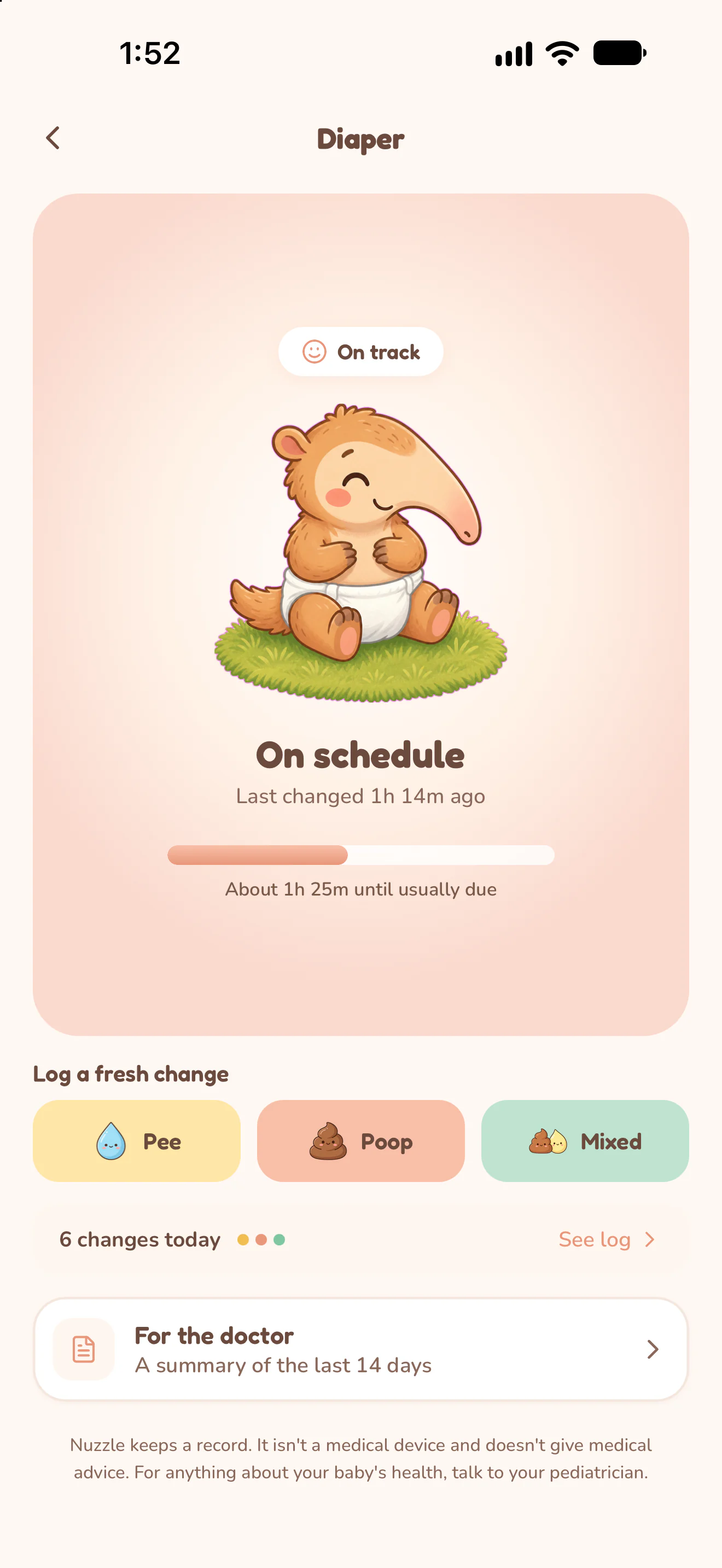
Pee, poop or mixed in one tap. Nuzzle shows how long since the last change and when the next one is usually due.
2:22 PM
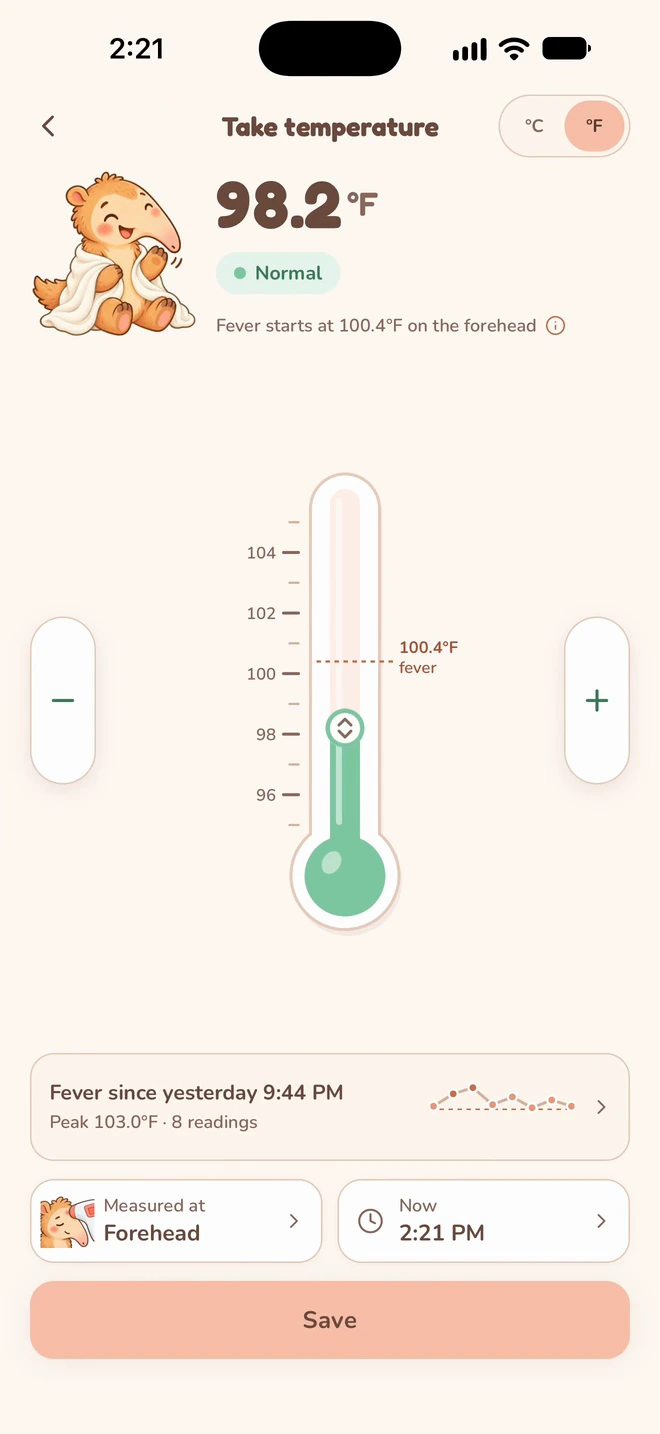
Set the reading and where you took it. Nuzzle asks about the symptoms you noted earlier and offers a recheck reminder.
2:22 PM
Medicine shows when each dose was given and when its gap ends. Tap I gave it, and the new time is there for everyone.
2:23 PM
Every reading and dose lands in Logs with its time, next to the feeds and diapers of the same day.

2:32 PM
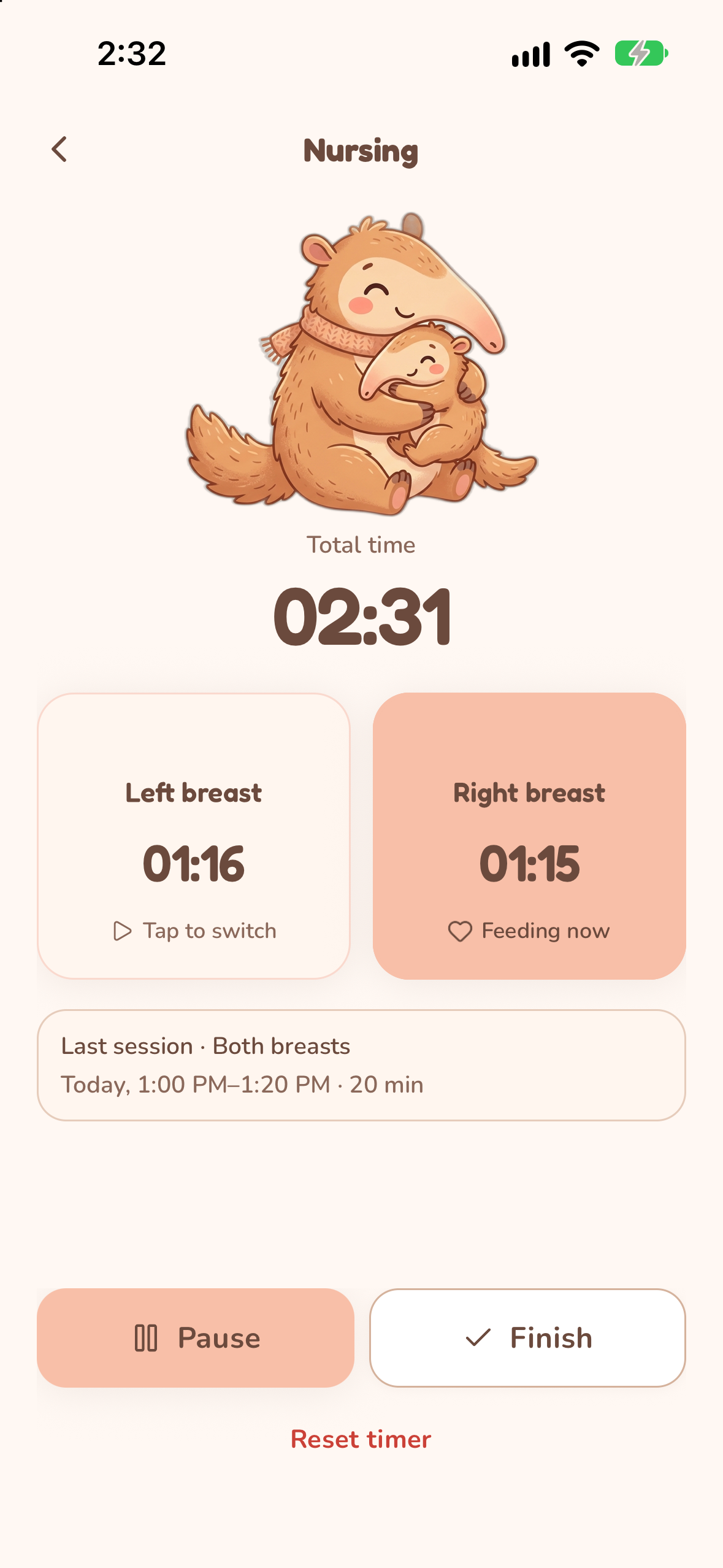
Tap the side you are feeding on and switch with one tap. The timer stays on your Lock Screen and in the Dynamic Island, so you can pause it without unlocking.
2:41 PM
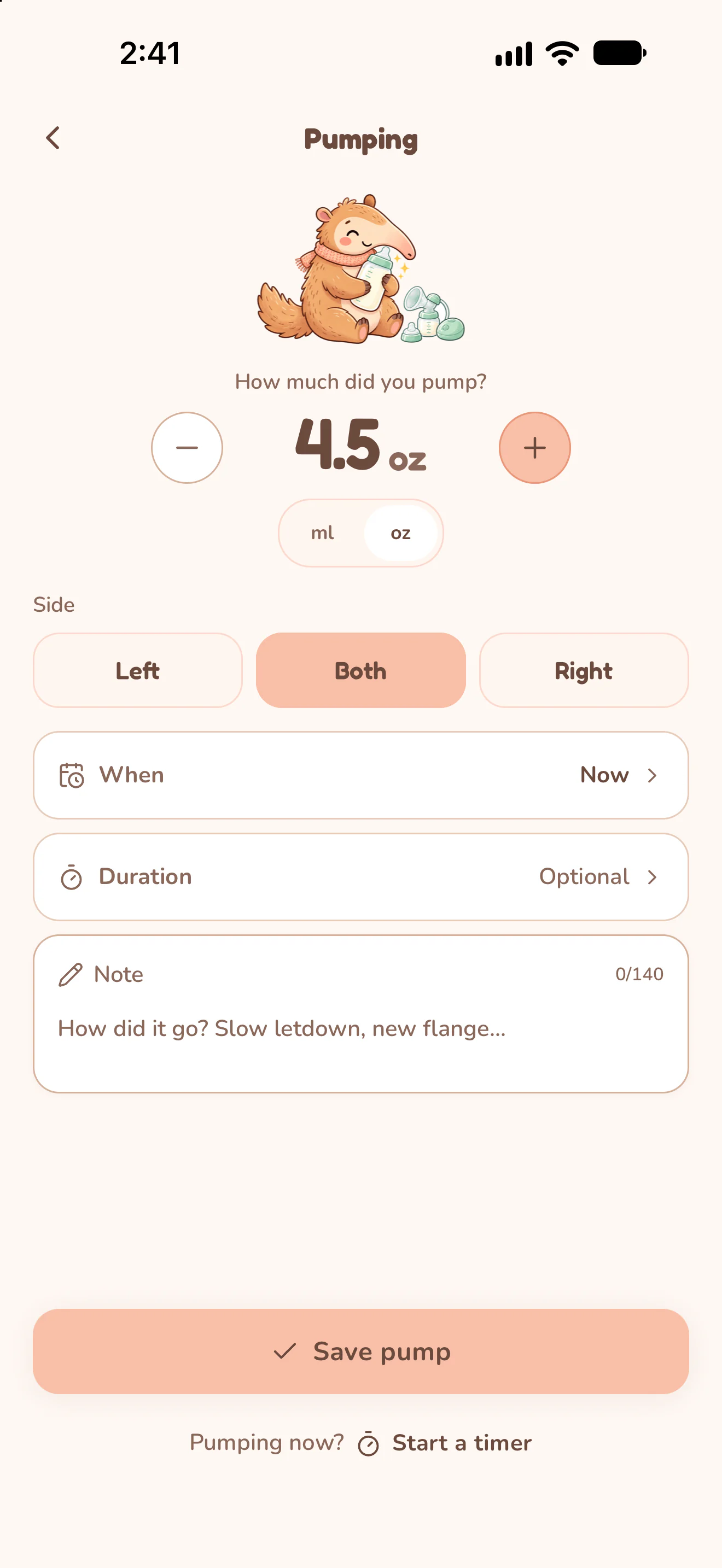
Enter the amount and the side, or start a timer while you pump.
2:49 PM
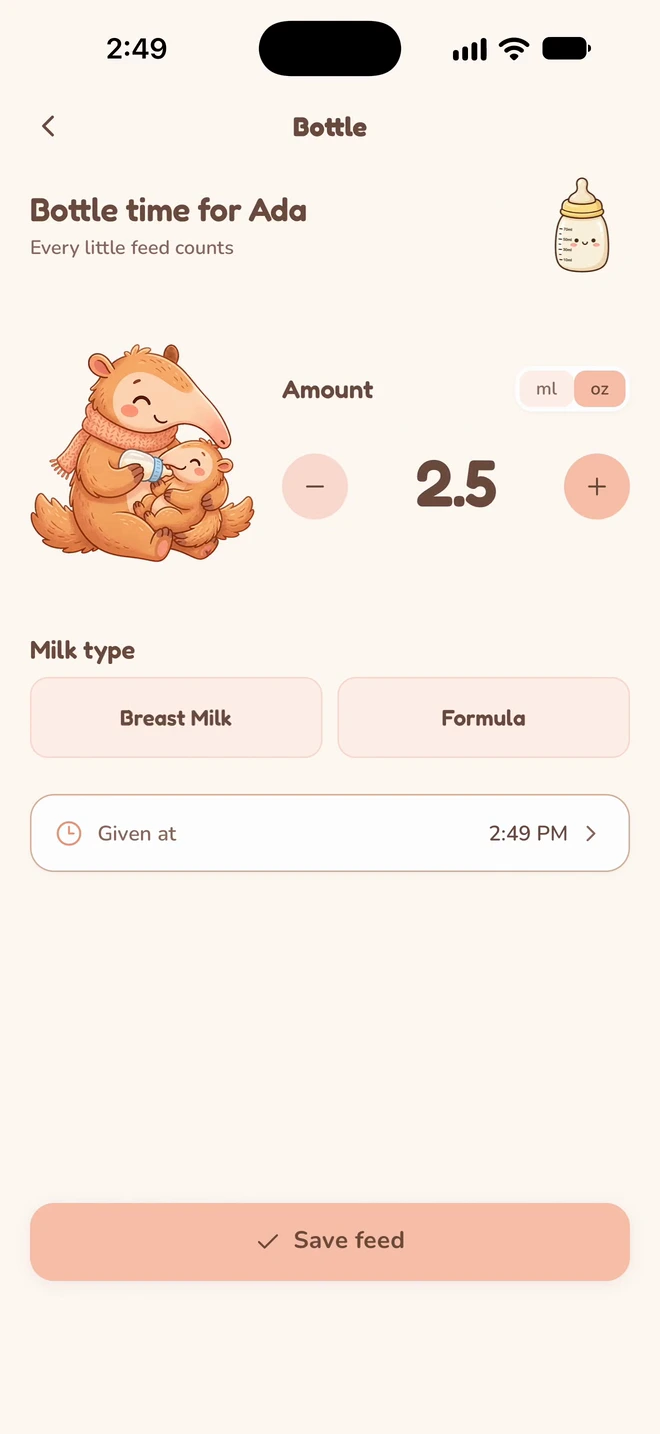
Pick breast milk or formula, set the amount and save. Nuzzle adds up today's bottles and shows when the next feed is due.

2:52 PM
Send a link to your partner, your mom or your sitter. Choose who can edit and which children each person sees.
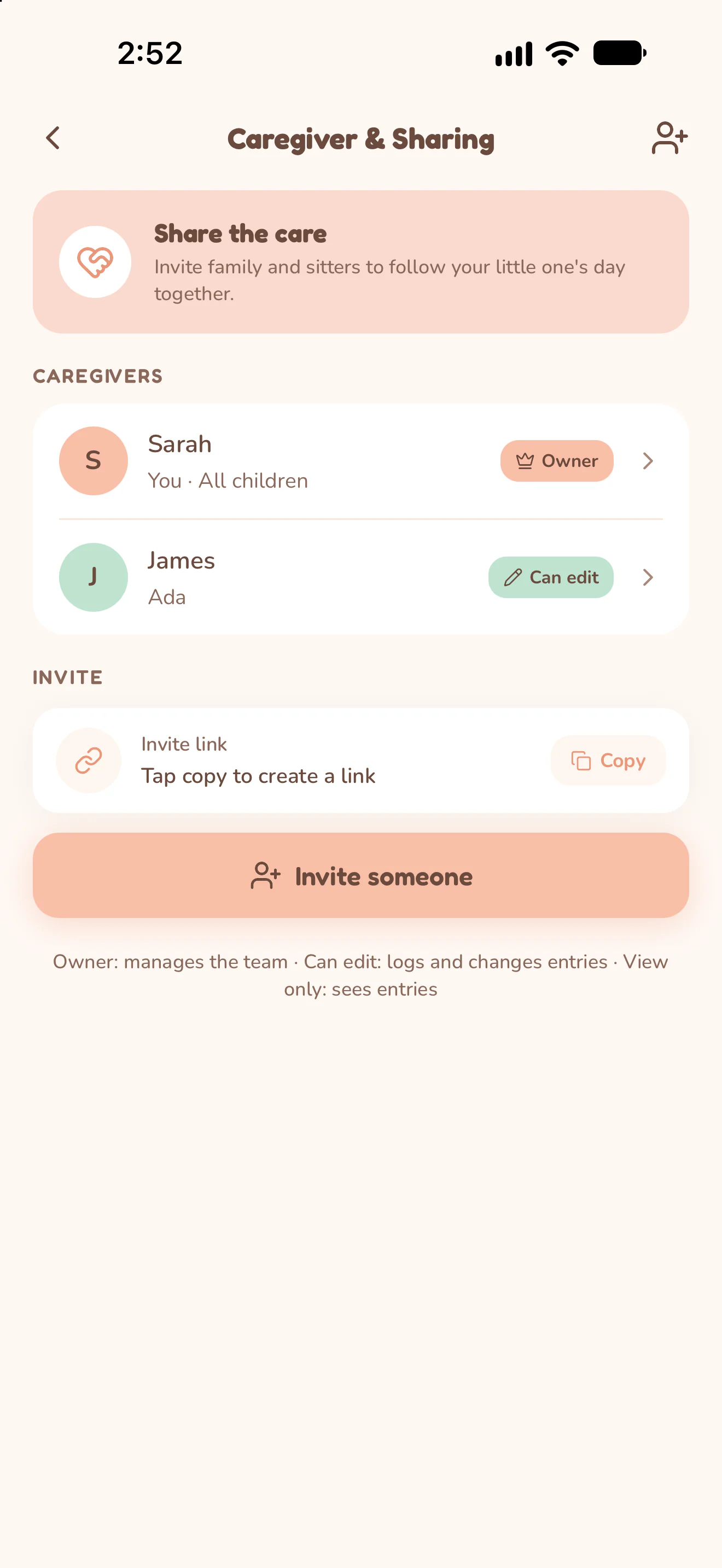
3:09 PM
Each entry shows who logged it, so the handover at the door takes one look.
How shared care works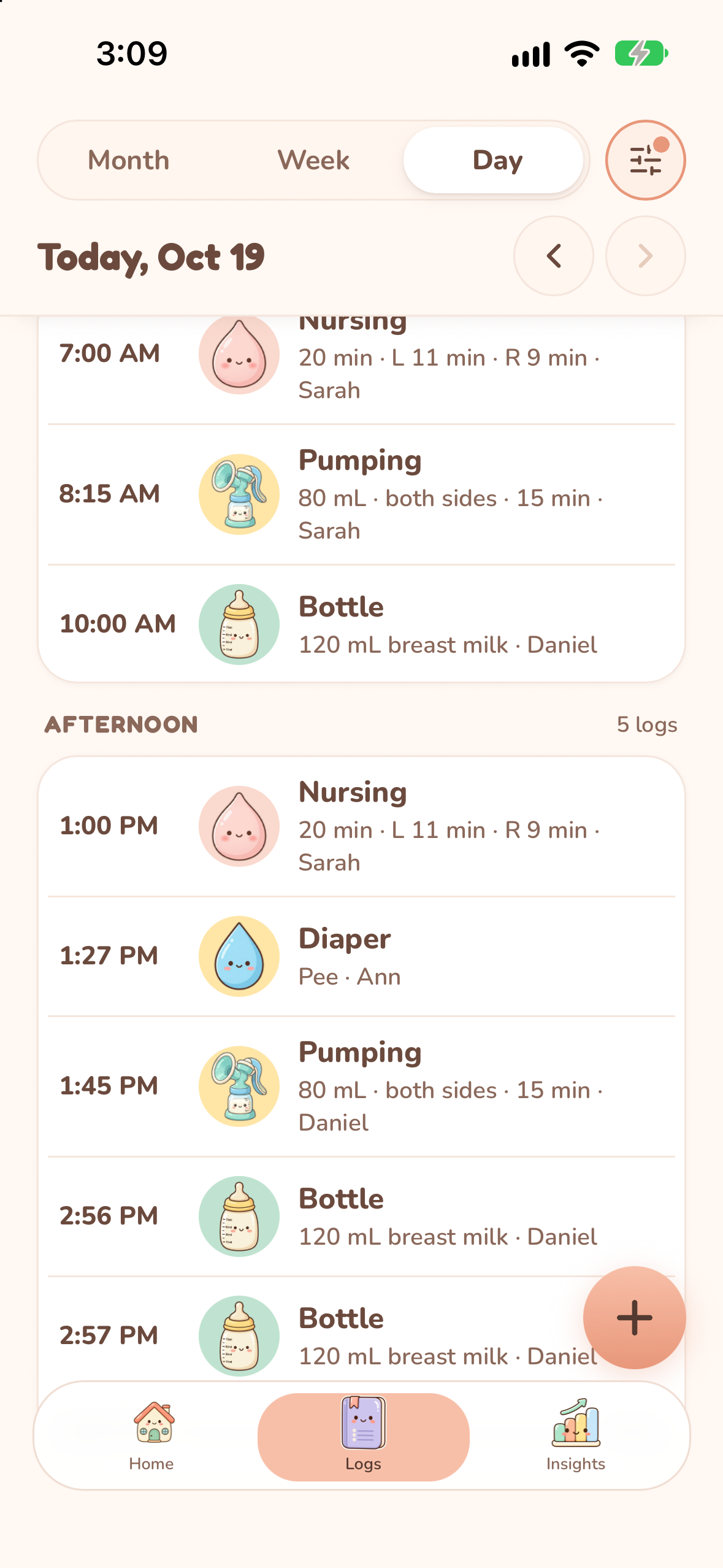
Your baby sets the schedule. Nuzzle keeps the record.
At 3 a.m. the phone is in one hand and the baby is in the other. Nuzzle meets you where your hand already is.
A running nursing timer sits in the Dynamic Island and on the Lock Screen. Pause it or switch sides without unlocking. Try the button.
Log nursing, sleep and diapers from Apple Watch when your hands are full.
One parent on iPhone, the other on Android, the sitter on a tablet. Everyone sees the same day.
Nuzzle works with VoiceOver, larger text sizes and Reduce Motion.

Insights sum up each week and month and compare it with the one before, from sleep to new teeth.
See History and InsightsTry an example
Choose sleep or feeds, then pick a day. See both example weeks together.
Monday
Fictional demo data, not a recommended routine. This is a website demonstration, not the app or a live account.
| Choose a day | Sleep / Feeds | This example week | Previous example week |
|---|---|---|---|
| Monday | Sleep | 12 hr 30 min | 13 hr |
| Tuesday | Sleep | 13 hr | 12 hr 30 min |
| Wednesday | Sleep | 12 hr | 13 hr 30 min |
| Thursday | Sleep | 12 hr 45 min | 12 hr 30 min |
| Friday | Sleep | 12 hr 15 min | 13 hr 15 min |
| Saturday | Sleep | 13 hr 30 min | 12 hr 45 min |
| Sunday | Sleep | 13 hr | 12 hr 30 min |
| Monday | Feeds | 8 | 9 |
| Tuesday | Feeds | 7 | 8 |
| Wednesday | Feeds | 9 | 8 |
| Thursday | Feeds | 8 | 7 |
| Friday | Feeds | 7 | 9 |
| Saturday | Feeds | 8 | 8 |
| Sunday | Feeds | 8 | 7 |
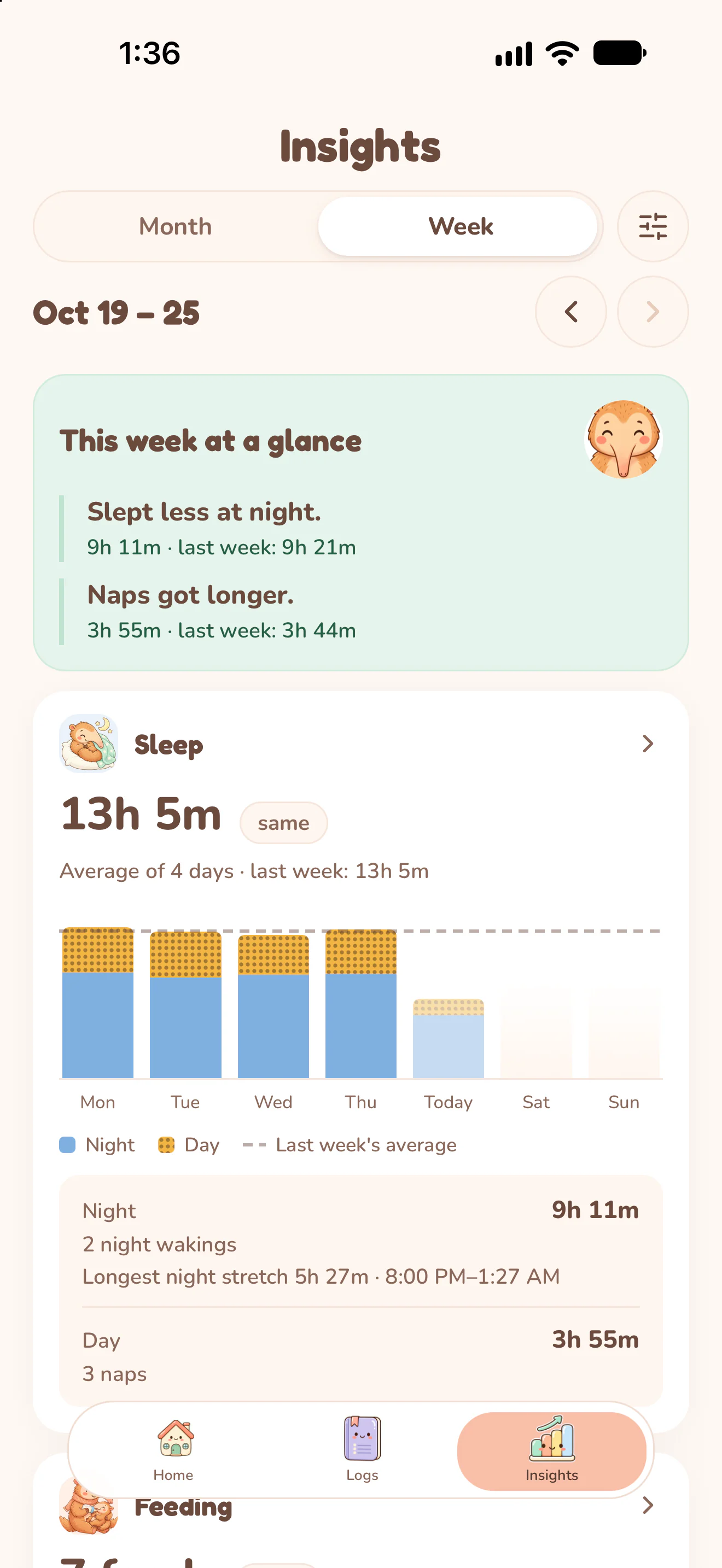
Oct 19 to 25
Slept less at night, naps got longer.
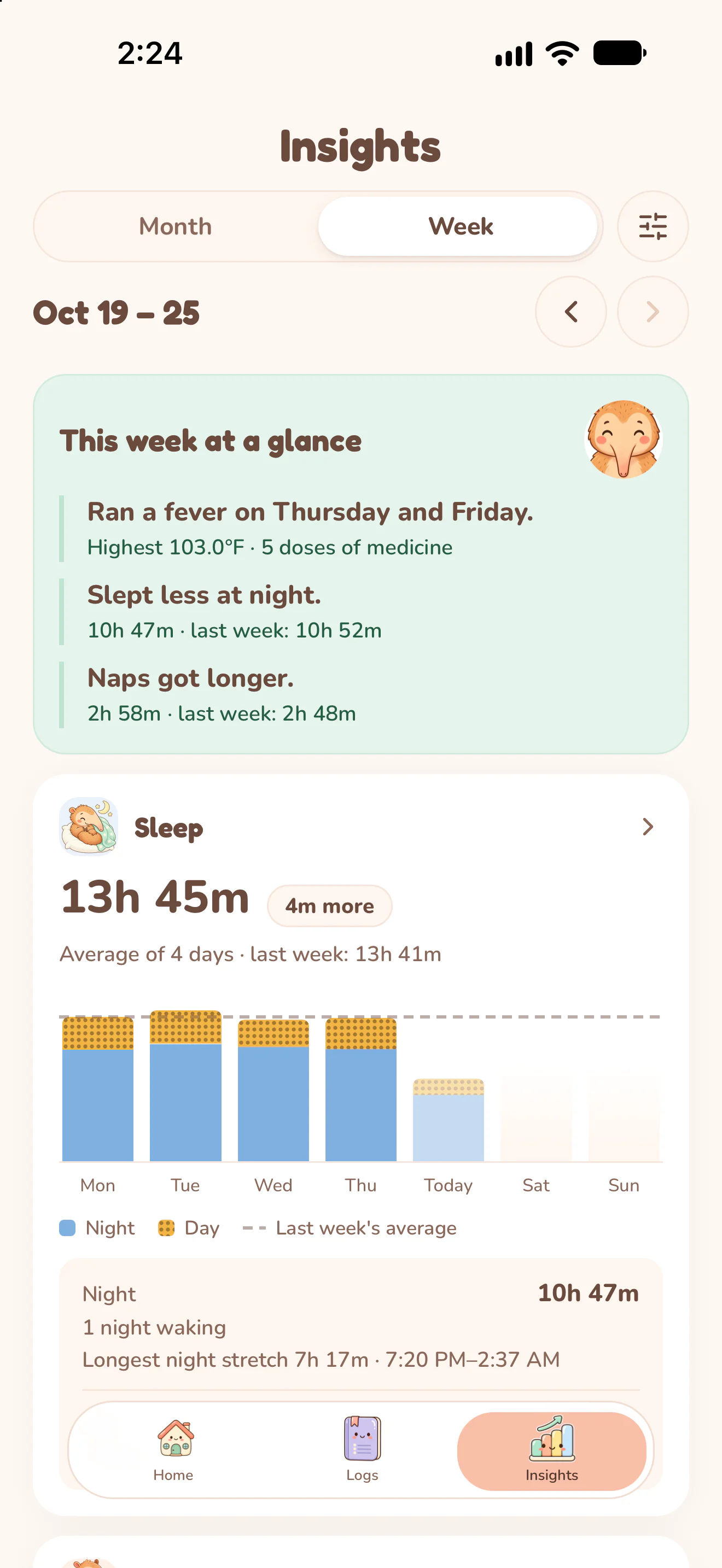
A sick week
Ran a fever on Thursday and Friday.
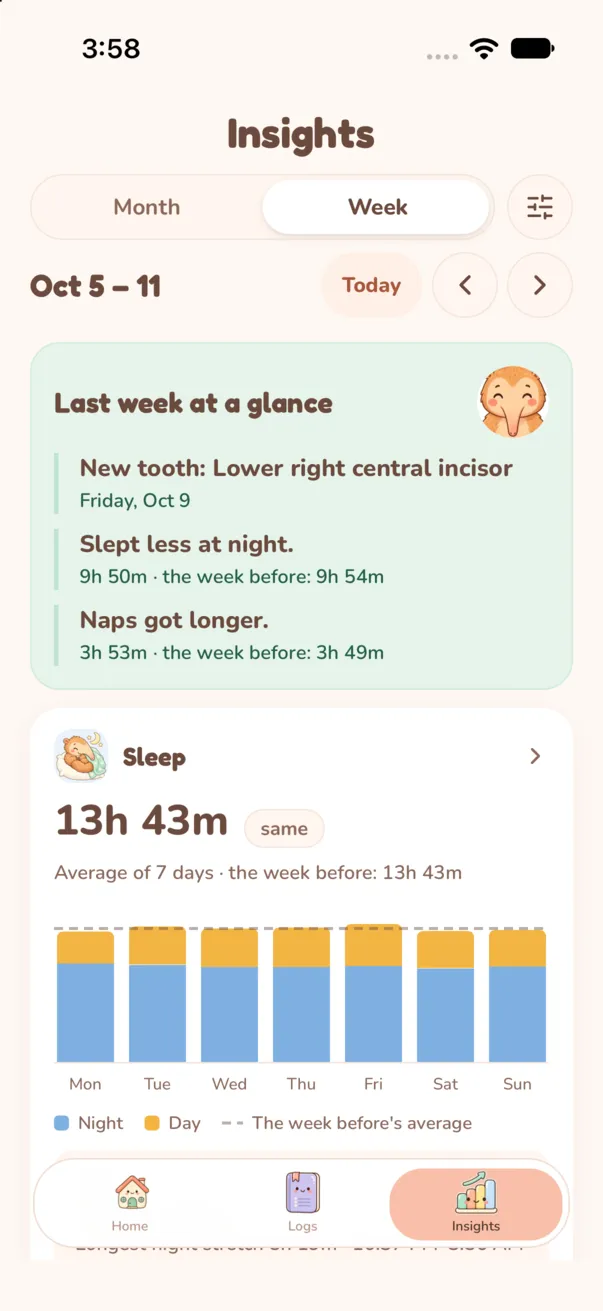
Oct 5 to 11
A new tooth came in.
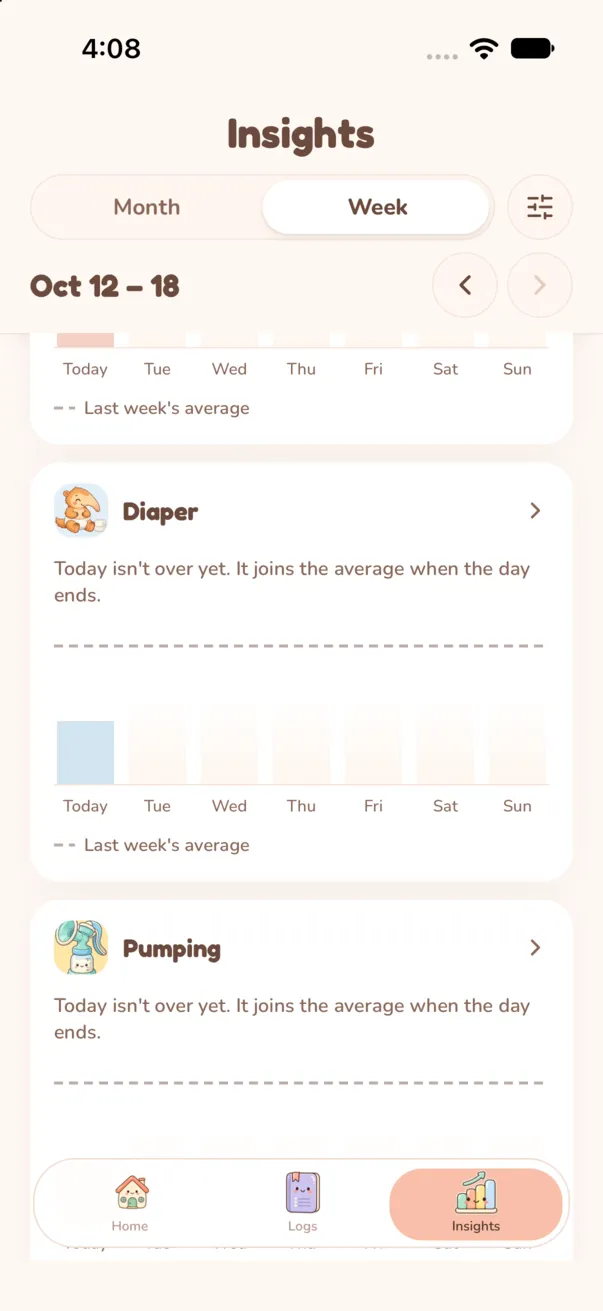
Oct 12 to 18
Diapers and pumping, day by day.
Some things change by the season, not the hour. They live in the same record.
Growth, milestones and teeth
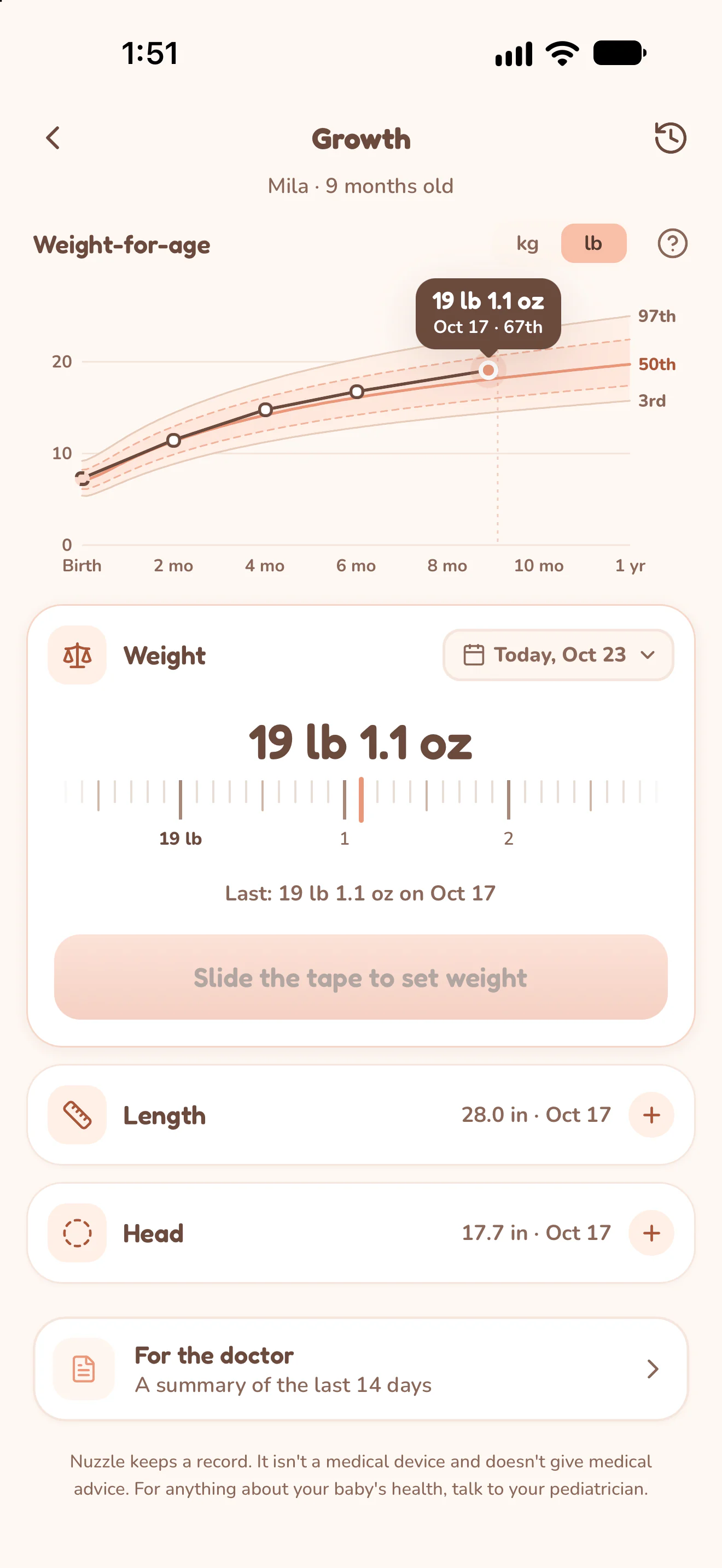
Weight, length and head on charts from birth to 5 years, with corrected age for babies born early.
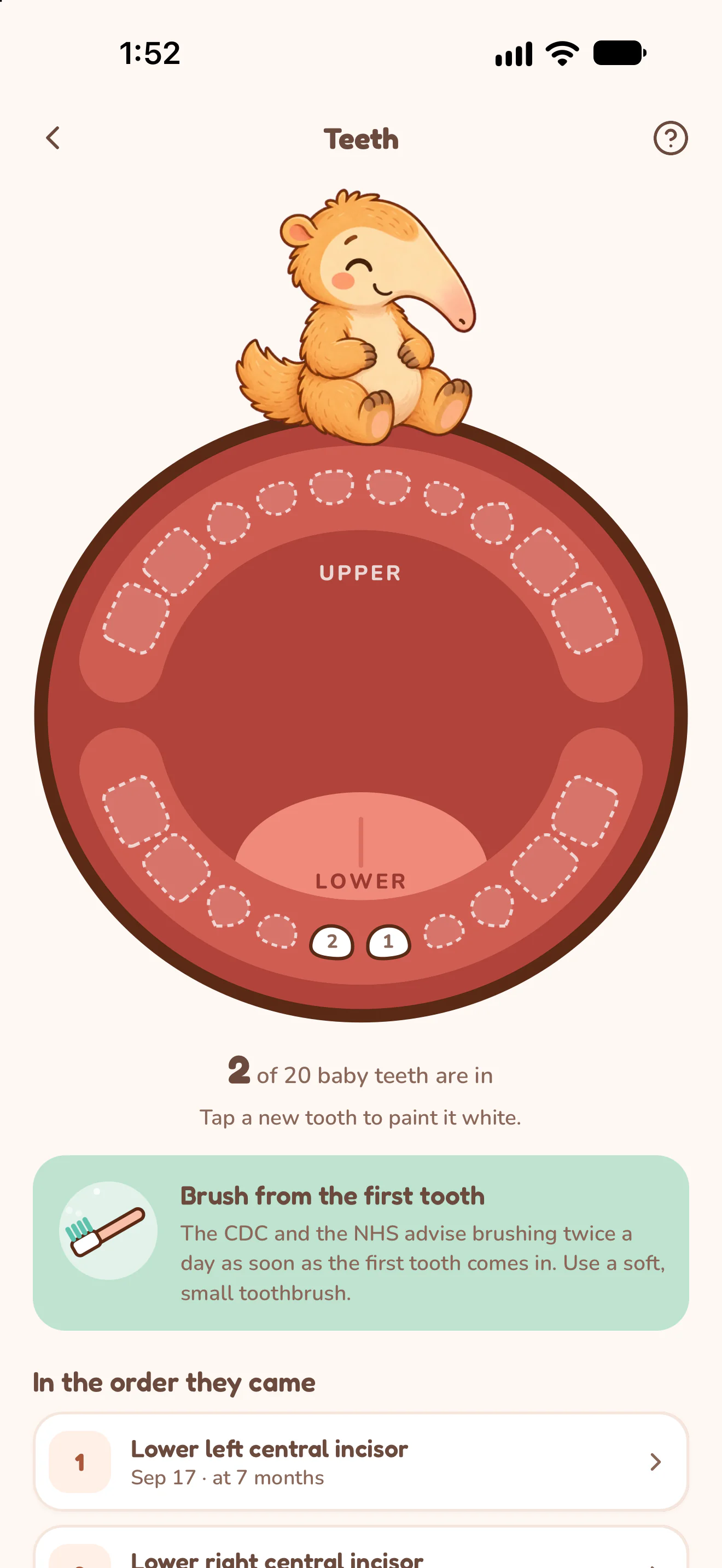
Tap each new tooth on the chart and keep the order they came in, with dates.
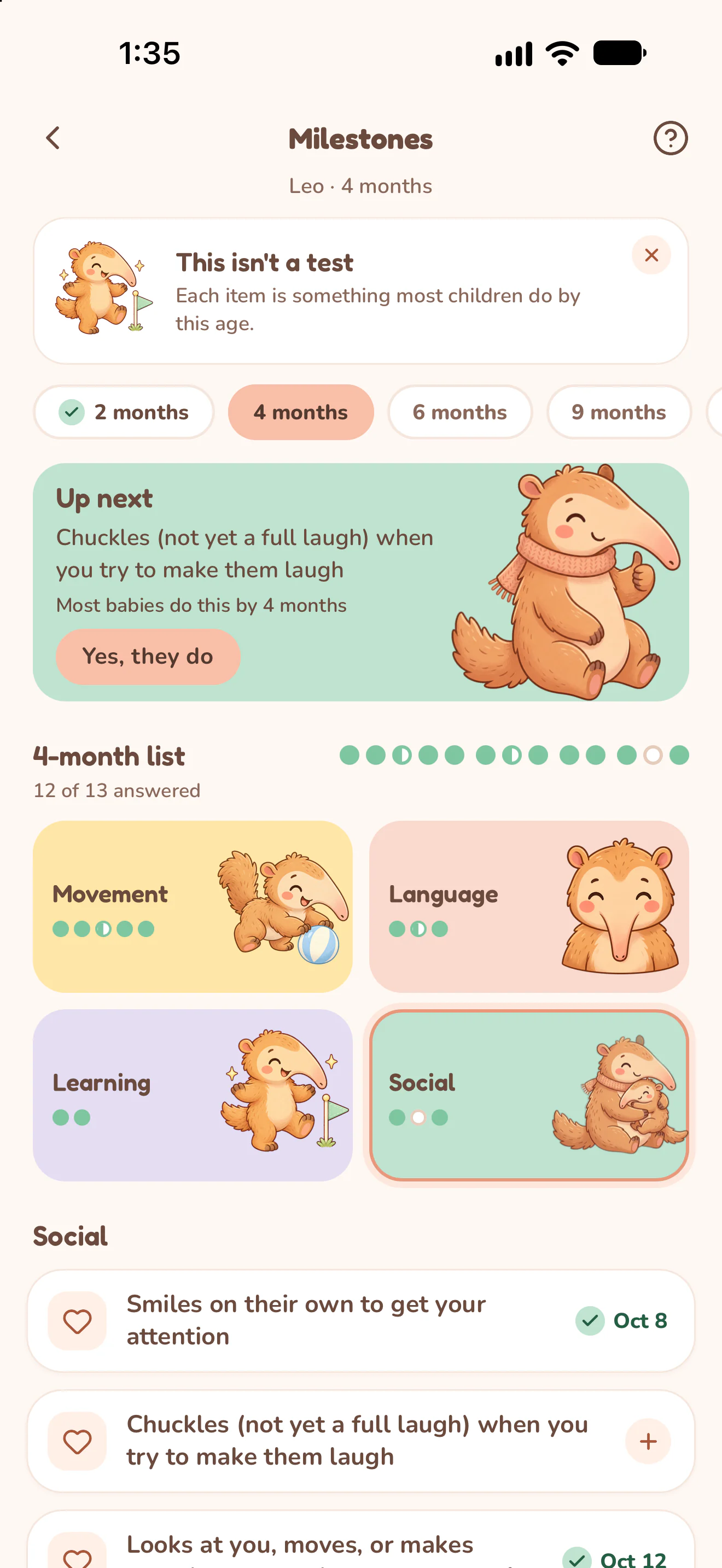
Work through a checklist for each age as your baby grows.
Pee, poop, accidents and whether they asked, day by day.
Pick the dates and the sections, then share one PDF with growth, sleep, feeds, fevers and doses, ready for your pediatrician.
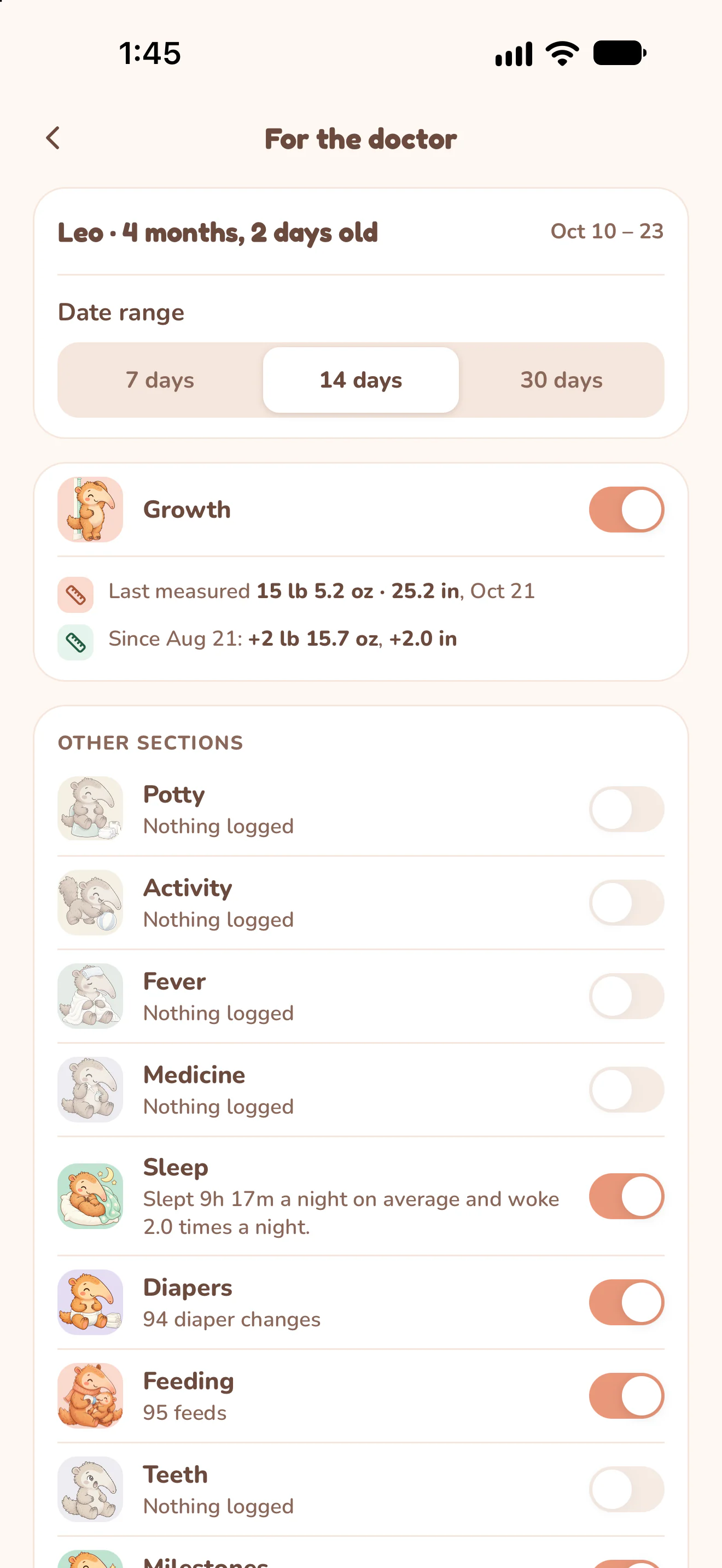
Pick the dates
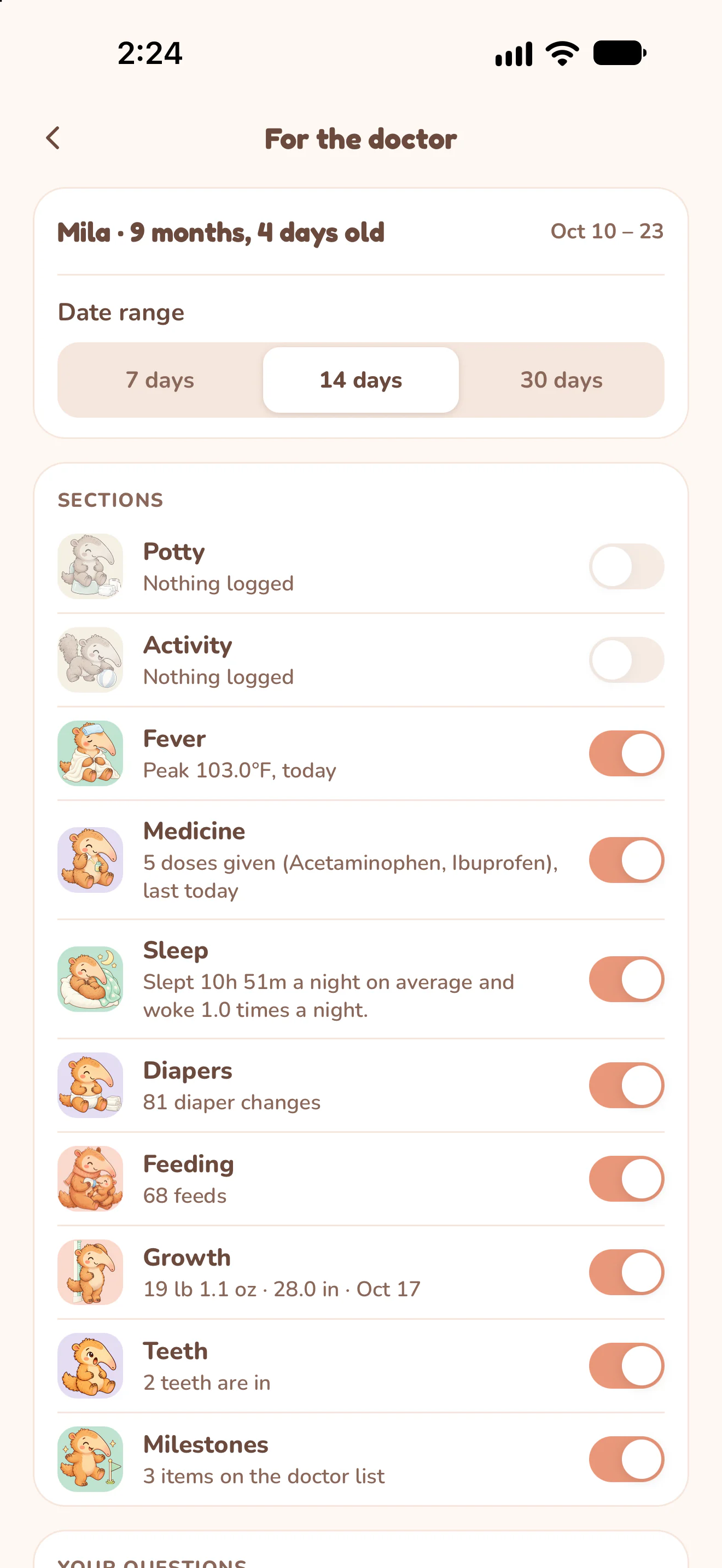
Choose the sections
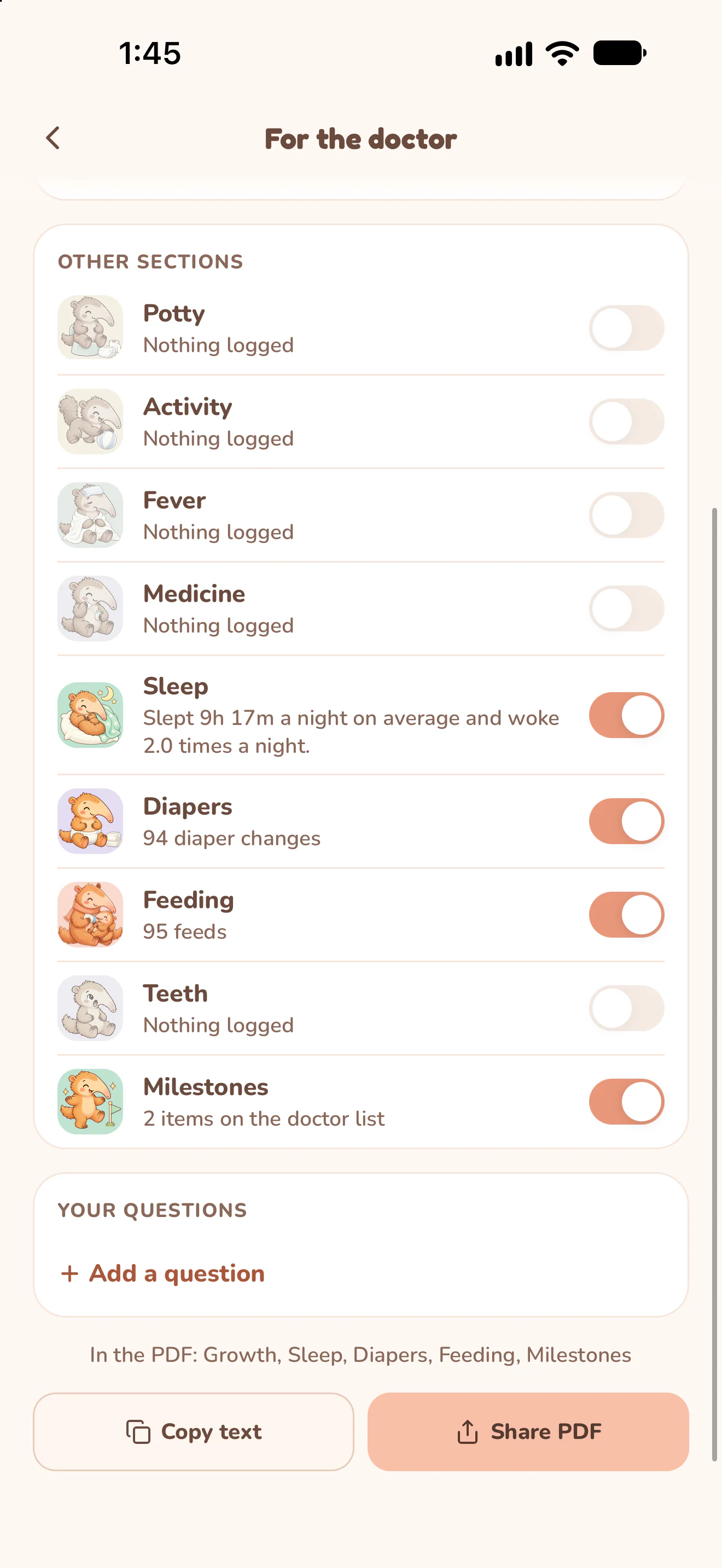
Share the PDF
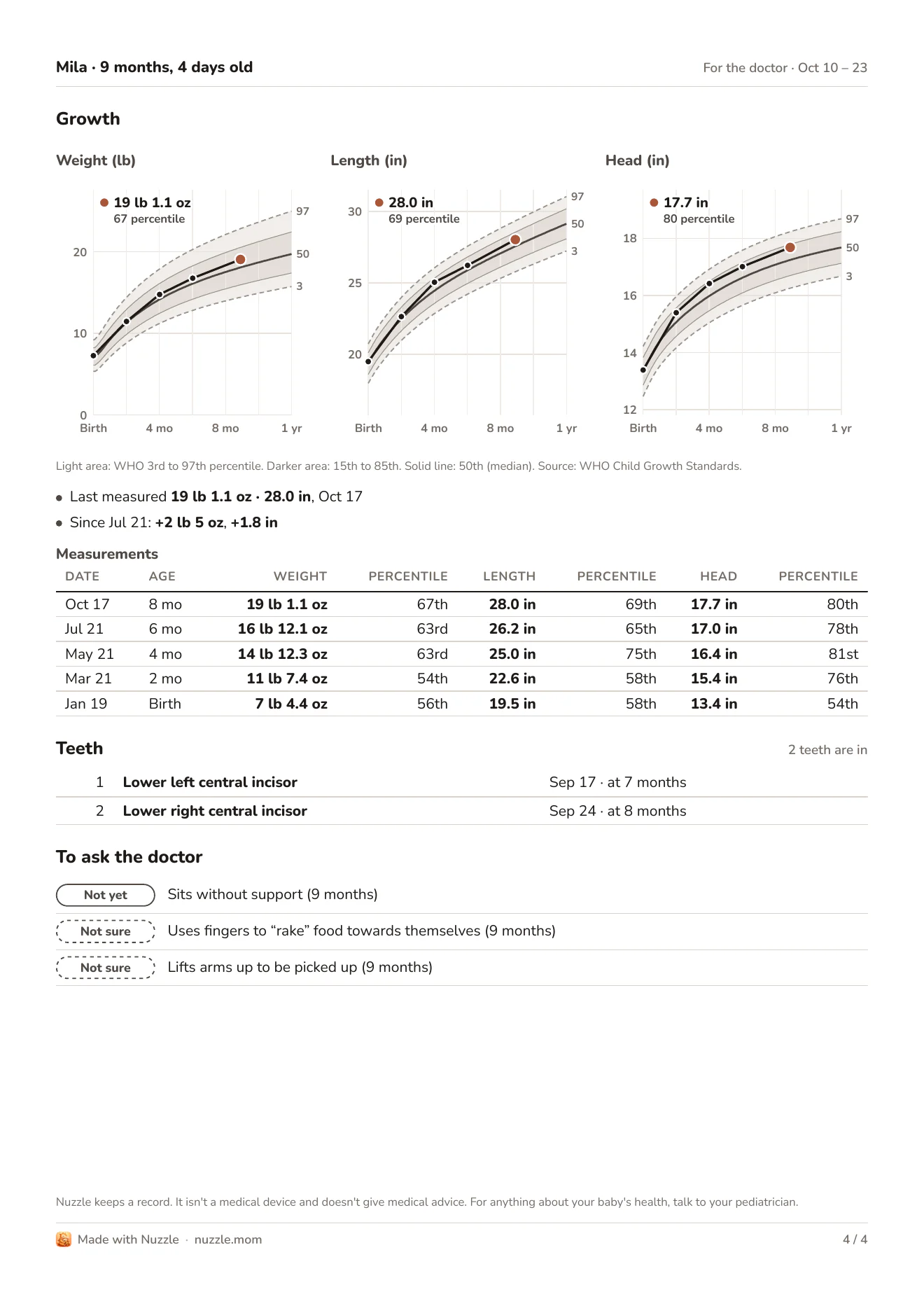
Growth in the PDF
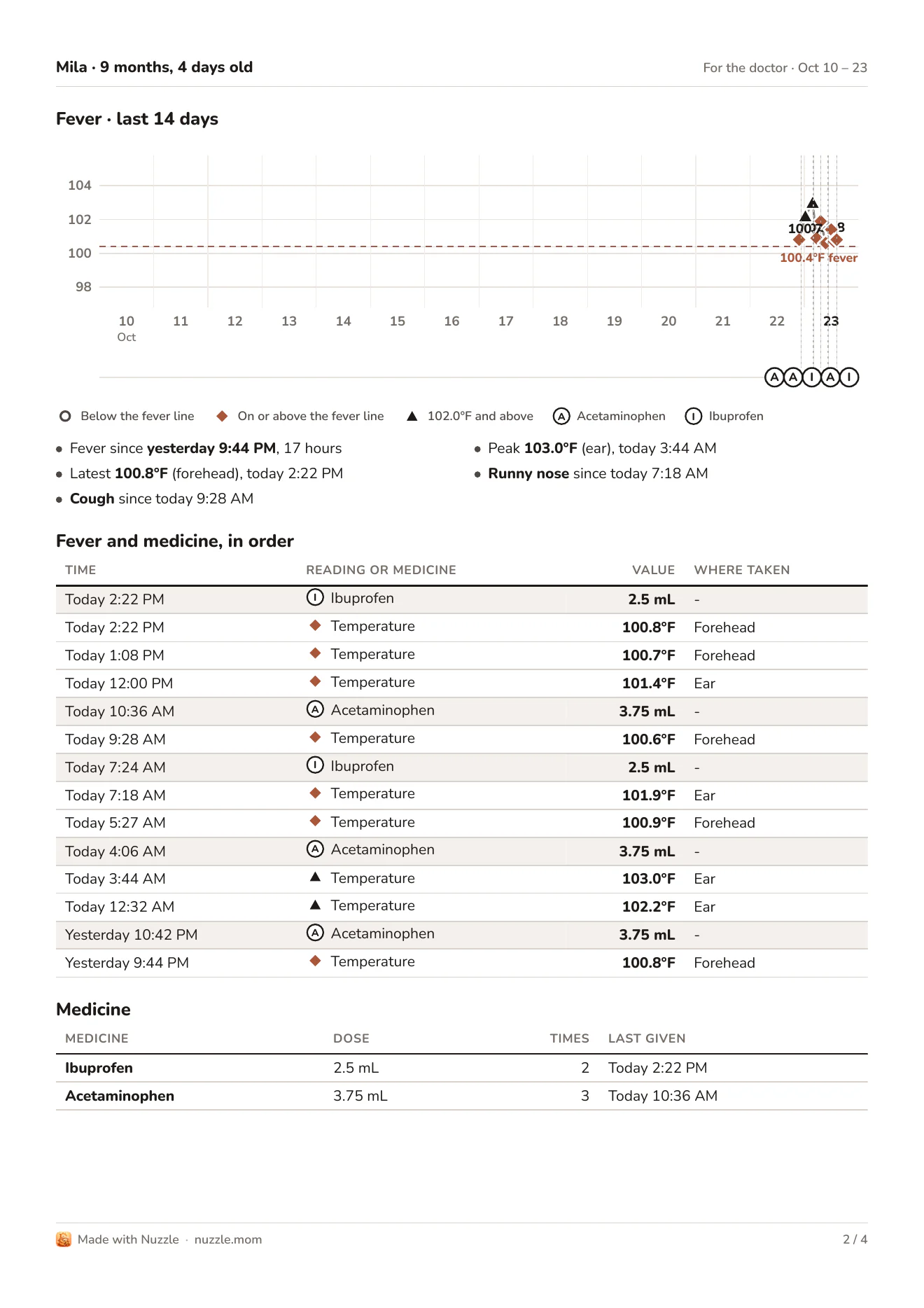
Fever and medicine in the PDF
Feeds, sleep, health and growth in one record, and new trackers keep arriving. Open any of them to see how it works.
 NursingLeft and right, timed
 BottleAmount and milk type
 PumpingTimed sessions and amounts
 DiaperPee, poop or bothSleepNaps and nightsTemperatureReadings and symptoms
 MedicineDoses, gaps and who gave itGrowthWeight, length and headMilestonesFirsts, month by monthTeethWhich tooth, and whenActivityTummy time, bath, outdoorsPottyTrips, accidents, asksContractionsLength, gap and strengthShared careEveryone on the same dayHistory and InsightsWeeks you can compare
Download Nuzzle and add a name and a birthday. Expecting? Add your due date instead.
Tap a tracker on Home when something happens. A running timer keeps going while you do something else.
Set a reminder for only you or for the whole team, so the next dose or feed is on everyone's radar.
Nuzzle is free to download, with no ads. After your free period ends, care logging and Insights need Premium. The app shows the price before you pay.
No. When an owner has Premium, everyone in that Nuzzle family can use it for the children shared with them.
Yes. Get it on the App Store or Google Play. Everyone you invite sees the same record, whichever phone they use.
Send them an invite link from the app. They install Nuzzle, open the link and join with the access you chose: Owner, Can edit or View only.
Yes. Each child keeps a record of their own. Choose which children editors and viewers can see; owners see every child in the family.
Yes. Log nursing, sleep and diapers from your wrist, and the entries land in the same shared record.
Yes. Add your due date and set Nuzzle up for the wait. When it starts, the contraction timer shows how long each one lasts and how far apart they are, with a breathing guide to follow.
Yes. Create an account with your email in the app. Your logs sync to that account, so signing in on another device brings everything with it.

The next feed, the next nap and every first, in one record your whole family can see.
Free to download. No ads.