Feeding
At the next feed, you can look back at which side you used, how long you nursed, or the amount and milk type in a bottle. Keep each record with the baby it belongs to.
Finish a nursing session.
The left-side timer is running. The caregiver finishes, reviews the separate side durations and saves. Nuzzle shows the completed nursing record. Fictional Ada records; silent screen recording.
Record the bottle.
The caregiver adjusts the bottle amount, chooses the milk type and saves the feed. The saved result shows the amount and time. Fictional Ada records; silent screen recording.
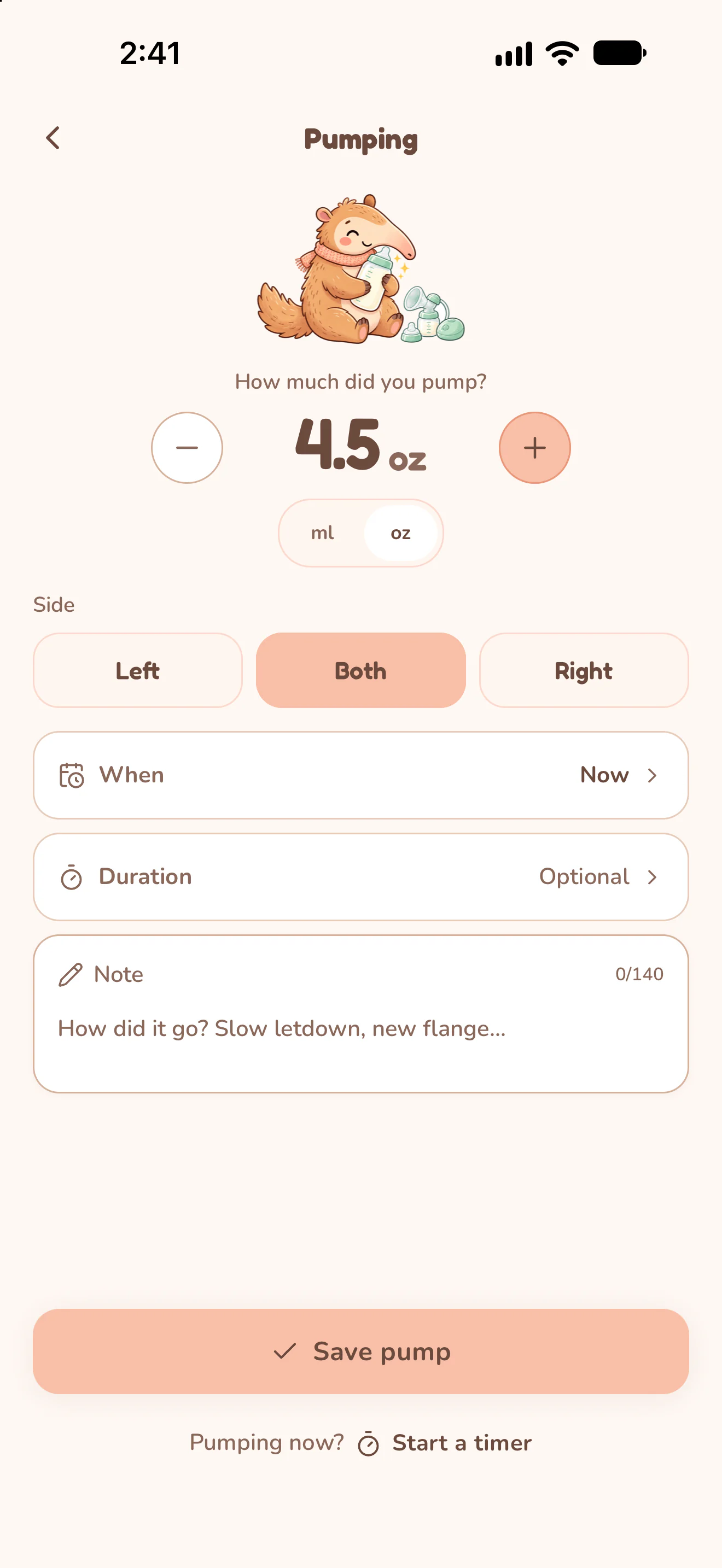
Actual Nuzzle screens with fictional family records.
How it works.
Start on the side you're using.
Open Nursing and start Left or Right. The two sides keep separate elapsed times; switch sides during the session when you do.
Finish, review, then save.
Finish the nursing session, check its time and duration, and save the feed. Find the saved session in the baby's history.
Record what went in the bottle.
Open Bottle, choose ml or oz, adjust the amount and select the milk type. Check the feeding time before choosing Save feed.
Keep pumping alongside feeds.
Use the pumping timer or add a pumping entry. Record the amount collected so a pumping session stays distinct from milk the baby drank.
What to write down at each feed
A useful feeding record answers the questions you ask at 3 am or at a check-up: when did the baby last eat, how, and how much was recorded?
- Nursing: the start time, which side or sides, and how long each side lasted.
- Bottle: the time, the amount in ml or oz, and whether it was breast milk or formula.
- Pumping: the time, the side and the amount collected, kept apart from what the baby drank.
Nuzzle keeps these details in one history for each baby, so a feed is never filed under the wrong child.
Count time between feeds from start to start
Time between feeds is counted from the start of one feed to the start of the next, so a long feed does not shrink the gap. A feed that starts at 11:50 pm and a next feed that starts at 12:20 am are 30 minutes apart.
Nuzzle's Home screen shows how long ago the last feed was, and the nursing timer shows the side to start on next.
Check two feed times with the free feeding interval calculator
Track feeds together with a partner or caregiver
Night feeds are often shared. Invite a partner, grandparent or nanny by link as an editor or a viewer. Each person logs from their own iPhone or Android phone, and new records appear on the other phones after they sync.
One Premium subscription covers the caregivers you invite.
Common questions
Does Nuzzle tell me how much or how often to feed?
No. Nuzzle records what happened; it does not set amounts or a schedule. Ask your baby's care team about your own baby.
What the CDC and AAP say about feeding by age
Can I log a feed I forgot to time?
Yes. Add the feed afterwards with its time, side and duration.
Can I share the feeding log with our paediatrician?
Yes. Export feeds and pumping as a CSV file, or create one PDF report for the dates and sections you pick.
Does it work for twins?
Yes. Each baby has a separate history, so one twin's feeds never mix with the other's.
Separate feeding records for twins
Does it work without a connection?
Yes. You can log offline; records sync when you are back online.
Free feeding tools and guides
Keep the day connected.
Start today's record.
The next feed, the next nap and every first, in one record your whole family can see.