Medicine
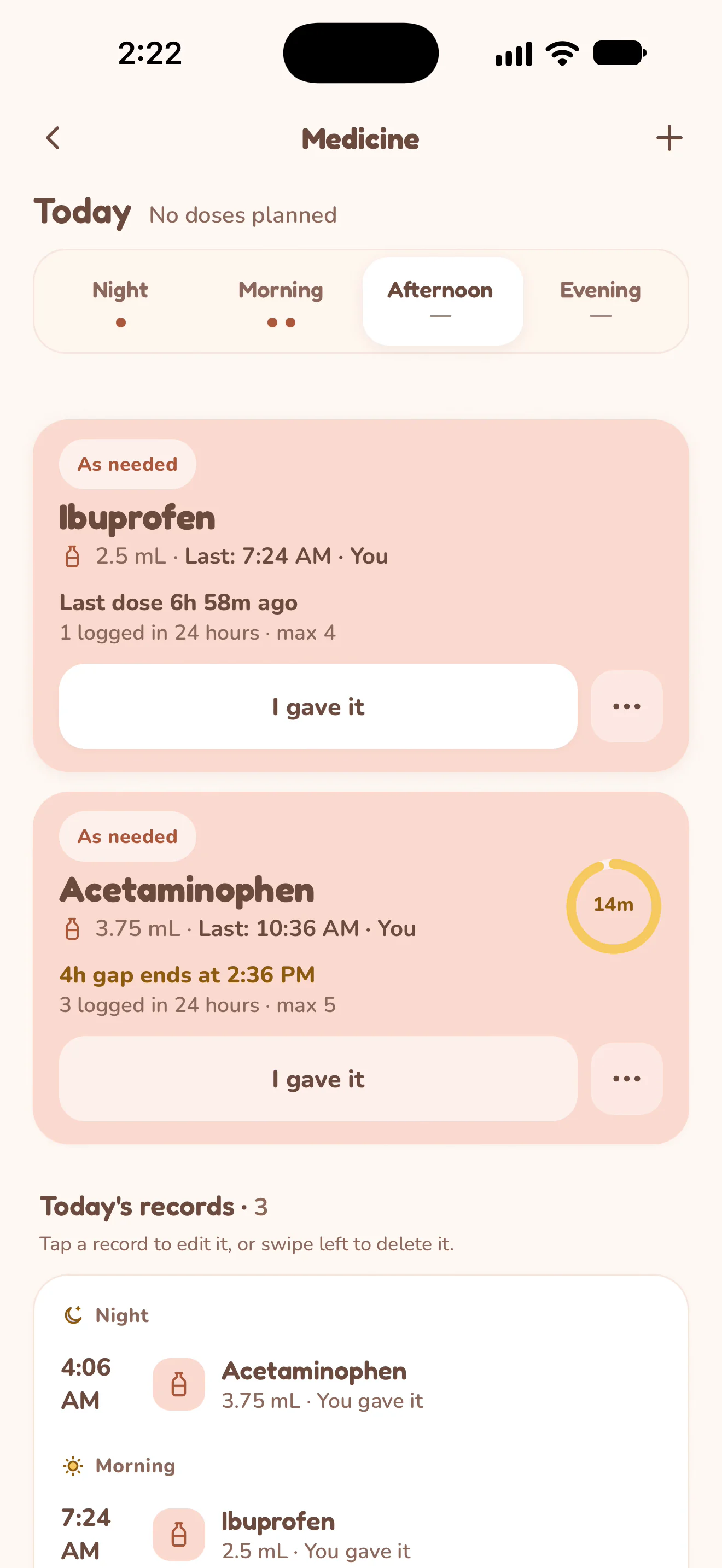
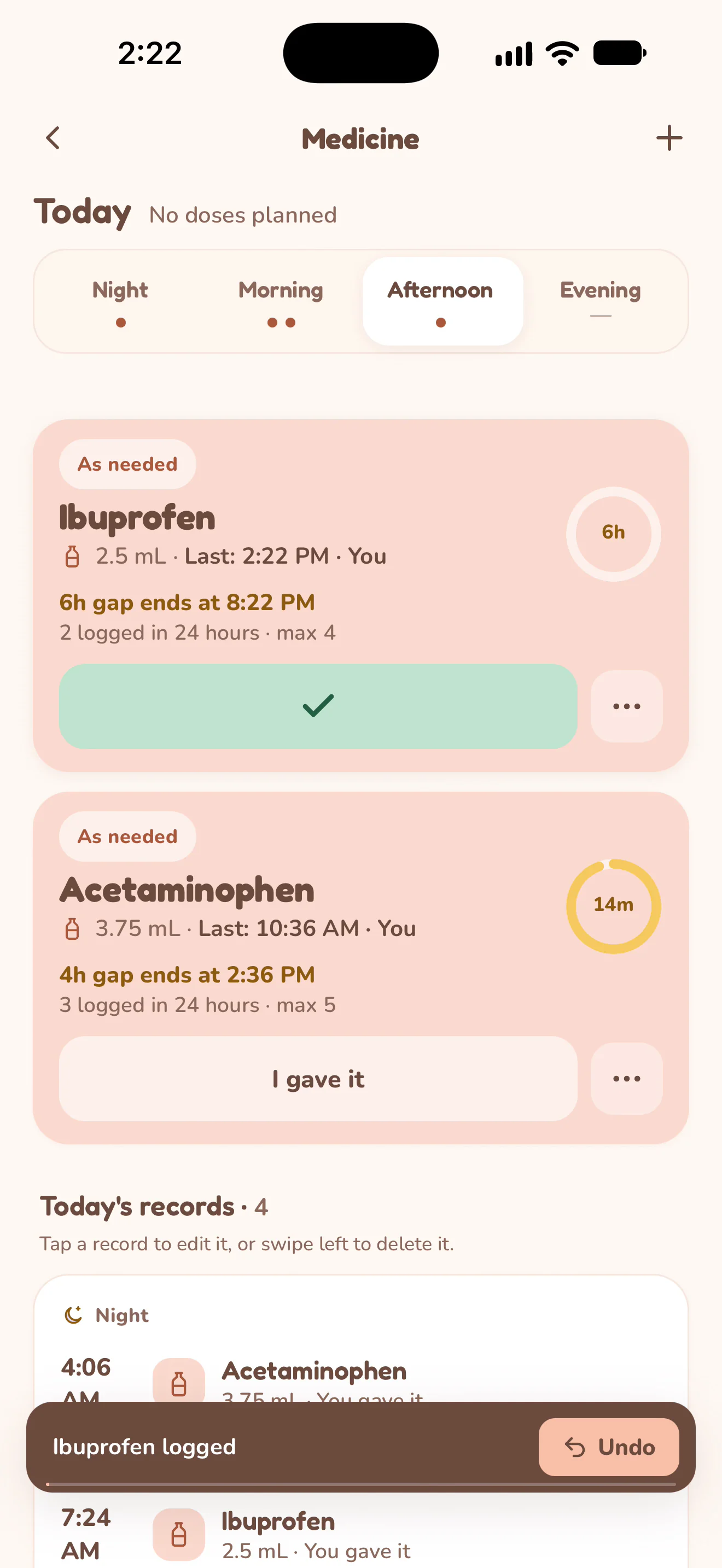
At handoff, another caregiver can check which doses were recorded and when. The example follows an as-needed medicine from I gave it to the updated last-dose time and history.
Record a dose you gave.
The caregiver opens Medicine and chooses I gave it for Ibuprofen. Nuzzle confirms the logged dose and updates the last recorded time and the gap countdown. Fictional Mila records; silent screen recording.
Actual Nuzzle screens with fictional family records.
How it works.
Add the medicine's details.
Choose the medicine type, enter its name, form, amount and unit. Nuzzle supports as-needed medicines, daily medicines and courses; the available timing fields follow the type you choose.
Keep the instructions you were given.
For an as-needed medicine, enter the minimum gap and maximum doses in 24 hours if instructed. For a scheduled medicine, set its dose times. These are your entries, not a schedule prescribed by Nuzzle.
Record a dose after giving it.
Choose I gave it for the medicine you gave. Use Time, amount or note when the record needs more detail. Review the saved time, caregiver and updated 24-hour count.
Look back before a handoff or visit.
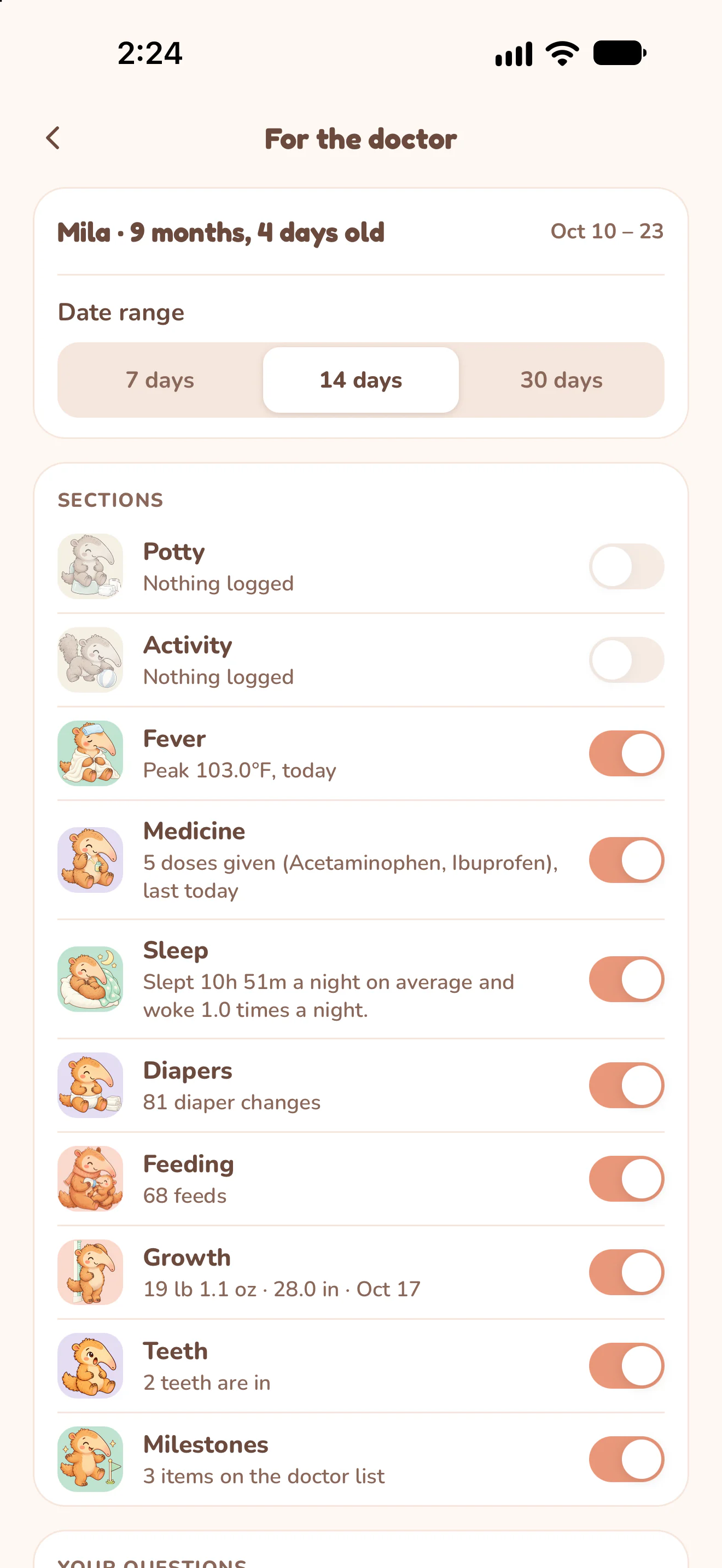
Read Today's records or the medicine's history. Caregivers with access see records after their devices sync. Select Medicine in For the doctor to include recorded doses in the PDF.
Open a real sample report.
These PDFs were exported by Nuzzle using fictional records. They are the original app output, including charts and summaries, rather than blank worksheets.
Open Mila's sample PDF with temperature, medicine and growth records (4 pages, 208 KB).
Keep the day connected.
Start today's record.
The next feed, the next nap and every first, in one record your whole family can see.