Temperature & fever
When you take another temperature, look back at the earlier readings and medicine entries instead of trying to remember their times. Bring that record to a conversation with your clinician.
Save a temperature reading.
The caregiver enters a temperature and saves a forehead reading. The saved-reading sheet shows the result, symptoms, notes and recheck options. Fictional Mila records; silent screen recording.
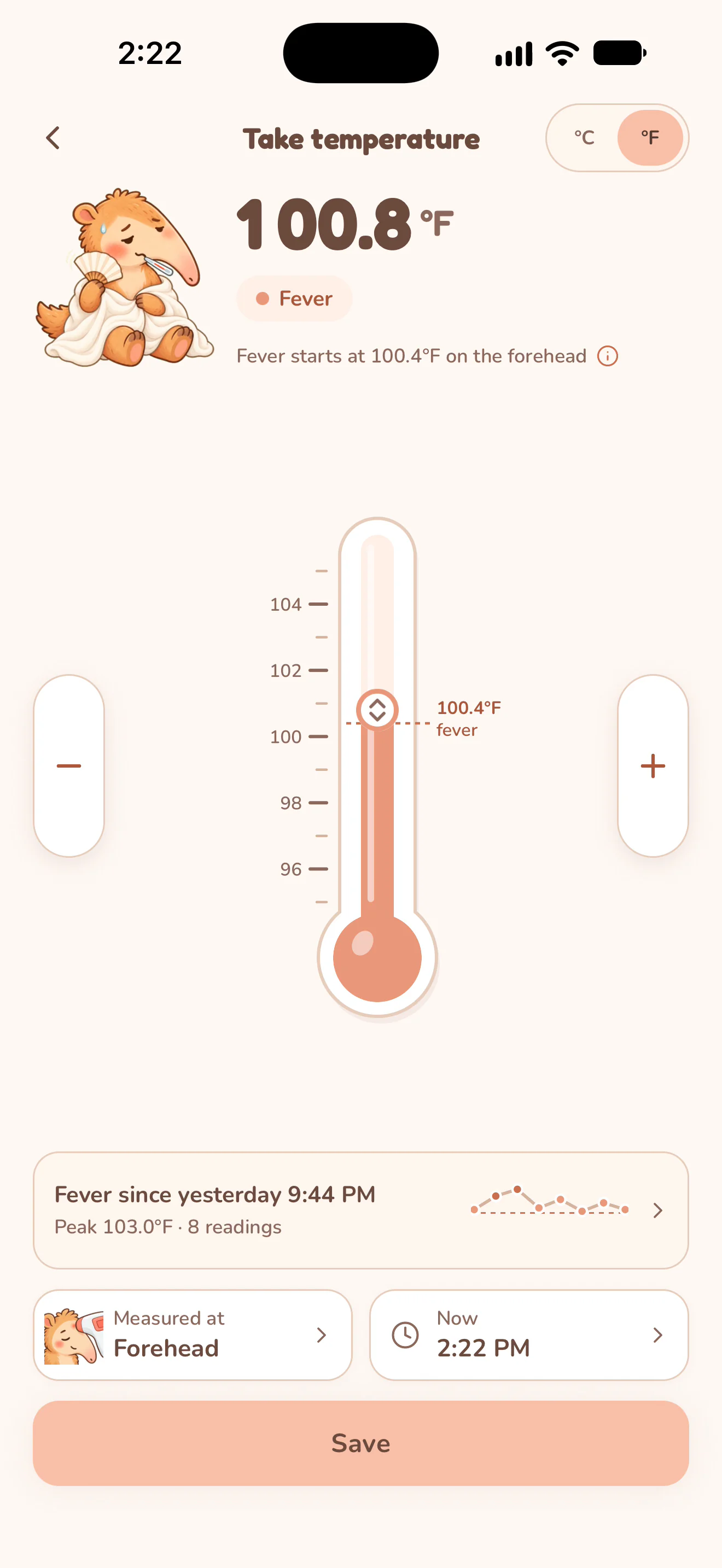
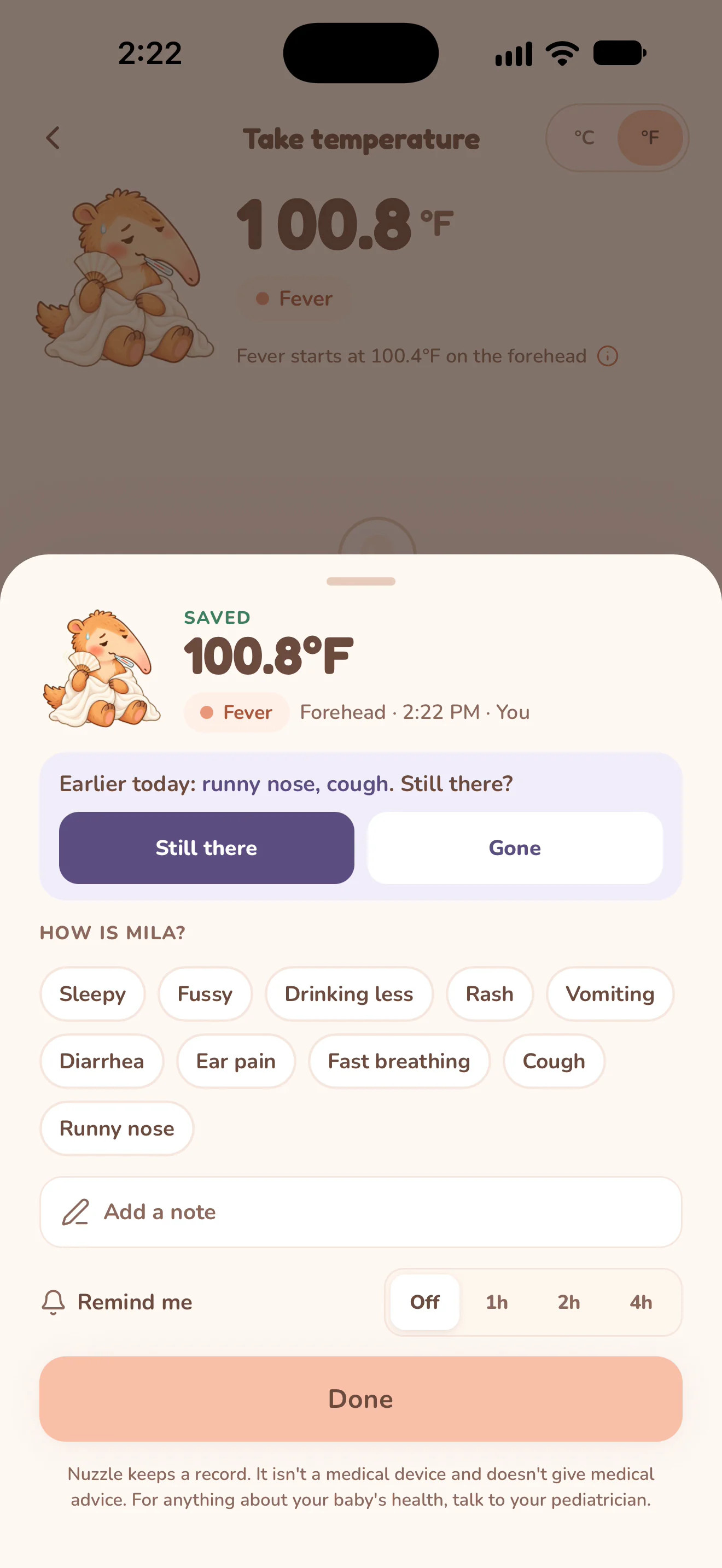
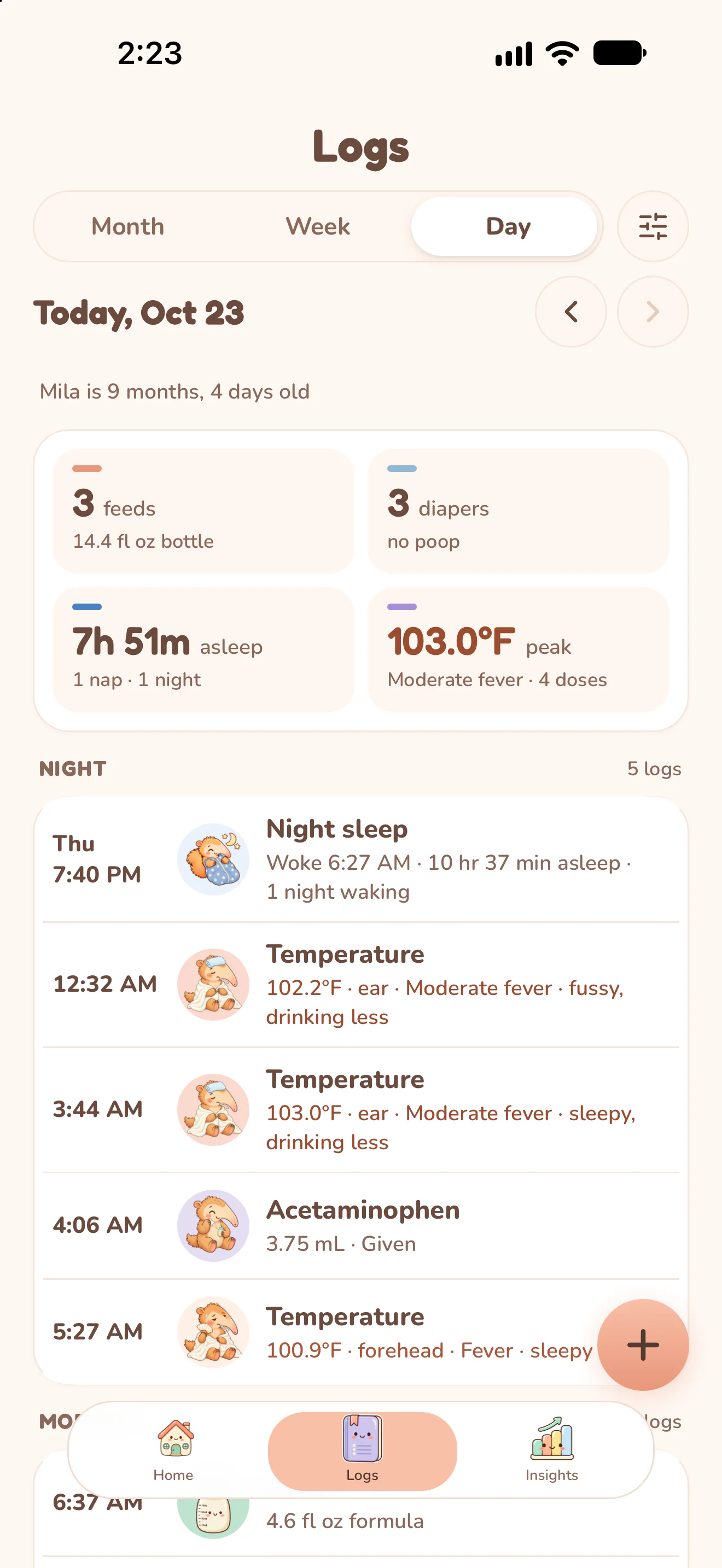
Actual Nuzzle screens with fictional family records.
How it works.
Enter the reading you measured.
Open Take temperature. Choose °C or °F, adjust the value and select where you measured it. Check the time before Save.
Keep symptoms with that check.
The saved-reading sheet lets you add symptoms and a note. When earlier symptoms are shown, choose whether they are still there or gone.
Choose a recheck reminder if useful.
Leave Remind me off or choose 1, 2 or 4 hours. Notification delivery depends on your phone's notification settings and permissions.
Review the readings in context.
Open the fever history or the day's Logs to see recorded times, measurement sites, symptoms and medicine entries. Include Fever and Medicine when preparing a report for the doctor.
Open a real sample report.
These PDFs were exported by Nuzzle using fictional records. They are the original app output, including charts and summaries, rather than blank worksheets.
Open Mila's sample PDF with temperature, medicine and growth records (4 pages, 208 KB).
Keep the day connected.
Start today's record.
The next feed, the next nap and every first, in one record your whole family can see.