History & Insights
Start with a question such as which feeds were recorded that day. Open the day in history, then look at the wider week in Insights without treating a chart as a medical conclusion.
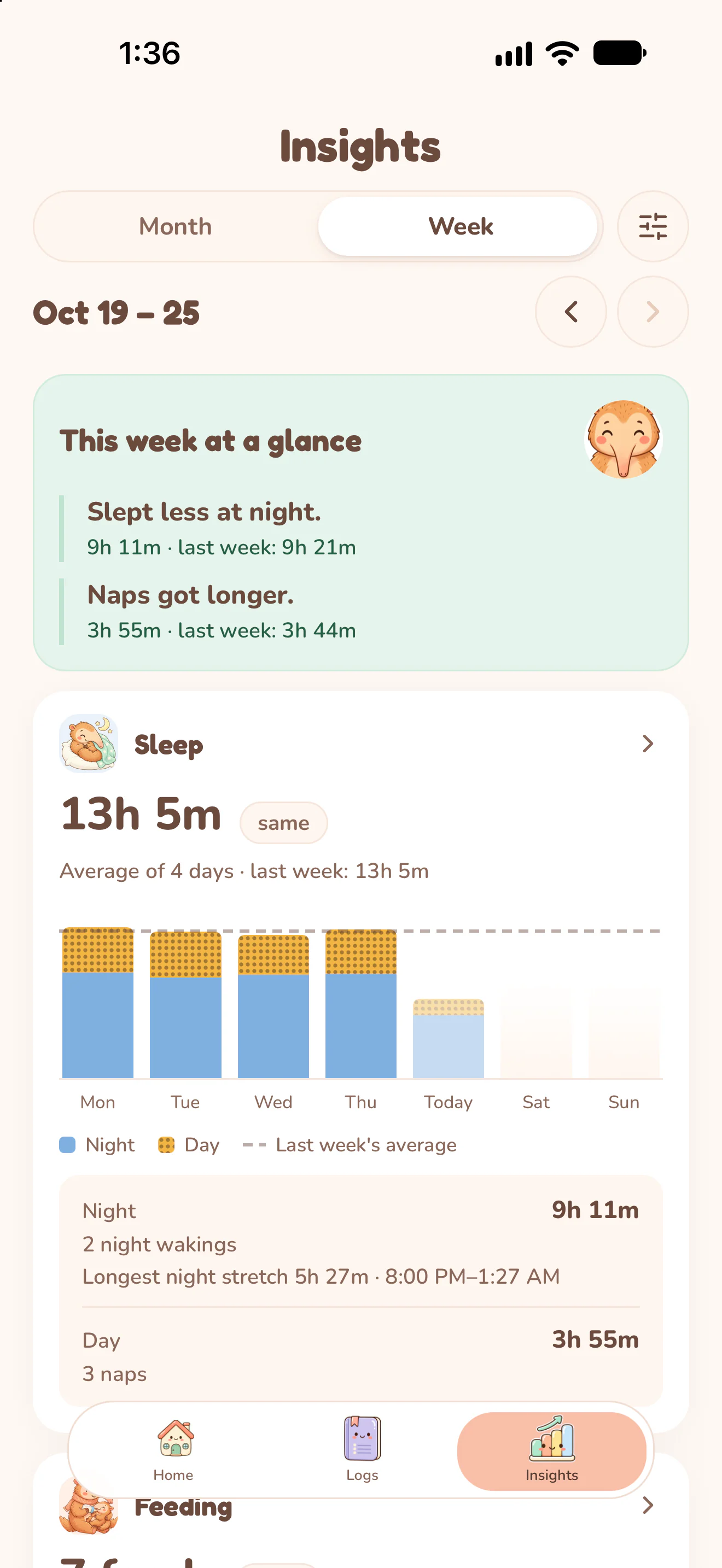
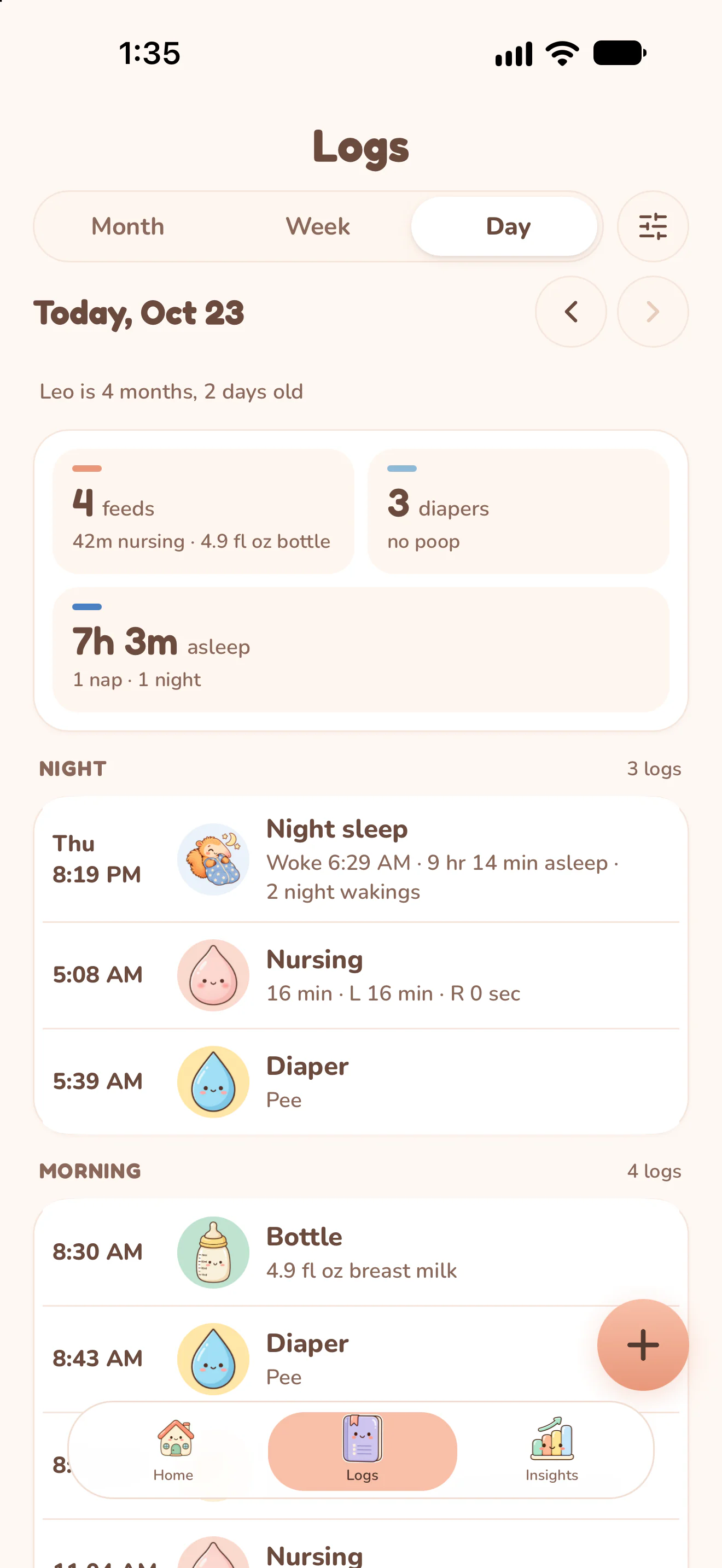
Actual Nuzzle screens with fictional family records.
How it works.
Choose the period in history.
Use the day, week or month view in Logs and move to the period you want to review. Check the displayed dates before comparing entries.
Narrow the records.
Use the care-category filter when you want to focus on one kind of entry. Open a day to read the entry times and details.
Read the chart's label and unit.
In Insights, check the chosen week or month and each chart's category. Sleep duration, nappy counts and pumping volume describe different measurements.
Go back to the underlying entries.
Use the history to understand a particular day. A low or empty chart value can reflect missing logging; the record alone cannot explain why it changed.
Keep the day connected.
Start today's record.
The next feed, the next nap and every first, in one record your whole family can see.