A report for the doctor
Before a visit, review the baby's recent care and include the sections you want to discuss. Keep your questions with the summary instead of reconstructing the week from memory.
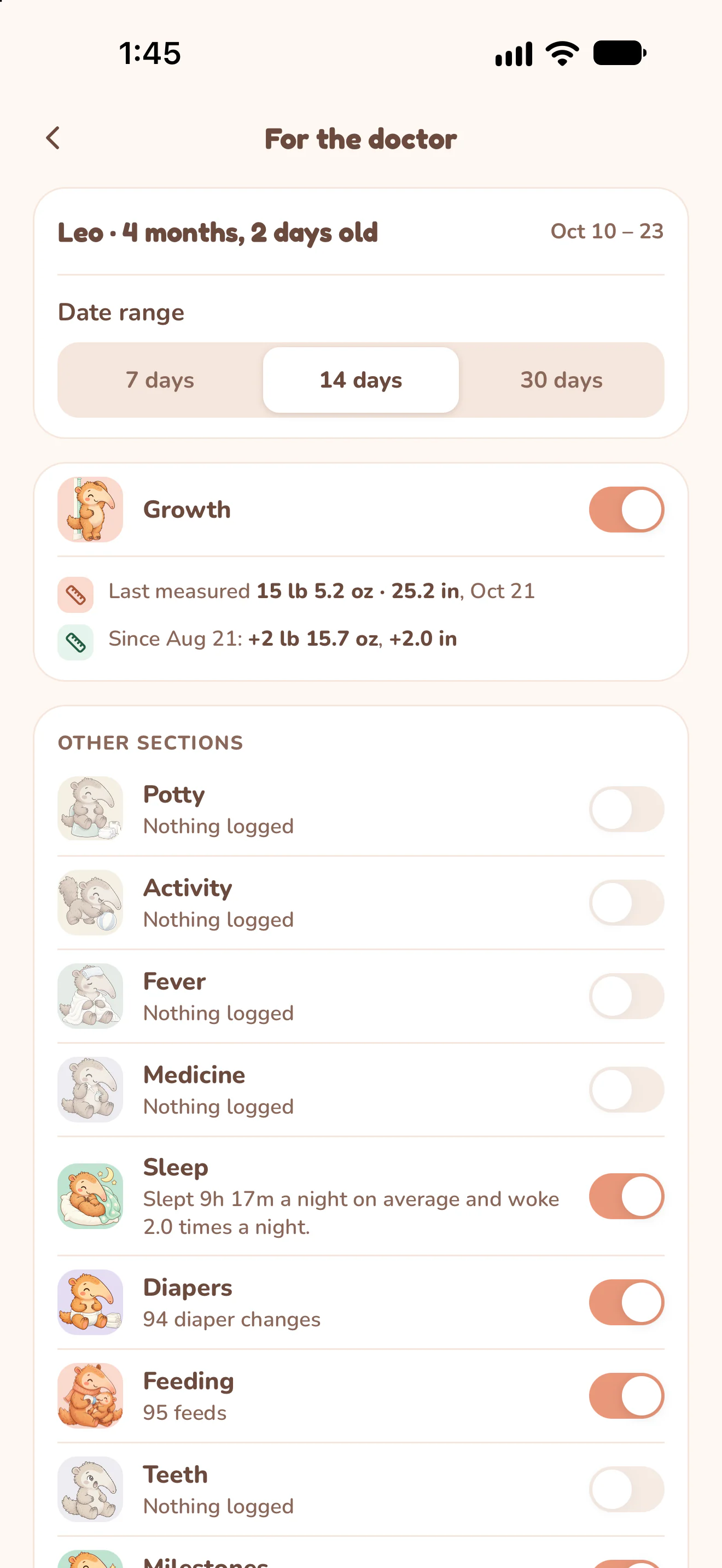
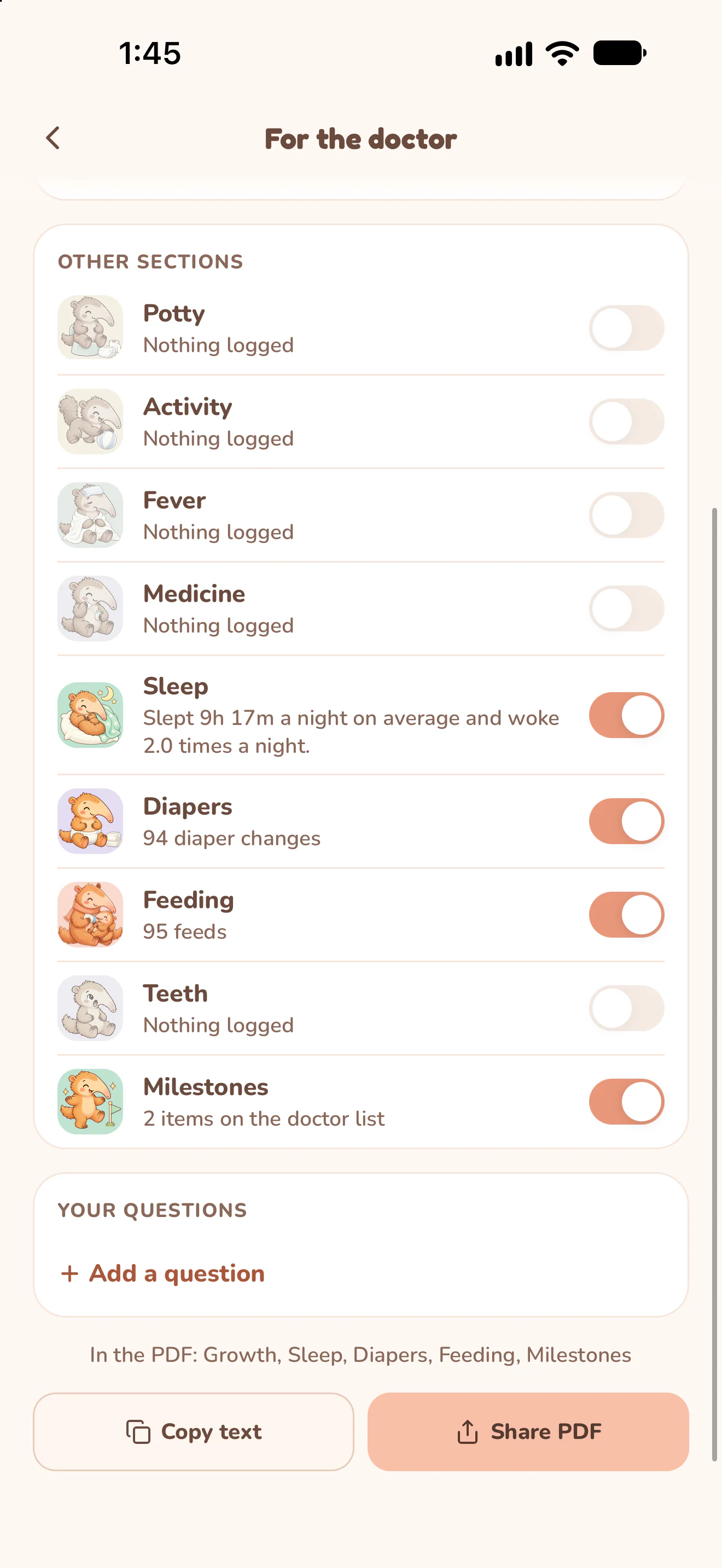
Actual Nuzzle screens with fictional family records.
How it works.
Open For the doctor.
Open the report from Baby Profile or a tracker. When opened from a tracker, that care section appears first.
Choose 7, 14 or 30 days.
Check the actual date range shown in the app. These are preset recent periods ending today, not an arbitrary start-and-end date picker.
Select the sections and review.
Switch sections on or off and check the included-section summary. A section needs records in the selected period to contribute to the report.
Choose Share PDF.
Nuzzle creates the document and opens your phone's share sheet. Choose where to save or send it, and check the recipient before sharing your baby's information.
Open a real sample report.
These PDFs were exported by Nuzzle using fictional records. They are the original app output, including charts and summaries, rather than blank worksheets.
Open Leo's sample PDF (2 pages, 179 KB).
Open Mila's sample PDF with temperature, medicine and growth records (4 pages, 208 KB).
Keep the day connected.
Start today's record.
The next feed, the next nap and every first, in one record your whole family can see.